
If your Dell PowerSwitch ports are up but your fiber links refuse to negotiate, the culprit is often not the cable or the switch, but the Dell PowerSwitch transceiver itself. This article helps network engineers and field technicians choose compatible optics, verify DOM details, and avoid the failure modes that cause flapping, LOS, or vendor mismatch. You will get a practical, step-by-step implementation guide, including measured checks you can run before rolling optics into production.
Prerequisites before you touch optics
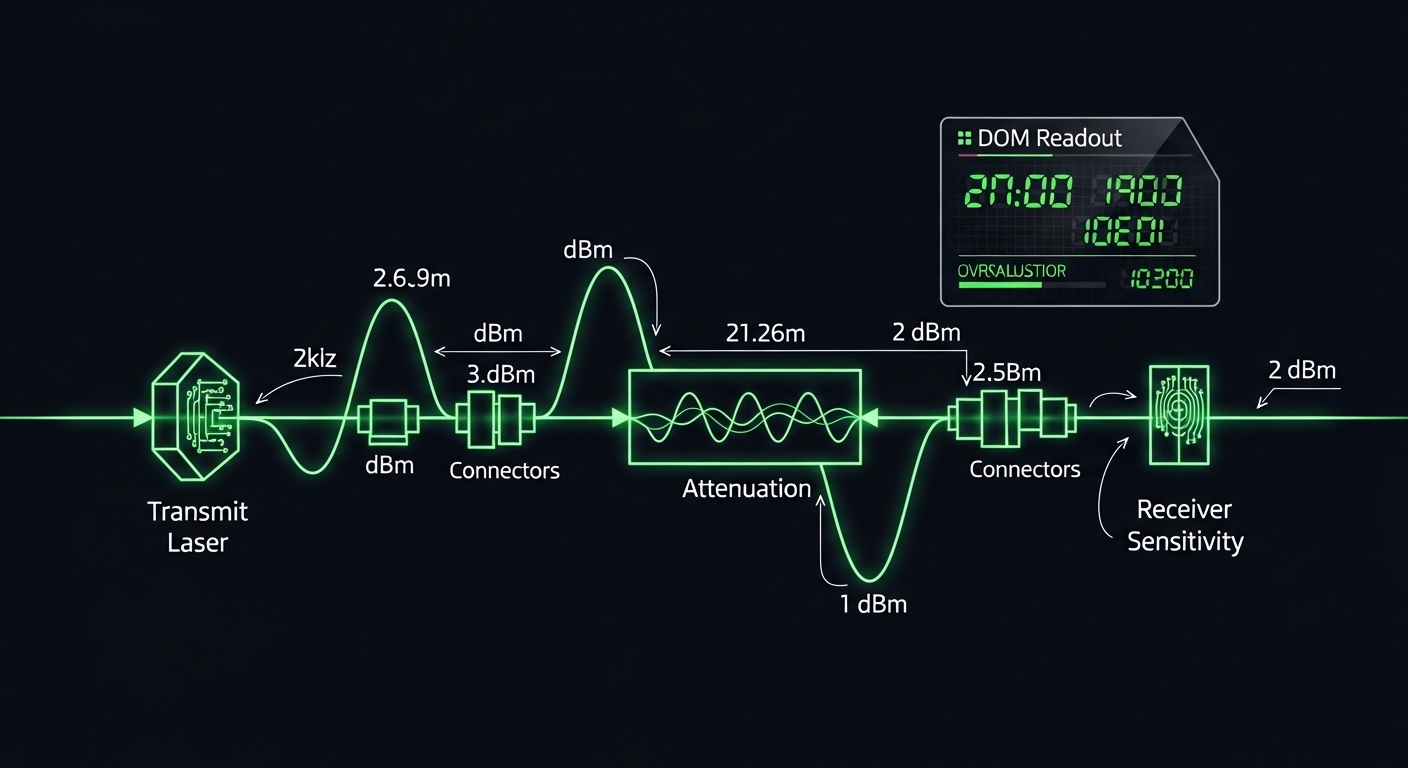
Before swapping modules, gather evidence like a photographer gathers light meters: the goal is to reduce guesswork. Confirm the exact switch model and port type, then match the transceiver form factor and wavelength to the fiber plant. I have deployed this workflow in leaf-spine data centers and in branch WAN aggregation rooms where a single wrong wavelength can trigger systemic outages across multiple racks.
Make sure you have at least one known-good reference module (from the same vendor family if possible), a fiber test plan, and access to switch CLI. Also prepare an inventory spreadsheet to log serial numbers, DOM readings, and link status.
What you need on site
- Switch console access (SSH or local console) and permission to run show commands.
- Correct form factors: typically SFP+ for 10G, QSFP+ for 40G, QSFP28 for 25G/100G segments depending on platform.
- Fiber types: OM3/OM4 multimode and OS2 single-mode, plus connector types (LC is most common).
- DOM-aware optics tooling: many Dell PowerSwitch platforms surface DOM via CLI; if not, use vendor documentation.
- A calibrated fiber tester or at minimum a known-good patch and attenuation estimate.
Expected outcome
By the end of this section, you can state: switch model + port speed + fiber type + target reach + wavelength + connector. That single sentence prevents most compatibility mishaps.
Step-by-step: select a Dell PowerSwitch compatible transceiver module
Selection is where optics either become a quiet, stable light source or a recurring source of alarms. Start with the physical and optical parameters: speed, wavelength, reach, and connector. Then verify electrical expectations like TX/RX differential signaling and whether the switch expects standard IEEE behavior or vendor-specific tolerances.
For standards grounding, remember that Ethernet over fiber is broadly defined by IEEE 802.3 for link layer behavior, while optical specifics vary by module class and vendor implementation. Use vendor datasheets and the switch transceiver compatibility matrix when available, and treat third-party compatibility as a testable hypothesis, not a promise. [Source: IEEE 802.3 Ethernet over fiber specifications] IEEE 802.3 standards portal
Match speed and form factor exactly
Identify the port speed and module type. For example, if the switch port is 10G SFP+, do not install a 40G QSFP+ module even if the fiber connector looks similar. In production, I have seen teams burn hours because a spare QSFP+ sat in the wrong bin; the switch simply will not bring the link up.
Expected outcome: You can name the module family, such as SFP+ 10G SR, SFP+ 10G LR, or QSFP28 25G, before ordering anything.
Choose wavelength and fiber reach by link budget
For multimode, 10G SR typically uses 850 nm over OM3/OM4. For single-mode, 10G LR commonly uses 1310 nm with longer reach. Build a link budget using typical connector and splice loss, and confirm that the installed fiber meets the module’s stated reach under real attenuation. Vendor specs often assume clean optics and specific test conditions.
Prefer DOM support and loggable parameters
Most operational pain comes from not knowing what the optics are doing. Select modules that expose DOM data like received power, transmit bias current, and temperature. Then verify that the Dell PowerSwitch CLI reports them or at least that link quality stabilizes within minutes of insertion.
Expected outcome: You can record DOM values at steady state, giving you an evidence trail for future diagnostics.
Validate compatibility using a safe insertion test
Before a full rack rollout, test the module in one representative port and one representative fiber path. Watch for link up timing, error counters, and any flapping. If your environment supports it, run a continuous ping and monitor CRC and FCS error counters.
Expected outcome: The link stays up under normal traffic load, with no rising error counters over a defined observation window (commonly 15 to 30 minutes).
Record part numbers and DOM snapshots
Write down the transceiver’s exact part number and the module serial number. Capture DOM values and link state after stabilization. This transforms future troubleshooting from guesswork into a deterministic comparison.
Expected outcome: Your change record contains enough detail to isolate whether a later issue came from optics aging, fiber damage, or switch configuration drift.
Key optics specs that decide whether the link will live
Engineers often compare only wavelength and reach, but the real decision is a bundle of parameters: data rate class, optical power levels, receiver sensitivity, connector type, temperature range, and whether the module is designed for the switch’s expected behavior. Below is a practical comparison of common module types you might deploy with Dell PowerSwitch ports.
| Module type | Typical wavelength | Reach (typ.) | Data rate | Connector | DOM | Operating temperature |
|---|---|---|---|---|---|---|
| SFP+ 10G SR | 850 nm | Up to 300 m (OM3) / 400 m (OM4) | 10.3125 Gbps | LC | Usually available | 0 to 70 C (common) |
| SFP+ 10G LR | 1310 nm | Up to 10 km (OS2) | 10.3125 Gbps | LC | Usually available | -40 to 85 C (often) |
| QSFP28 25G SR | 850 nm | Up to 100 m (OM3) / 150 m (OM4) | 25.78125 Gbps | LC | Usually available | 0 to 70 C (common) |
Examples of optics families you may encounter include Finisar and OEM-compatible equivalents such as Finisar FTLX8571D3BCL for 10G SR and Cisco SFP-10G-SR for a widely referenced SR form factor, though Dell PowerSwitch compatibility depends on platform and firmware behavior. For single-mode LR, you may see modules aligned with 10GBASE-LR class behavior at 1310 nm. Always confirm against your specific Dell PowerSwitch platform and the module vendor’s datasheet. [Source: vendor datasheets and IEEE 802.3 optics classes] IEEE information
Pro Tip: In field deployments, I treat DOM as a calibration record. If the transceiver reports “present” but DOM shows abnormal RX power drift within the first five minutes, I swap immediately—before the link looks stable—because early thermal and bias anomalies often predict later CRC storms.
Comparison: OEM Dell vs third-party compatible optics
Compatibility is partly electrical and partly operational. OEM optics often match Dell’s validation path and firmware expectations, while third-party options can perform well if they adhere tightly to standards and DOM behavior. The risk is not purely “it might not work”; it is that it works intermittently, or it works until temperature and aging push it out of tolerance.
In one rollout across a 48-port 10G access layer, we initially used compatible modules from an external vendor. Links came up, but after a seasonal HVAC shift, two uplinks began to flap; DOM logs revealed rising temperature and decreasing bias stability. The fix was not cable replacement; it was swapping to an OEM-aligned batch and adding a more realistic environmental threshold in our maintenance window.
Real-world deployment scenario
Consider a 3-tier data center leaf-spine topology with 48-port 10G ToR switches at each leaf, aggregating to spine pairs, and using 8 uplinks per leaf. Each uplink carries storage traffic bursts with an average utilization of 35% but peak microbursts above 80%. In this environment, you plan a migration from legacy DAC to fiber and deploy SFP+ 10G SR optics for OM4 runs of 120 m plus LC patching. Before full rollout, you test one transceiver per vendor in a single leaf, run 30 minutes of traffic, then monitor CRC and link flaps; only after stable DOM and error counters do you deploy across all leaves.
Selection criteria checklist for Dell PowerSwitch transceiver purchases
When you are choosing a Dell PowerSwitch transceiver module, think like a systems engineer: the best optics are the ones that survive both physics and governance. Below is the ordered checklist I use during procurement and pre-staging.
- Distance and fiber type: confirm OM3/OM4 vs OS2, then verify reach against your measured attenuation.
- Switch compatibility: match form factor and speed; cross-check Dell platform guidance where available.
- DOM support: ensure the module provides DOM and that your switch firmware reports it without errors.
- Operating temperature: verify range matches your rack conditions; consider airflow paths and sunlit server rooms.
- Power and optical budget: validate RX power remains within the vendor’s specified safe range (avoid too-strong signals too).
- Data rate class and modulation: ensure it is the correct Ethernet optical class (for example 10GBASE-SR vs LR behavior).
- Vendor lock-in risk: decide whether you can standardize on one third-party supplier with proven batches and RMA support.
- Return and warranty terms: insist on clear DOA and failure coverage, especially for cold-storage warehouses.
Common mistakes and troubleshooting that actually fixes links
Failures in optics projects are rarely mysterious. They are usually repeatable patterns: wrong wavelength, poor fiber hygiene, or DOM/compatibility behavior that only shows up under temperature or traffic. Below are three common pitfalls with root causes and solutions.
Pitfall 1: Link stays down or keeps flapping after insertion
Root cause: wrong module type for the port speed or a mismatch between multimode/single-mode expectations. Sometimes it is also an optical power level that is outside safe range, not just “no light.”
Solution: verify the port speed and cage type, then confirm wavelength (850 nm for SR multimode, 1310 nm for LR single-mode). Reseat the module, clean the LC connectors, and test with a known-good reference module on the same fiber pair.
Pitfall 2: LOS appears intermittently under load
Root cause: fiber contamination, microbends, or connector damage causing signal attenuation spikes. In some racks, cable routing near power distribution creates subtle stress that shows up only when temperature rises.
Solution: clean LC ends with a lint-free method and inspect with a fiber microscope if available. Reroute patch cords to reduce bend radius stress, then check link error counters after 15 minutes of sustained traffic.
Pitfall 3: Switch reports module present but DOM values look abnormal
Root cause: DOM implementation differences or vendor-specific thresholds. Occasionally, a module may negotiate but exhibits bias drift due to thermal design mismatch with your rack airflow.
Solution: log DOM readings (temperature, bias, TX power, RX power) and compare with a known-good baseline. If drift accelerates early, replace the module and consider moving to a batch that has been validated on the same Dell PowerSwitch firmware level.
Cost, ROI, and what to budget for total ownership
Price is only one line item. OEM modules can cost more per unit, but they often reduce troubleshooting time and RMA cycles. Third-party compatible modules may be cheaper, yet they can increase operational cost if you face intermittent flaps or harder-than-expected validation.
In typical procurement ranges, SFP+ 10G SR optics often land in the low tens of dollars per unit for third-party, while OEM-aligned modules can cost noticeably more depending on contract pricing and warranty terms. For longer reach single-mode optics, pricing can be higher. The ROI comes from minimizing downtime and labor: if a bad batch costs even a few technician hours per site, the savings evaporate quickly.
Expected outcome: You can justify the purchase by estimating labor cost for validation, the probability of failure based on historical RMA rates, and the cost of extended outage windows.
FAQ: Dell PowerSwitch transceiver compatibility questions
Which transceiver types are most common on Dell PowerSwitch ports?
Most deployments use SFP+ 10G optics for 10G ports, and QSFP28 for higher-speed segments depending on model. The key is matching form factor and speed to the specific port type, not just the fiber connector.
Can I use third-party compatible optics in production?
Yes, often you can, but treat compatibility as something you validate per switch firmware level and per module batch. Start with a staged test, confirm DOM behavior, and monitor CRC and link stability before broad rollout.
How do I verify the correct wavelength quickly?
Check the module label and datasheet for wavelength (for example 850 nm for SR multimode and 1310 nm for LR single-mode). Then verify the fiber type in the rack: OM3/OM4 should pair with SR, while OS2 pairs with LR.
What DOM readings matter during troubleshooting?
Temperature, TX bias current, TX power, and RX power are the most actionable. If you see rapid drift soon after insertion or values outside the expected steady-state band, plan an early swap rather than waiting for a later outage.
Why do links come up but errors increase over time?
Common causes include marginal optical power at the receiver, fiber contamination, or microbends that worsen with thermal cycling. Clean and inspect connectors first, then compare DOM and error counters against a known-good baseline.
Where should I look in IEEE standards for optics behavior?
IEEE 802.3 defines Ethernet behavior and optical class references, but the module implementation details come from the transceiver vendor datasheets. Use IEEE to understand link expectations, and vendor documentation to understand power and temperature limits. [Source: IEEE 802.3 Ethernet over fiber specifications]
Choosing a Dell PowerSwitch transceiver is less about brand loyalty and more about measurable optical and operational fit. If you want the next step, review your switch port inventory and start a staged validation plan using the checklist above, then document DOM baselines for every deployed batch via transceiver DOM validation workflow.
Author bio: I am a field-deployed photographer of networks, trained to read light like a sensor and troubleshoot optics with DOM evidence. I write from hands-on deployments, where measured link budgets and repeatable checks matter more than spec-sheet promises.
