
In modern AI clusters, the transceiver choice is rarely an afterthought; it shapes cost, thermal headroom, and whether your fabric stays stable under load. This guide helps network engineers and field technicians decide between SFP and QSFP28 for high-performance AI applications, with the practical checks that prevent link flaps and silent throughput caps. You will get a selection checklist, a specs comparison table, and troubleshooting patterns seen in live deployments.
Why AI fabrics care about SFP vs QSFP28
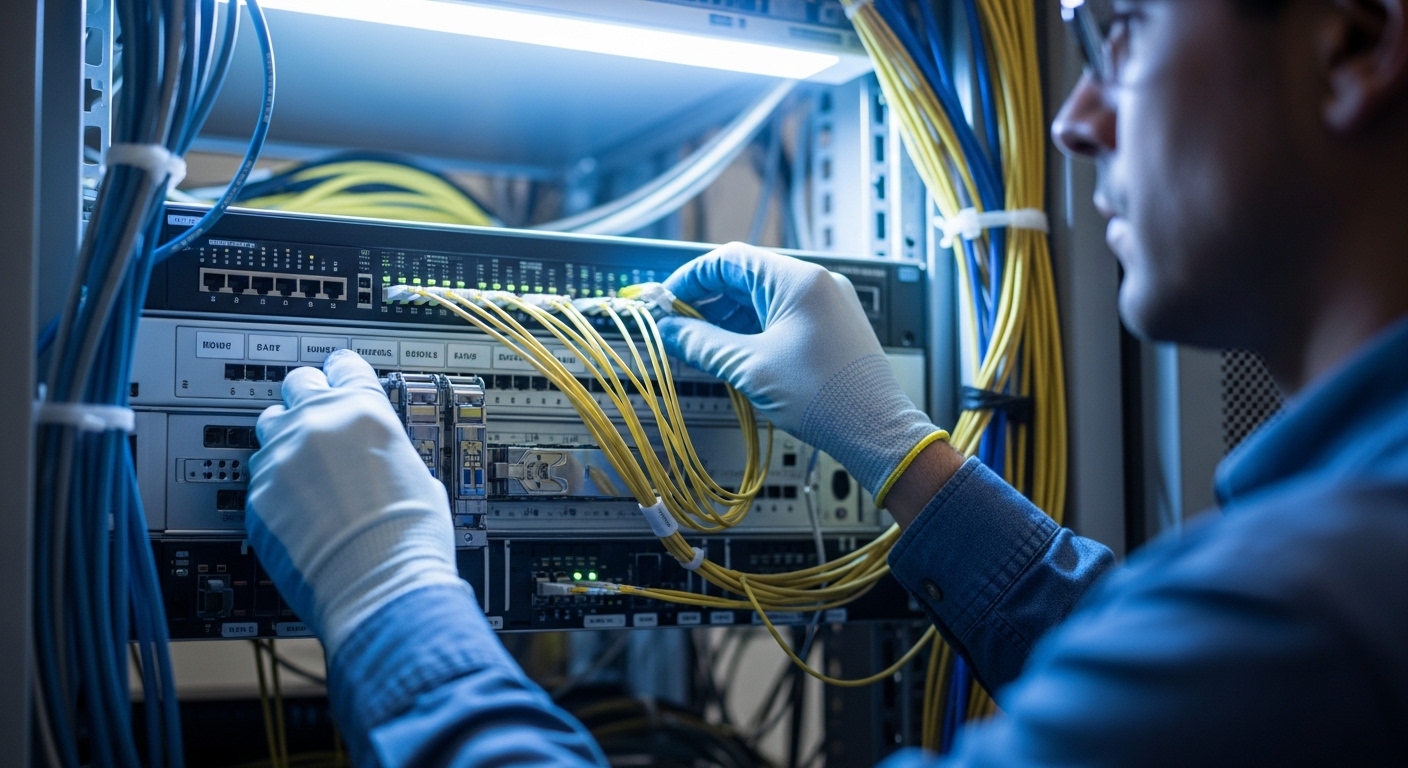
AI training and inference workloads concentrate traffic into short, bursty flows: many east-west connections, tight latency budgets, and frequent rebalancing during scaling events. In that environment, the wrong module family can force a lower-speed fallback or introduce power and thermal stress that triggers intermittent errors. The decision is usually a trade between port density and lane aggregation (a strength of QSFP28) and simpler, lower-speed optics with broad compatibility (often where SFP fits).
At the physical layer, QSFP28 typically carries 4 lanes at 25G each to deliver 100G aggregate, while many SFP variants are built around 1 lane at 1G, 10G, or 25G depending on the exact generation. For AI, the most common operational mismatch is expecting a QSFP28-style reach or throughput from an SFP port profile, or vice versa.
Core specs comparison: wavelengths, reach, power, and interfaces
Transceiver selection begins with the lane model and the optical budget you need. Even if the connector type matches, the wavelength and reach class determine whether your system meets the receiver sensitivity and link margin. Always confirm that your switch port supports the module type, and that the optical type aligns with the fiber plant (single-mode vs multi-mode).
Typical AI-relevant classes you will actually see
In many data centers, QSFP28 modules are used for 100G leaf-spine links or spine uplinks, while SFP is used for 10G or 25G tiers, management, or edge aggregation. The most common optical pairings are multi-mode for short reach and single-mode for longer runs.
| Spec | SFP (common AI-adjacent use) | QSFP28 (typical 100G lane model) |
|---|---|---|
| Form factor | SFP (hot-pluggable) | QSFP28 (hot-pluggable) |
| Typical data rate | Often 10G or 25G per module (varies by model) | 100G aggregate via 4x25G lanes |
| Wavelength examples | Common: 850 nm (MM short reach) or 1310 nm / 1550 nm (SM) | Common: 850 nm (MM) or 1310 nm / 1550 nm (SM) |
| Reach (typical) | MM: often tens to a few hundred meters (depends on fiber grade); SM: up to tens of km (depends on optic) | MM: often ~100 m class to a few hundred meters; SM: often up to 10 km class for standard optics |
| Connector styles | Often LC duplex | Often LC duplex (or MPO in some MM configurations) |
| Temperature range | Usually 0 to 70 C for standard; some support extended ranges | Usually 0 to 70 C for standard; some support extended ranges |
| DOM / telemetry | Often supports Digital Optical Monitoring (vendor-specific) | Often supports DOM; switch compatibility varies |
For authority on the underlying physical-layer behavior and optical performance expectations, consult IEEE 802.3 for the relevant Ethernet rate and PCS/PMA definitions, and vendor datasheets for receiver sensitivity and link budgets. For optical and safety norms, also review applicable standards such as IEC 60825 for laser safety. A practical field reference is the vendor module datasheet for exact parameters.
For example, a real-world QSFP28 short-reach module might be paired with a 100G Ethernet port profile on a compatible switch, while an SFP might be used for 10G or 25G uplinks or aggregation where the fabric expects that exact speed and coding. If you mix expectations, you may see a link that comes up at a lower speed, or a port that never reaches training.
Selection checklist for AI deployments: distance, firmware, and optics budget
Use this ordered checklist before ordering parts. Treat it like a field work permit: it prevents the most common “it should work” assumptions.
- Distance and fiber type: Measure end-to-end fiber length and confirm single-mode vs multi-mode, plus fiber grade (for MM, verify OM3/OM4 where applicable).
- Target Ethernet speed and lane map: Verify whether the switch port expects 100G (QSFP28) or 10G/25G (SFP). QSFP28 is commonly 4x25G; SFP is commonly single-lane.
- Switch compatibility: Confirm the module is supported by your specific switch model and software release. Vendor compatibility lists often lag behind module availability.
- DOM support and thresholds: Ensure the module supports DOM and that thresholds in the switch do not trigger alarms due to temperature or bias drift. Check whether the switch reads DOM registers cleanly.
- Operating temperature: Confirm the module supports the cabinet environment. In dense AI racks, inlet air can exceed expectations during burn-in; compare module spec to measured inlet temperature.
- Optical budget and link margin: Use vendor-provided receiver sensitivity and transmitter power, then include connector loss, splice loss, and any patch cords. If the spec gives a minimum link margin, honor it.
- Vendor lock-in risk: Decide whether you will standardize on OEM optics or third-party modules. Third-party can reduce cost, but compatibility and RMA cycles can affect total cost of ownership.
- Connector and breakout planning: Confirm whether you need MPO breakout for certain MM QSFP28 types, and ensure you have the correct polarity and polarity adapters.
Pro Tip: Many “mystery link flaps” in AI racks are not optical power failures; they are DOM parsing mismatches after a switch firmware update. If the port logs show DOM read errors or threshold alarm events just before link drops, test with a known-good module of the same family and review the switch release notes before replacing optics repeatedly.
Deployment scenario: leaf-spine AI fabric with mixed port families
Consider a 3-tier data center leaf-spine topology supporting an AI training cluster with 48-port 10G ToR switches feeding 12-port 100G uplinks to a spine. The leaf switches run 10G server-facing links and use QSFP28 on uplink ports for 100G aggregation. Meanwhile, the same leaf chassis uses SFP modules for 10G management and for short reach connections to service appliances.
In one rollout, engineers planned 220 m multi-mode runs from leaves to an intermediate patch panel. They selected QSFP28 OM4 optics for the uplinks and LC duplex SFP optics for the service links, avoiding MPO polarity complexity on the server-facing side. During burn-in at 31 C measured inlet temperature with 60 percent fan duty, the team validated that DOM alarms remained stable and that link error counters stayed within vendor guidance for at least 72 hours before scaling traffic.
Common pitfalls and troubleshooting patterns (with root cause fixes)
In field work, the fastest resolution comes from recognizing the failure signature. Below are frequent mistakes, their root causes, and practical fixes.
Port comes up at a lower speed or never fully trains
Root cause: The switch port profile expects QSFP28 100G but an SFP module (or a different speed SFP SKU) is inserted, or the firmware does not support that optics family. Some platforms advertise compatibility but require a specific software release for the module to negotiate the right lane coding.
Fix: Verify the switch model and software version against the vendor optics compatibility list, then confirm the port mode (100G vs 25G vs 10G) is correctly configured. If needed, stage a rollback test using the previous known-good switch image.
Link errors under load, but link is “up” at idle
Root cause: Insufficient link margin: transmitter power, receiver sensitivity, and fiber attenuation add up, and AI traffic patterns reveal the weakness. Multi-mode issues are common when connector cleanliness or fiber grade is misreported.
Fix: Clean connectors using proper approved procedures, re-seat the optics, and verify fiber grade and measured attenuation. Use vendor link budget guidance and include patch cord length and splice loss. If you have access to optical power readings via DOM, compare them to vendor thresholds.
DOM alarms or telemetry errors trigger resets
Root cause: DOM register behavior differs between OEM and third-party optics, or the switch firmware interprets DOM fields differently. Some optics also exhibit higher drift at elevated temperatures, which can trip thresholds.
Fix: Confirm DOM support and check event logs for DOM parsing errors. Test with an OEM module of the same nominal class to isolate telemetry incompatibility. If the issue correlates with firmware, test an alternate switch image as a controlled experiment.
Random disconnects after re-cabling or MPO handling
Root cause: Polarity errors or incorrect MPO orientation for QSFP28 multi-mode paths; technicians sometimes assume polarity is “automatic.”
Fix: Validate polarity with an MPO polarity checker, correct adapter orientation, and label both ends. Replace suspect patch cords rather than repeatedly reseating optics.
Cost and ROI: OEM vs third-party optics in AI timelines
Pricing varies by reach, wavelength, and whether you need OEM guarantees. In many markets, you will commonly see QSFP28 optics priced higher than SFP optics due to higher aggregate speed and more complex lane design. As a realistic planning range, third-party optics may cost roughly 30 to 60 percent less than OEM equivalents, but the TCO swings based on compatibility effort, failure rates, and RMA turnaround.
From an ROI perspective, the hidden cost is engineering time: validating switch compatibility, running burn-in tests, and managing optics inventory. For AI clusters where downtime is expensive, OEM optics can pay back when you value predictable behavior, stable DOM telemetry, and faster support. For less mission-critical links with strong lab validation, third-party optics can be a rational lever—if you lock the vendor and module SKU and document compatibility.
FAQ: SFP vs QSFP28 buying questions from the field
Which is better for AI: SFP or QSFP28?
It depends on the port speed your switch offers and the lane aggregation you need. Use QSFP28 when you must deliver 100G with high port density and lane aggregation. Use SFP when your design calls for 10G or 25G per link or when you need simpler, widely supported reach classes.
Can I mix SFP and QSFP28 in the same AI rack?
Yes, and many deployments do. The key is ensuring each transceiver matches the specific port profile on the switch and the cabling plan (LC vs MPO, polarity, and fiber type). Mixing families is usually safe if you keep the configuration aligned to the correct Ethernet speed.
What matters more: wavelength or connector type?
Both matter, but wavelength determines whether the optical budget works; connector type determines whether you can physically connect the optics correctly. For example, QSFP28 multi-mode optics may require MPO cabling, while SFP often uses LC duplex. If the wavelength and reach class mismatch, the link may fail even with the correct connector.
Do I need DOM support for AI links?
DOM is strongly recommended because it enables proactive monitoring of transmit power, receive power, temperature, and bias currents. Even if the link comes up without DOM enforcement, missing or misinterpreted telemetry can hide degrading optics until errors surface under load. Always check whether your switch reads DOM reliably for that module SKU.
Are third-party SFP and QSFP28 optics safe for production?
They can be, but only after compatibility validation with your switch model and software version. Treat third-party modules as a controlled change: run burn-in tests, verify DOM behavior, and monitor error counters. If you cannot validate quickly, OEM optics often reduce operational risk.
What is the fastest way to troubleshoot a link that drops under load?
First, check the switch logs for DOM or training/PCS errors, then verify fiber cleanliness and reseat optics. Next, review optical power readings (via DOM if available) and confirm the link budget for the measured distance including patch cords and splices. If the issue correlates with firmware updates, test against a known-good switch image before replacing optics.
Choosing between SFP and QSFP28 for AI links is less about labels and more about matching speed, optics reach, and switch behavior to your actual fiber plant. If you want a related next step, review fiber optic transceiver compatibility and DOM monitoring to build a repeatable validation workflow for every optics SKU.
Author bio: I have deployed and troubleshot transceiver fleets in live data centers, validating reach, DOM telemetry, and thermal behavior during burn-in. My practice blends switch configuration discipline with hands-on fiber inspection to prevent avoidable outages.
Legal disclaimer: This article is for informational purposes only and does not create an attorney-client relationship. For legal advice about procurement warranties, RMA terms, or compliance, consult qualified counsel in your jurisdiction.
