
Enterprises moving from 400G to 800G quickly discover that the hardest part is not bandwidth math, but procurement decisions that survive real optics, thermal, and compatibility constraints. This article helps network engineers, data center architects, and procurement stakeholders choose high-speed transceivers that work with 800G switch platforms while minimizing downtime risk. You will get concrete spec comparisons, a step-by-step selection checklist, and troubleshooting patterns seen in field deployments.
Why 800G changes how you evaluate high-speed transceivers
At 800G, the “module” is only half the story; the other half is how the switch’s PHY lanes, retimers, and optics cage manage power, heat, and signal integrity. Most 800G designs use a parallel-lane approach (for example, eight 100G-class lanes aggregated per port) that makes lane mapping, polarity, and transceiver optics performance more sensitive to mismatch. In practice, this means two modules that both claim “800G over fiber” can behave differently across vendors, switch revisions, and cable plants.
From a standards perspective, 800G Ethernet interfaces are specified in IEEE 802.3 and vendor implementations follow those electrical/optical requirements in their datasheets. The operational reality is that you must validate optical reach class, link budget, fiber type, and DOM behavior (Digital Optical Monitoring) for your exact switch model and software release. If you skip DOM validation, you may see monitoring gaps, unexpected alarms, or even link flaps when thresholds are misaligned.
What “compatibility” really means in the 800G era
Compatibility is not just “the module fits the cage.” Engineers typically verify four layers: mechanical fit (connector and form factor), electrical lane mapping (including polarity rules), firmware/software support (including vendor-qualified transceiver lists), and optical diagnostics (DOM registers and threshold units). Many enterprises underestimate how quickly a software upgrade can change diagnostics interpretation, especially when thresholds are auto-learned or vendor-specific.
When you evaluate high-speed transceivers for 800G, plan for at least one validation cycle in your lab. A typical lab run includes a controlled link with representative fiber length, a traffic generator at line rate, and monitoring capture for DOM metrics like received optical power and temperature. Vendor qualification guides often assume ideal conditions; your cable plant rarely is.
800G optics choices: reach, fiber type, and power tradeoffs
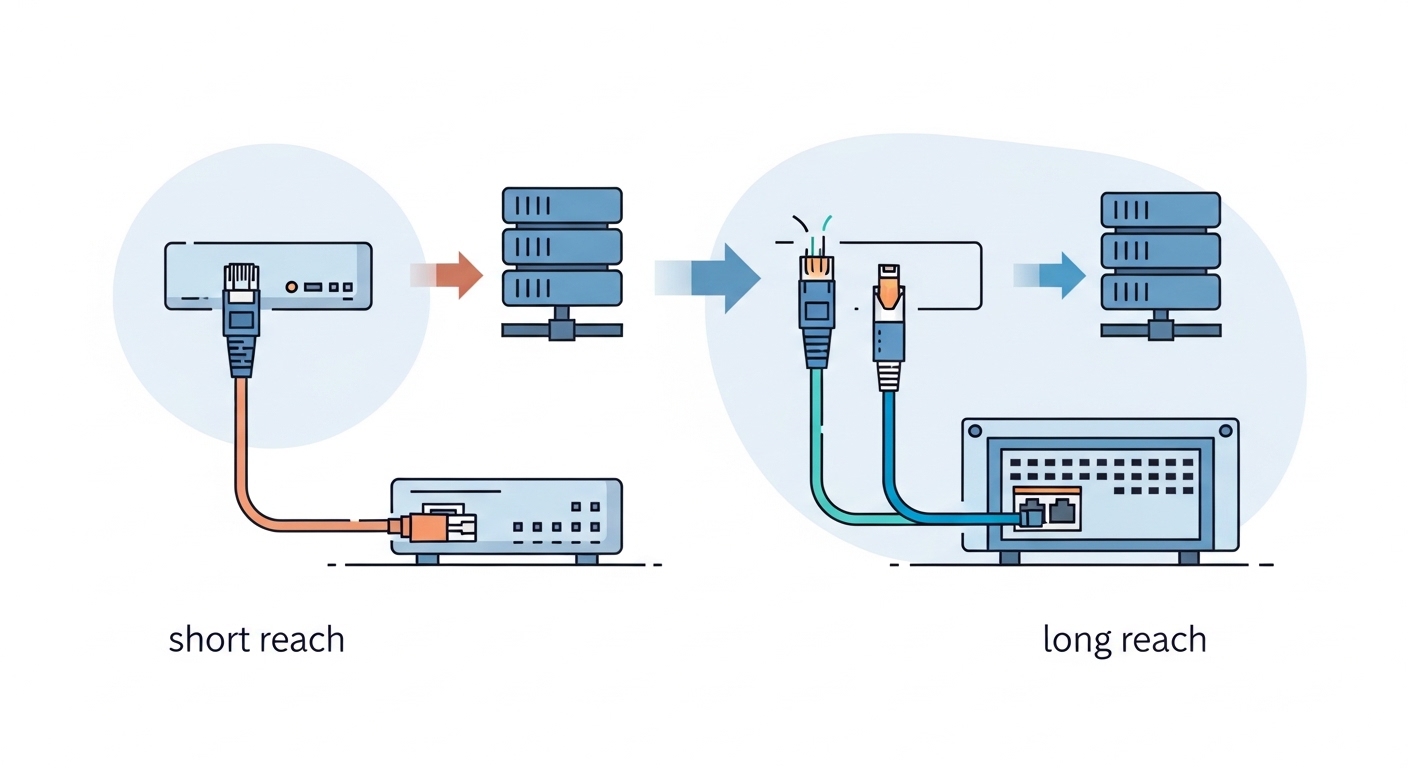
800G optics options typically fall into two broad categories: short-reach multimode solutions for data center spans and longer-reach single-mode solutions for campus or inter-facility links. The right choice depends on your physical layer reach target and the existing fiber backbone. At 800G, power and thermal headroom matter because modules can draw enough current to stress airflow paths and port-side heatsinks.
For short-reach deployments, multimode variants are often paired with OM4 or OM5 fiber in leaf-spine and ToR-to-aggregation designs. For longer distances, single-mode variants pair with OS2 fiber and use coherent or advanced modulation formats depending on vendor. Selection requires you to match the module reach class to your span loss, connector loss, and patch panel count.
| Spec (example buying criteria) | 800G SR (multimode class) | 800G LR (single-mode class) | What to verify with your switch |
|---|---|---|---|
| Nominal wavelength | 850 nm class | 1310 nm class | Module wavelength, laser type, and per-lane calibration |
| Typical reach target | Up to ~100 m over OM4/OM5 (varies by vendor and class) | Up to ~10 km over OS2 (varies by vendor and class) | Exact “reach” claim for your fiber type and vendor |
| Fiber type | OM4 or OM5 multimode | OS2 single-mode | Connector compatibility and patch panel attenuation |
| Connector style | Commonly MPO-12/MPO-16 style (vendor dependent) | Commonly LC duplex (vendor dependent) | Switch optics cage mapping and polarity rules |
| Data rate per port | 800G aggregate | 800G aggregate | Lane aggregation method and FEC mode support |
| Operating temperature | Typically industrial/extended range (consult datasheet) | Typically industrial/extended range (consult datasheet) | Thermal budget with your airflow configuration |
| DOM availability | Yes, via I2C/MDIO-style monitoring (vendor specific) | Yes, via DOM | DOM register compatibility and threshold interpretation |
Real modules to anchor your procurement conversations include vendor examples like Cisco QSFP-DD/OSFP-capable 800G optics (platform-dependent), Finisar/Viavi-branded optical modules such as FTLX8574D3BCL (example long-reach family numbers vary by exact product), and third-party offerings from suppliers like FS.com (for example, FS.com 800G SR4.2 or 800G LR4.2 families depending on cage type). Always confirm the exact part number against your switch’s transceiver compatibility list, because “800G SR” can map to different internal lane counts and connector types across platforms.
Pro Tip: For 800G, treat DOM thresholds as part of compatibility. In field audits, mismatched threshold scaling can cause “normal” optics to trigger alarms or, worse, lead the switch to take conservative link actions. Capture DOM readings during a known-good link and compare them against your switch’s expected ranges before you scale deployment.
Selection criteria checklist for enterprise 800G readiness
When you buy high-speed transceivers for the 800G transition, use a checklist that reduces surprises after installation. The goal is to prevent “fits physically but fails electrically or thermally” outcomes. Below is the ordered list engineers and procurement teams typically follow to keep risk low.
- Distance and link budget: Confirm measured fiber attenuation per span (including patch panels and connectors) and match it to the module’s reach class. Do not rely on cable labels alone.
- Switch model and transceiver compatibility list: Verify the exact module part number is supported on your switch SKU and software version. Check for per-release qualification changes.
- Form factor and connector type: OSFP, QSFP-DD, or vendor-specific cage formats must match. Confirm MPO lane count and polarity mapping for multimode links.
- FEC and signaling mode support: Ensure the switch and transceiver agree on forward error correction mode and any required training behavior. Mismatches can appear as unstable links.
- DOM support and monitoring integration: Validate DOM registers, alarm thresholds, and telemetry paths (for example, how your monitoring system ingests temperature and RX power).
- Operating temperature and airflow: Use your actual inlet temperature and airflow design. Modules can throttle or fail if airflow is blocked by cable routing or blank panels.
- Power draw and thermal budget: Compare module power characteristics across vendors and confirm that the switch power and heat sink design supports them under worst-case conditions.
- Vendor lock-in risk and spares strategy: Balance OEM-qualified modules versus third-party. Plan spares at the same lot/part revision to reduce variance in diagnostics.
How to validate without overbuilding your lab
A lean validation process uses three test cases: one “short span” to validate optics training, one “near maximum” span to stress margin, and one “worst-case thermal” scenario where you simulate airflow constraints. For near-max testing, use measured patch cords and connectors that match your production patching plan. For thermal testing, monitor module temperature and check for any link retraining events under realistic inlet temperatures.
If your enterprise uses automated change control, tie the validation to a change window and collect telemetry before and after installation. This is especially important when you are mixing module batches from different vendors, because DOM calibration can vary slightly even when the nominal spec matches.
Real deployment scenario: 800G leaf-spine in a modern enterprise
Consider a 3-tier data center leaf-spine topology with 48-port 800G ToR switches in each leaf and 10 km OS2 connectivity for spine-to-aggregation across two buildings. The enterprise already has an OM4 patching plant for leaf-to-spine runs averaging 60 m with about 2.0 dB total connector and patch loss per path. For 800G, the team selects multimode optics for leaf-to-spine and single-mode optics for the inter-building links, ensuring each part number is listed for the specific switch SKU.
During rollout, engineers stage modules in batches of 24 ports per rack to limit blast radius. They run line-rate traffic tests (for example, using a traffic generator capable of 800G aggregate or a burst profile that triggers FEC and reordering behavior) and confirm that DOM metrics stabilize within minutes after link bring-up. In monitoring, they verify RX optical power stays within vendor-recommended operating windows and that temperature remains under the thresholds defined by their telemetry dashboards.
Operationally, the team also revisits cable management. In one cluster, cable routing blocked airflow across the upper row of ports, raising module temperatures by several degrees. After they added blank panels and rerouted bundles, link stability improved and alarm frequency dropped. This scenario shows why high-speed transceivers must be evaluated alongside airflow and patching discipline, not only optical reach.
Common mistakes and troubleshooting for high-speed transceivers
Even experienced teams face failure modes at 800G because the system is more sensitive to small mismatches. Below are concrete pitfalls seen during transitions, with root causes and practical solutions.
“Link up then flaps” after installation
Root cause: Lane polarity mismatch or incorrect MPO polarity handling can pass initial training but fail during sustained traffic. Another cause is FEC mode disagreement between switch configuration and transceiver behavior.
Solution: Verify polarity using the correct MPO orientation and confirm switch-side lane mapping settings. Replace patch cords with known-good polarity and test one port at a time. If flaps persist, compare switch transceiver settings (including FEC mode) to vendor documentation and align them.
“Works in lab, fails in production” due to thermal constraints
Root cause: Production airflow differs from lab conditions. Cable bundles and blocked intake vents can raise module temperature, pushing optics outside stable operating range.
Solution: Measure inlet temperature and module temperature with telemetry during traffic. Check for blocked airflow, missing blanking panels, and mis-seated fans. Reroute cables to avoid direct recirculation and retest under the same load profile.
“DOM alarms but link seems fine” leading to automated actions
Root cause: Monitoring thresholds or units differ from what your monitoring platform expects. Some third-party modules report DOM values that are numerically correct but interpreted differently by switch telemetry profiles.
Solution: Capture raw DOM readings and compare them to vendor datasheet expectations. Update monitoring rules to use the correct register mapping and threshold units. Confirm that alarm actions (for example, disabling ports or triggering failover) are not overly aggressive for your environment.
“Wrong fiber type or higher-than-expected loss” on near-max spans
Root cause: OM4 versus OM5 mismatch, dirty connectors, or unaccounted patch panel attenuation. At 800G, you may have less margin than expected, especially with cumulative loss.
Solution: Use an optical power meter and, ideally, an OTDR or qualified test method to measure insertion loss. Clean and inspect connectors with proper procedures. Replace suspect patch cords and retest with a conservative span target first.
Cost, ROI, and spares strategy during the 800G transition
Pricing for high-speed transceivers varies widely by reach class, form factor, and vendor qualification. In many enterprise procurement cycles, OEM-qualified modules can cost materially more than third-party options, but they often reduce the risk of compatibility issues and shorten troubleshooting time. For budgeting, teams typically plan for higher unit costs than prior generations and allocate additional spend for spares and validation.
A realistic approach is to compare total cost of ownership (TCO), not just purchase price. Consider the cost of downtime during a failed link training, the labor hours for isolation testing, and the operational overhead of maintaining multiple module vendors. In practice, enterprises often buy a small “pilot quota” of third-party modules, validate them thoroughly, and only then expand volume orders. This staged strategy can reduce risk while still capturing some cost advantage.
Power and thermal impacts also influence ROI. If a specific module family runs hotter or draws more power, you may incur extra cooling costs or require airflow modifications. Even if the difference per module seems small, the cumulative effect across hundreds of ports can be significant over a multi-year lifecycle.
FAQ: Buying high-speed transceivers for 800G
Which form factor should I target for 800G on my switch?
Start with your switch vendor documentation and the transceiver compatibility list. Common cage types include OSFP or QSFP-DD depending on platform, but the safe path is to match the exact supported optics family for your switch SKU and software version. If you guess, you risk mechanical fit issues and electrical lane mapping failures.
How do I choose between multimode and single-mode 800G optics?
Use your measured distances and fiber type. For typical data center spans (tens of meters), multimode solutions over OM4 or OM5 often offer lower cost and simpler patching. For longer distances (kilometers), single-mode over OS2 is usually required; validate link budget with real patch panel loss and connector counts.
Do third-party high-speed transceivers work reliably in enterprise networks?
They can, but reliability depends on qualification, DOM compatibility, and consistent optics behavior across batches. Enterprises reduce risk by validating in a lab with representative spans, monitoring DOM values, and ensuring vendor-qualified part numbers. Also plan spares from the same vendor and revision to reduce variance during replacements.
What DOM metrics matter most during 800G bring-up?
Focus on received optical power, transmitter bias/current indicators, temperature, and any vendor-specific alarm flags. Then confirm how your switch and telemetry stack interpret those values. If alarms are noisy or thresholds are misconfigured, you may trigger automated actions that disrupt traffic.
Why do I sometimes see “link up” but performance drops at 800G?
Performance drops can occur if FEC settings are mismatched, if optics are near margin, or if polarity and lane mapping are intermittently wrong. Another cause is insufficient optical cleaning quality or connector contamination. Troubleshoot by checking DOM metrics, reviewing port statistics, and retesting with known-good patch cords.
How should I structure spares for the 800G transition?
Buy spares that match the exact part numbers qualified on your switch, and keep them aligned by revision and lot when possible. Many teams hold at least a small buffer per site (for example, enough for a few ports per rack group) to reduce repair time. For high-impact links, prioritize spares for the most failure-prone path types, such as near-max distances or heavily used patch panels.
High-speed transceivers for the 800G transition succeed when you treat optics, switch configuration, fiber loss, DOM telemetry, and thermal airflow as one system. Your next step is to validate candidate transceivers in a controlled pilot using your measured spans and your monitoring stack, then scale only after compatibility and stability are proven.
800G fiber optics reach planning
Author bio: I am a field-focused network engineer who documents how high-speed links behave under real airflow, patching, and monitoring constraints. I write selection guides that prioritize measurable validation steps over marketing claims.
