
SMB network teams often delay major upgrades because the cost analysis feels uncertain: optics price swings, switch compatibility constraints, and fiber plant risk. This article helps IT managers and field engineers estimate a realistic 800G upgrade budget, compare viable transceiver paths, and plan migration steps that protect uptime. You will also get a selection checklist, common failure modes, and a short ROI model you can apply to leaf-spine or core uplink designs.
Where the 800G cost analysis actually comes from
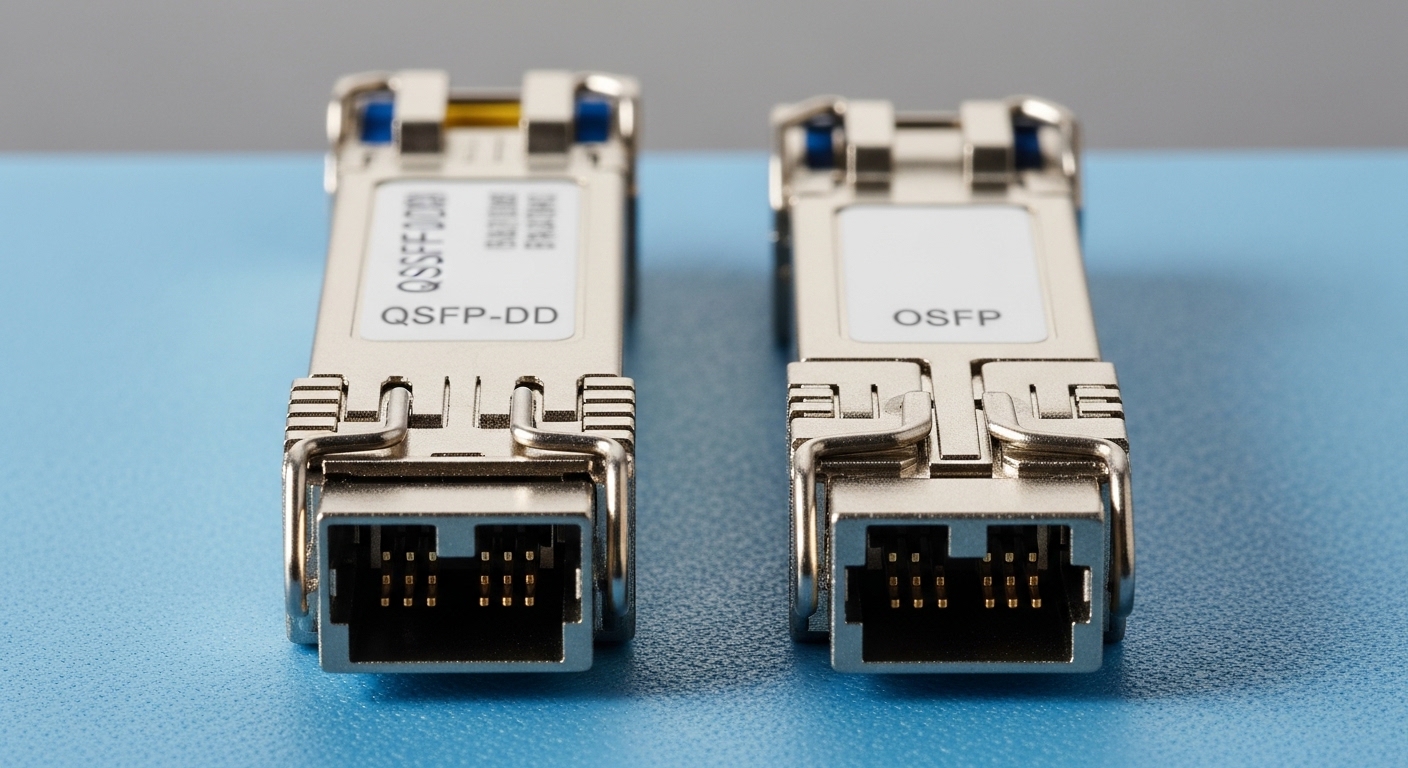
At 800G, the bill is not just “new ports.” In practice, costs split into four buckets: switch silicon and licensing, optics and optics breakouts, fiber plant readiness, and operational downtime risk. In a typical SMB, the biggest hidden variable is whether your existing fiber and patching scheme supports the required link budget and connector cleanliness discipline. Vendor-specific transceiver validation also affects how many optics SKUs you can safely deploy.
For cost modeling, treat 800G as a system change. For example, an SMB core-to-leaf upgrade might move from 100G or 400G uplinks to 800G backbone links while keeping 10G/25G access. That means you may need new spine-capable switches, additional fan modules, and higher power draw per rack. Field teams also budget for spares: one failed module can halt an entire uplink group if redundancy is limited.
Quick cost buckets you can map to a spreadsheet
Use line items that reflect how procurement and operations are billed. Start with port count (how many 800G interfaces), then multiply by optics unit cost and expected spares. Add fiber work as a separate category, including cleaning supplies and test time. Finally, include labor hours for cutover planning, labeling, and verification with an OTDR and link test tools.
Pro Tip: In real deployments, the highest “surprise cost” is often fiber remediation late in the project. If you wait to test until after hardware arrives, you lose both scheduling time and sometimes entire optics batches due to unsafe connector cleaning or marginal splice loss.
800G optics options: reach, wavelength, power, and compatibility
800G implementations commonly use coherent or short-reach multi-lane electrical/optical interfaces depending on the switch generation. For SMB environments, the most relevant paths are short-reach optics for data center links and longer-reach options for campus core extensions. Your cost analysis should therefore compare not only optics price, but also reach class, power consumption, and whether the switch vendor validates third-party optics.
IEEE 802.3 defines Ethernet physical layer behavior, while optics vendor datasheets define actual transmitter output power, receiver sensitivity, and operating conditions. In the field, you will usually verify the expected link budget using vendor parameters and your fiber plant measurements (end-to-end loss and margin). If you cannot prove margin, the cheapest optics can become the most expensive due to repeated swaps and downtime.
Technical specifications comparison (example classes)
The table below compares representative short-reach 800G optical module classes you may evaluate. Exact values vary by vendor and part number, so treat this as a planning template for your cost analysis and validation plan.
| Spec | Short-reach 800G (typical DC) | Longer-reach 800G (campus/core) | Direct-connect copper (where supported) |
|---|---|---|---|
| Data rate | 800G Ethernet | 800G Ethernet | 800G (specific switch support) |
| Wavelength | Multi-wavelength (vendor-specific lanes) | Longer-reach multi-wavelength (vendor-specific) | Electrical (no wavelength) |
| Reach | Up to ~100 m on OM4/OM5 class fiber (varies) | ~2 km+ depending on module and fiber | ~1–10 m typical for copper DAC/AOC classes |
| Connector | LC/duplex (common in DC) | LC/duplex (common) | Proprietary/high-density plug (switch dependent) |
| Typical optical power | Low to moderate Tx power (datasheet-specific) | Higher Tx power or better sensitivity pairing | Electrical power budget; thermal limits apply |
| Operating temperature | -5°C to +70°C class typical (verify per part) | -5°C to +70°C class typical (verify per part) | Often 0°C to +70°C class typical (verify per part) |
| Standards and validation | IEEE 802.3 Ethernet PHY; vendor compatibility checks | IEEE 802.3 Ethernet PHY; vendor compatibility checks | Switch-specific electrical interface support |
When selecting optics for cost analysis, check whether the switch uses digital diagnostics like DOM and whether the transceiver reports alarm thresholds correctly under your operating temperature profile. Many enterprise switches expect consistent DOM behavior for monitoring and automated troubleshooting workflows.
Compatibility caveats that impact total cost
Even if an optics module “matches the standard,” the switch may still block it if vendor validation rules reject the transceiver’s identification. This can force you into higher-cost OEM optics or limit you to a narrow set of approved third-party SKUs. For example, many teams evaluate Finisar and FS.com optics for 10G/25G classes (e.g., Finisar FTLX8571D3BCL, FS.com SFP-10GSR-85) because they have predictable DOM reporting; similar diligence is required at 800G.
Cost-benefit model for an SMB 800G upgrade
To compare “upgrade now” versus “stay on 400G,” quantify both performance and risk. Performance benefit is easier: higher uplink bandwidth reduces oversubscription pressure and can delay additional hardware purchases. Risk benefit is harder: a clean cutover plan and validated optics reduce the probability of link flaps and prolonged troubleshooting.
In the field, you will also account for power and cooling. Higher-speed ports increase per-rack power draw, and that can require additional airflow or higher HVAC capacity. If your building has constrained power availability, the cost analysis must include electrical work, not only network gear.
Real-world deployment scenario with numbers
In a 3-tier data center leaf-spine topology with 48-port 10G ToR switches and a spine layer handling aggregation, an SMB might currently run 16 uplinks at 400G per spine pair. The team plans to add a new application cluster and expects a sustained traffic increase of about 35% over 12 months. They choose to deploy 8 uplink ports per spine at 800G while keeping access at 10G/25G to avoid unnecessary re-cabling.
Budget assumptions for cost analysis: 800G switch ports require a new spine chassis with higher fan and power supplies, adding an upfront spend; short-reach optics for each active uplink add recurring capital costs; and fiber testing and patch panel rework add labor. The team schedules the cutover during a 4-hour maintenance window, with one spare optics set per switch to reduce mean time to repair if a module fails during bring-up.
Selection criteria checklist for engineers doing the math
Use this ordered checklist to keep your cost analysis grounded in operational constraints. It is designed for teams that must pass procurement and also survive a field cutover.
- Distance and reach class: Map the physical path length and expected insertion loss to the module reach spec; confirm with OTDR and end-to-end testing.
- Switch compatibility: Verify the switch vendor’s supported optics list and transceiver ID rules; include DOM behavior requirements.
- Budget vs. spares strategy: Decide whether you buy 1 spare per link group or rely on immediate warranties; spares often reduce outage duration cost.
- Operating temperature and airflow: Check the module operating range against the rack’s measured inlet temperature; avoid “spec at lab conditions” assumptions.
- Fiber plant quality: Validate connector cleanliness, polarity, and splice loss; treat patch panel hygiene as a cost control lever.
- Vendor lock-in risk: Model how much you will pay if you must switch optics brands later; include re-validation time and procurement lead times.
- Migration path and fallback: Plan how you revert to 400G/100G if 800G bring-up fails; ensure you have spare optics and known-good patching.
Pro Tip: DOM telemetry can be a faster root-cause tool than packet counters. If you monitor Tx bias, Rx power, and alarm flags during early link bring-up, you can catch marginal fiber loss before it turns into intermittent CRC errors.
Common pitfalls and troubleshooting tips that change the outcome
Even with a good cost analysis, failures can erase savings. These are frequent real-world issues, with root causes and practical fixes.
Link fails due to insufficient link margin
Root cause: Fiber loss, patch cord aging, or extra connectors push the link beyond the module budget. The symptom is “no link” or repeated link-down events after initial training.
Solution: Run an OTDR trace for the full path, measure connector reflectance, and re-terminate or replace the highest-loss patch cords. Re-test after cleaning with lint-free wipes and approved solvent, then re-check link margin using vendor guidance.
Intermittent errors caused by polarity or patching mistakes
Root cause: Transceiver lane mapping assumes correct receive/transmit orientation; incorrect polarity or reversed patching can cause CRC errors that look like congestion.
Solution: Validate polarity with a certified polarity tester, then standardize patch labeling. Keep a “known-good” patch cord set for quick isolation during maintenance windows.
Switch rejects optics due to compatibility or DOM mismatch
Root cause: The transceiver’s identification or DOM readout does not meet the switch’s validation policy. The symptoms include module not recognized, alarms, or administrative port shutdown.
Solution: Confirm optics are on the switch’s supported list and verify firmware compatibility. If you use third-party optics, test one module per supplier batch in a staging rack before scaling deployment.
Thermal throttling or instability from poor rack airflow
Root cause: In dense SMB racks, fan curves and blocked vents raise inlet temperature beyond module stability thresholds. Symptoms include error bursts that correlate with workload peaks.
Solution: Measure inlet temperature with calibrated sensors; improve airflow with blanking panels and clear cable routing. Then retest under sustained traffic.
Cost & ROI note: what to expect in real procurement
Pricing for 800G optics and compatible switch ports varies widely by vendor, reach class, and whether you choose OEM or third-party. In general, optics are a meaningful portion of the incremental cost, while downtime risk often dominates ROI calculations for SMB teams with limited staffing.
For a realistic cost analysis, model total cost of ownership (TCO) across three years: upfront hardware and optics, labor for testing and cutover, and replacement/spares. OEM optics may cost more per module, but they can reduce validation overhead and speed up warranty replacement; third-party optics can lower unit cost but may increase re-testing time. If your outage cost is high (for example, revenue impact during maintenance), the cheaper optics strategy can backfire if you lack spare inventory or validated patching procedures.
FAQ
How do I start cost analysis for an 800G upgrade?
Begin with port counts and link distances, then price optics by reach class and add spares for each link group. Next, estimate fiber remediation and testing labor using your current patch panel condition and measured insertion loss.
Are 800G optics interchangeable across switch brands?
Not always. Even when optics are “standard-compatible,” switch vendor validation rules and DOM telemetry expectations can block unsupported modules. Always check the switch’s supported optics list and test in staging.
What fiber testing should an SMB do before deploying 800G?
At minimum, perform end-to-end loss checks and connector/patch verification, then use OTDR to locate high-loss events. Cleanliness checks matter because intermittent errors can appear only after thermal cycling.
Is there a power or cooling penalty at 800G?
Yes. Higher-speed ports typically increase rack power draw and can stress airflow. Measure rack inlet temperature and confirm cooling meets the module operating range.
Should we buy OEM or third-party optics for cost analysis?
Use your risk tolerance. OEM optics can reduce validation time and warranty friction; third-party can lower unit cost but may require additional staging tests and tighter change control. Factor outage duration cost into the decision.
What is the fastest troubleshooting path during bring-up?
Start with DOM telemetry and link state, then verify patching and polarity, and only then move to traffic counters. This sequence typically reduces time-to-isolation because physical-layer issues often surface before higher-layer symptoms.
Upgrading to 800G in an SMB network can be cost-effective if your cost analysis includes optics compatibility, fiber plant margin, and operational downtime risk—not just hardware price. Next, map your current topology and fiber measurements into a staging plan using 800G transceiver compatibility and DOM validation.
Author bio: Field-focused network designer who documents cutover plans, optics validation steps, and fiber acceptance testing for dense Ethernet upgrades. Builds pragmatic cost models that balance availability, power, and vendor compatibility constraints.
