
When your VyOS router boots but fiber links stay down, the culprit is often the VyOS fiber module pairing: optics type, wavelength, DOM signaling, or even basic power budget. This article helps network engineers and early-stage operators choose SFP fiber modules that actually light up on open-source router hardware, then troubleshoot failures fast. You will get a practical checklist, a spec comparison table, and field-tested mistakes to avoid.
How a VyOS fiber module interacts with SFP ports
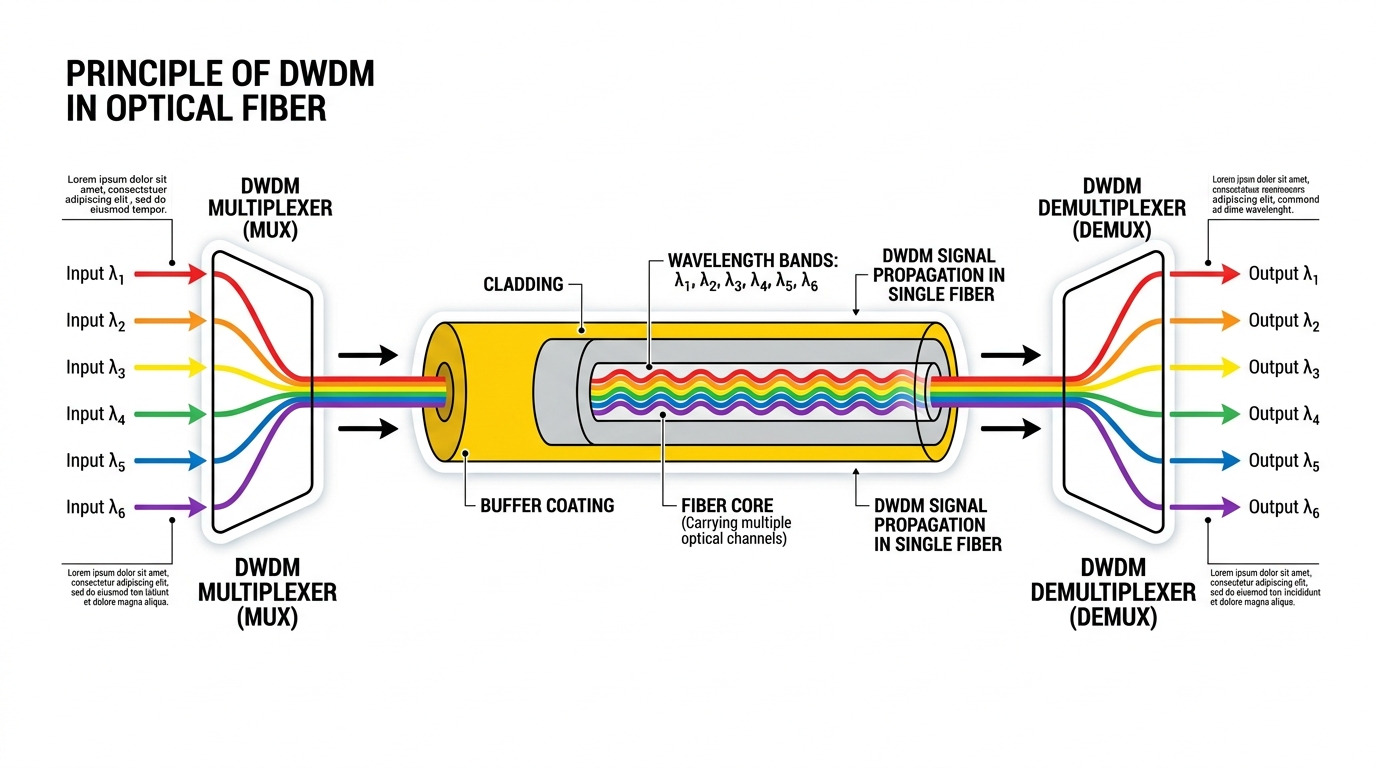
VyOS typically uses the vendor-provided SFP cage wiring and the Linux driver stack to read transceiver diagnostics (DOM) when supported. In practice, link bring-up depends on three layers: physical optics (wavelength and optics class), electrical signaling (SFP standard compliance), and software-visible DOM/I2C behavior. If the module is mismatched (for example, SR vs LR optics), the link can stay at down even though the interface is “up” from VyOS perspective. Similarly, some cages and kernels handle I2C/DOM differently, so “it works on switch ports” does not always mean “it works on VyOS.”
What matters at the physical layer
For SFP-class modules, the key parameters are data rate, optical wavelength, reach, and the fiber type (OM3/OM4 multimode versus OS2 single-mode). Ethernet PHYs expect the optical module to produce a stable optical signal in the correct band; otherwise, the receiver sensitivity threshold is never met. Even when the wavelength looks correct, vendor tuning differences can matter at the edge of the power budget.
What matters at the management layer (DOM and I2C)
Digital Optical Monitoring (DOM) uses an I2C interface to expose temperature, supply voltage, and optical power. Many platforms read these values for alarms, but some open-source router deployments ignore DOM entirely. The gotcha: certain third-party modules implement DOM registers slightly differently, which can trigger noisy logs or, in rare cases, delays during interface initialization. If you see repeated transceiver timeouts in VyOS logs, treat it as a compatibility signal, not just a “bad module.”
Pro Tip: In field deployments, the fastest win is to confirm DOM compatibility separately: test the same module in a known-good DOM-capable switch port, then compare behavior on the VyOS router. If DOM readings fail or fluctuate only on VyOS, you likely have a cage/I2C compatibility edge case even when the light path is correct.
Choosing the right fiber optic parameters: SR, LR, and OS2 reality
A VyOS fiber module must match the transceiver expectations of the router’s SFP cage and the link partner. Engineers often focus on reach alone, but the more reliable approach is to treat it like an optical budget exercise: wavelength, fiber type, and expected attenuation. If you are connecting to a leaf-spine fabric, you usually want a predictable reach profile that fits your patch panel losses and splices.
Core parameters engineers map to a design
Start by listing your link speed and required reach. Then map to optics families: 10G SR typically targets multimode fiber (MMF) at ~850 nm, while 10G LR targets single-mode optics around ~1310 nm. If you need long distances over single-mode, OS2-based modules at ~1310/1550 nm are common, but verify the exact wavelength and fiber category. Finally, check temperature range because many third-party modules ship “typical” industrial behavior that degrades outside your rack environment.
Reference spec comparison (typical SFP+ 10G examples)
Below is a representative comparison of common 10G SFP optical modules you might consider when building a VyOS fiber module plan. Exact values vary by vendor and ordering code, so always validate against the module datasheet you actually purchase.
| Module class | Wavelength | Typical reach | Fiber type | Connector | Data rate | DOM | Operating temp | |
|---|---|---|---|---|---|---|---|---|
| SFP+ SR | ~850 nm | 300 m (OM3) / 400 m (OM4) | MMF | LC | 10G | Commonly supported | -5 C to 70 C (varies) | |
| SFP+ LR | ~1310 nm | 10 km | SMF OS2 | LC | 10G | 10G | Commonly supported | -5 C to 70 C (varies) |
| SFP+ 1550 nm (long reach) | ~1550 nm | 40 km+ (model-dependent) | SMF OS2 | LC | 10G | 10G | Often supported | -5 C to 70 C (varies) |
For standards context, the Ethernet optical transceiver behavior is guided by IEEE 802.3 physical layer requirements, while the SFP form factor is defined by the SFP Multi-Source Agreement (MSA). [Source: IEEE 802.3] and [Source: SFP MSA]. For DOM register behavior, vendor datasheets are the authoritative source.
Examples of modules engineers commonly use in real networks include Finisar-style 10G SR optics such as FTLX8571D3BCL (10G, ~850 nm, SR class) and FS.com variants like SFP-10GSR-85 (10G SR, 850 nm). On the switch side, many Cisco platforms accept a wide range of compliant optics, but the safest practice is still “test before scale.” [Source: Finisar/Fiber modules datasheets] [Source: FS.com SFP catalog datasheets].
anchor-textIEEE 802.3 physical layer requirements
anchor-textSFP MSA reference document
Deployment scenario: getting a VyOS fiber module to link in a leaf-spine
Consider a small data center with a leaf-spine topology: 48-port 10G ToR switches uplink to two spines using 2 x 10G per leaf. A VyOS router sits at the edge, routing between a transit VLAN and an internal management network. The patch layout includes 2.5 dB total patch-and-panel loss plus 0.7 dB for two mated connectors and one splice bundle, leaving margin for typical SR budgets on OM4.
In this scenario, engineers chose a 10G SR SFP module for the router’s SFP+ port and matched it with the switch uplink’s SR optics. The fiber is OM4 with LC connectors, and the transceiver provides DOM so operators can watch temperature and receive power. During commissioning, the link initially came up intermittently until they reseated the LC connectors and confirmed the patch cable was OM4 (not OM3). After reseating and verifying fiber type, the interface stabilized, and DOM RX power stayed within the module’s recommended range.
Selection criteria for VyOS fiber module success (decision checklist)
If you want fast PMF-style validation for your connectivity stack, treat optics selection as a repeatable experiment, not a one-time shopping decision. Use the checklist below in order, and record results for each transceiver you test. This reduces “it worked once” uncertainty and helps you converge on a reliable bill of materials.
- Distance and fiber type: Confirm OM3/OM4 versus OS2, and compute attenuation budget including patch cords and splices.
- Wavelength and optics family: SR (~850 nm) for MMF, LR (~1310 nm) for SMF, and long-reach models only when needed.
- Data rate and interface standard: Ensure the VyOS SFP cage is for the correct speed (commonly 1G/10G) and that the PHY negotiation matches link partner settings.
- Switch and cage compatibility: Verify the module is MSA-compliant for the form factor and is known to function in similar cages.
- DOM support behavior: Check whether the platform polls DOM via I2C; if it does, confirm DOM register support in the module datasheet.
- Operating temperature range: Match your rack ambient conditions and airflow profile; avoid “consumer-grade” optics in hot aisles.
- Vendor lock-in risk: Decide whether you need OEM-only modules or whether third-party optics are acceptable with a tested shortlist.
- Power and optical budget: Confirm RX sensitivity and transmitter power are within limits for your measured fiber loss.
Pro Tip: If you measure link issues, log DOM values (RX power and temperature) during link flaps. A consistent RX power drop before link down often indicates marginal fiber loss or dirty connectors; a DOM “read timeout” pattern points toward I2C/DOM compatibility rather than pure optics mismatch.
Common mistakes and troubleshooting tips for VyOS fiber modules
Most transceiver failures are predictable once you know the failure modes. Below are common mistakes engineers make when validating a VyOS fiber module, including root cause and what to do next.
SR optics on the wrong fiber type (OM3 vs OM4)
Root cause: SR modules assume an MMF-grade optical bandwidth; using the wrong fiber (or degraded patch cords) can push received power below sensitivity. The result can be intermittent link or frequent renegotiation.
Solution: Verify fiber type at the patch level (label audit and, if needed, OTDR or vendor certification). Reseat LC connectors, clean ferrules with proper lint-free wipes, and re-test with a known-good patch lead.
Wavelength mismatch or mixed module families
Root cause: Pairing a ~850 nm SR module with a ~1310 nm LR module—or mixing long-reach variants—prevents the receiver from detecting the correct optical band.
Solution: Confirm wavelength labeling on both ends and align optics family. Keep a test matrix so you do not rely on “it looks the same” packaging.
DOM timeouts causing unstable initialization
Root cause: Some third-party modules implement DOM behavior that interacts poorly with the router’s SFP cage I2C handling, leading to timeouts or delayed link bring-up. This can look like a “bad optics” issue even when light power is fine.
Solution: Test the module in a switch port that supports DOM; if DOM readings are stable there but fail on VyOS, try a different transceiver vendor with known DOM behavior. Also ensure the router’s kernel and platform firmware are current, since DOM polling behavior can change across versions.
Dirty connectors and microbends
Root cause: Even with correct optics, contamination on LC ferrules introduces additional attenuation. Microbends in patch cables can also degrade MMF performance, especially at 850 nm.
Solution: Clean connectors with appropriate optical cleaning tools, inspect under magnification if available, and re-route cables to avoid tight bend radii. Then retest while monitoring DOM RX power and link stability.
Cost and ROI note: OEM versus third-party optics for open routers
In typical builds, 10G SFP modules often fall into price bands roughly like $30 to $90 per module for third-party SR/LR optics, while OEM-branded optics may cost $80 to $250+ depending on vendor and warranty terms. For a small edge deployment with two links, that difference is manageable; for a larger fleet, TCO becomes dominated by failure rate, spares strategy, and downtime costs.
Operationally, third-party modules can be excellent if you maintain a validated shortlist and test each new batch. However, you should budget for at least one spare per optics type during early rollout, because optics are “small hardware with big impact.” Also account for cleaning supplies, connector wear, and the engineering time required to validate DOM behavior on your specific VyOS platform.
FAQ
What VyOS fiber module type should I start with for 10G?
If your distances are within a few hundred meters and you have OM4, start with a 10G SR SFP module at ~850 nm with LC connectors. If you need multi-kilometer links over single-mode, start with a 10G LR module around ~1310 nm over OS2. Always validate against your exact VyOS router SFP cage speed and link partner behavior.
Do I need DOM support for VyOS fiber module reliability?
You do not strictly need DOM for a link to light up, but DOM helps you debug proactively. If your VyOS setup polls DOM and logs events, DOM-compatible modules reduce ambiguity during flaps. If your chosen module has nonstandard DOM behavior, you might see transceiver errors even when optics are otherwise fine.
Can I mix OEM and third-party VyOS fiber modules on the same link?
Yes, mixing is often possible as long as both sides use compatible optics families (wavelength and reach class) and meet the SFP MSA electrical requirements. The main risk is DOM behavior differences and vendor tuning edge cases, especially near the power budget limit. Test in a staging environment before deploying broadly.
Why is my interface up but the fiber link stays down?
Common causes include wavelength mismatch, wrong fiber type (OM3 versus OM4), dirty connectors, or marginal optical budgets. Another cause is a DOM/I2C interaction that delays initialization on the VyOS platform. Check link partner optics, clean and re-seat connectors, then compare DOM RX power trends if available.
What operating temperature should I plan for in a rack?
Plan around your measured rack ambient temperature plus airflow variance. Many SFP modules are rated around -5 C to 70 C but confirm the exact module datasheet. If your rack routinely exceeds the module rating, expect higher failure probability and more intermittent behavior.
How do I reduce downtime during early validation?
Maintain spares for each optics type (SR versus LR) and document a test matrix including module part numbers, fiber type, and measured link stability. During rollouts, clean connectors before each test cycle and monitor DOM RX power if your platform supports it. This turns troubleshooting into a repeatable validation loop rather than a guessing game.
In summary, a working VyOS fiber module is about matching optics family, fiber type, and compatibility details like DOM/I2C behavior, then validating with measured margins and disciplined testing. Next, review how to validate optical budgets for SFP links and build a small test matrix before scaling your deployment.
Author bio: I build and deploy edge and data center networking stacks for early-stage teams, with a focus on fast PMF validation through instrumentation and repeatable hardware tests. I also maintain a field notebook of transceiver part numbers, DOM behavior, and failure patterns across VyOS and open-source router platforms.
