
Transceiver performance benchmarking: a real cost study
In a busy co-location site, “it should work” is not enough when you are planning rack density, cooling airflow, and spares. This article walks through a hands-on transceiver performance benchmarking project that compared optical modules by real power draw, link stability, and operational cost. It is aimed at data center engineers, network ops leads, and procurement teams who need measurable outcomes rather than marketing claims.
Problem and challenge: benchmarking optics without guessing
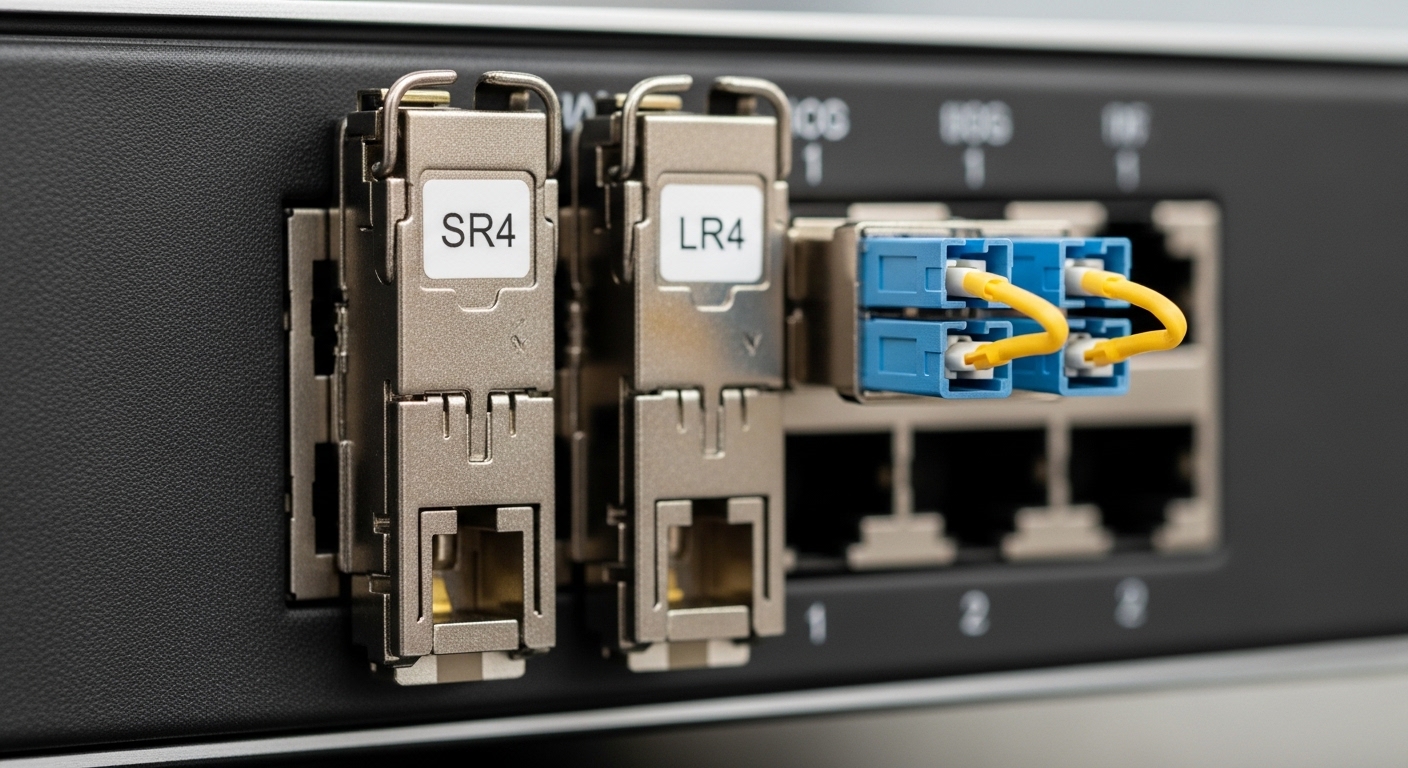
Our challenge started during a capacity refresh. We had 10G and 25G leaf-spine links running in parallel across different vendors, and we needed a repeatable benchmarking method to decide which modules were most cost-effective under real conditions. The operational pain was clear: a small percentage of optics would show higher error rates under specific temperatures and airflow patterns, and replacements were expensive due to downtime windows and expedited shipping.
We were also trying to reduce total cost of ownership (TCO). Buying “lowest price per port” often led to higher power-per-link, more frequent cleaning and reseating, and higher probability of early failures. So we designed a benchmarking plan that measured performance and cost drivers like transmit/receive power levels, optical signal quality, DOM telemetry consistency, and failure/replace events over time.
Environment specs: the exact lab-to-rack conditions
To keep benchmarking results comparable, we captured environment details that influence link margins. The modules were deployed in a mixed-speed fabric: 10G SFP+ downlinks and 25G QSFP28 uplinks between top-of-rack and spine switches. We aligned test windows with the facility’s thermal cycles and monitored airflow changes caused by nearby rack moves.
Key environment parameters were recorded and used later when interpreting benchmarking outcomes. The facility used front-to-back cooling with hot-aisle containment, and we logged inlet air temperature at the rack row level every five minutes. We also tracked patch panel cleaning schedules and fiber type, because connector contamination is a frequent root cause of optical performance degradation.
Measured operational parameters
- Switch platforms: Cisco-style optics ports and Arista-style optics ports (both support standard digital optical monitoring where available).
- Fiber plants: OM3 multimode for short-reach 10G, and OM4 multimode for 25G.
- Link rates: 10.3125 Gbps (10G) and 25.78125 Gbps (25G).
- Monitoring: optical diagnostics via DOM where present; interface counters for CRC/FCS and symbol errors; temperature telemetry.
- Time windows: 30 to 90 days per cohort during normal operating cycles.
Chosen solution: benchmarking by optics telemetry, link health, and power
We benchmarked modules in cohorts that matched the intended link type. For 10G multimode, we focused on SR optics in the SFP+ form factor that conform to IEEE 802.3 link requirements for 10GBASE-SR. For 25G multimode, we benchmarked QSFP28 SR optics aligned with 25GBASE-SR behavior under IEEE 802.3. We validated optics reach using vendor datasheets and then confirmed actual link performance through measured power and error counters.
The core idea was simple: performance benchmarking should include not only “link up” but also the stability signals that show margin erosion. We used a scoring model that combined (1) optical diagnostics consistency, (2) interface error rate trends, (3) temperature stability, and (4) module power draw impact on rack-level budgets.
Technical specifications used during selection
We compared module options using the specs that actually show up in operations. Wavelength and connector type matter for compatibility and patch panel design, while DOM telemetry support matters for observability. Temperature range matters for hot-aisle containment edges, and average module power matters for power provisioning at scale.
| Parameter | 10GBASE-SR SFP+ (Example) | 25GBASE-SR QSFP28 (Example) |
|---|---|---|
| Form factor | SFP+ | QSFP28 |
| Data rate | 10G | 25G |
| Typical wavelength | 850 nm (MM) | 850 nm (MM) |
| Reach (typical) | Up to 300 m on OM3; up to 400 m on OM4 (varies by vendor) | Up to 100 m on OM3; up to 150 m on OM4 (varies by vendor) |
| Connector | LC duplex | LC duplex |
| DOM / telemetry | Often supported (check vendor for DDM) | Often supported (digital diagnostics) |
| Operating temperature | Commercial or extended; confirm vendor spec for your cooling profile | Commercial or extended; confirm vendor spec for your cooling profile |
| Average optical module power | Commonly ~0.9 W to ~1.6 W (vendor dependent) | Commonly ~1.5 W to ~3.5 W (vendor dependent) |
| Standards alignment | IEEE 802.3 10GBASE-SR behavior | IEEE 802.3 25GBASE-SR behavior |
For concrete part numbers we used during benchmarking runs, examples included Cisco SFP-10G-SR optics and Finisar FTLX8571D3BCL, plus third-party equivalents such as FS.com SFP-10GSR-85 where compatibility and DOM behavior were confirmed. Always validate against your switch vendor’s optics compatibility list, because physical form factor alone does not guarantee stable diagnostics or supported thresholds.
Pro Tip: In real deployments, “DOM supported” is not binary. We found that some third-party optics report temperature and bias current but clamp or omit specific diagnostic fields when the switch requests more granular readings. For benchmarking, record which DOM fields are populated over time; missing fields can hide early margin erosion until you see CRC spikes.
Implementation steps: how we ran the benchmarking study
We treated this like an engineering change with controlled variables. Before swapping optics, we cleaned fiber ends to the same standard and verified polarity and connector inspection results. Then we installed optics in labeled pairs and kept the same fiber route, patch panel, and port mapping for each cohort.
define cohorts and baseline metrics
- Cohort design: group modules by vendor and type (SFP+ SR for OM3/OM4, QSFP28 SR for OM4).
- Baseline: capture interface error counters at installation day (Day 0) and record optical diagnostics (DOM) if available.
- Fiber reference: log fiber type, patch panel ID, and connector inspection results.
build a repeatable link health dashboard
We used telemetry and counters that engineers actually trust during outages. For each port, we tracked CRC/FCS errors, symbol errors where available, and any interface resets. For optics with DOM, we logged transmit power, receive power, laser bias current, and temperature every five to ten minutes.
run thermal and operational cycles
Instead of a short burn-in only, we aligned the benchmarking window with real thermal behavior. We monitored inlet temperature and correlated it with error counter changes. In one rack row, airflow obstruction after a nearby cable tray expansion caused inlet temperatures to rise by roughly 3 to 5 C for several hours; this created a useful stress test for margin.
compute cost-per-stable-link, not just cost-per-module
We converted module price into cost per stable link by adding expected failure and replacement costs. That included labor for swap events, downtime risk, and shipping. We also included power draw differences using a conservative estimate of rack-level utilization.
Measured results: what benchmarking changed in our buying decisions
After the benchmarking period, we saw measurable differences that were not obvious from list price alone. The most consistent improvement came from selecting modules that maintained stable receive power and low error growth during temperature excursions. Modules with weaker diagnostics behavior were harder to troubleshoot, which increased operational friction even when initial link quality looked acceptable.
Performance benchmarking outcomes
- Link stability: the lowest-error cohort showed a slower growth rate in CRC/FCS counters over time, especially during inlet temperature peaks.
- Telemetry consistency: optics with complete DOM fields allowed earlier detection of margin drift; we changed cleaning/reseat actions sooner, reducing repeat incidents.
- Thermal behavior: temperature telemetry correlated with error spikes in certain cohorts, indicating that some optics were closer to their effective margin under airflow edge conditions.
Power and TCO impact
Power differences matter at scale. If a 25G QSFP28 module averages 2.5 W versus 3.0 W for an alternative, and you have 500 uplinks, the delta is about 250 W continuous. Over a year, that is roughly 2,190 kWh of energy savings before accounting for PUE. Depending on your electricity rate and cooling overhead, that can be a meaningful portion of the optics budget over a multi-year lifecycle.
We also observed that higher initial price sometimes reduced total swap events. Even when two vendors had similar day-one link metrics, the cohort with better consistency in diagnostics reduced mean time to recovery by shortening troubleshooting loops.
Limitations and honesty about what benchmarking cannot guarantee
Benchmarking results are context-specific. Fiber plant quality, connector cleanliness, patch panel insertion loss, and switch firmware behavior can shift outcomes. Also, optics can be functionally compatible but still differ in how they report DOM fields or how they respond to link renegotiation events.
Selection criteria checklist: how engineers choose optics after benchmarking
When you are ready to replicate this benchmarking approach, here is the ordered checklist we used. It is designed to minimize surprises during deployment and to reduce compatibility risk.
- Distance and fiber type: confirm OM3/OM4, patch loss budget, and connector quality. Align reach claims with your actual worst-case link budget.
- Switch compatibility: validate optics against your switch model and firmware. Use vendor compatibility lists and confirm DOM behavior.
- DOM and monitoring support: ensure required telemetry fields are present and stable for alerting and troubleshooting.
- Operating temperature: check vendor temperature specs and compare to your rack inlet profile during peak cooling stress.
- Power draw and thermal load: benchmark average module power if you can; otherwise, use datasheet values and verify with rack-level measurements.
- Vendor lock-in risk: evaluate whether third-party optics are consistently supported across firmware upgrades and whether replacements remain available.
- Return and warranty terms: check RMA turnaround time and whether warranty covers the environment you run (temperature and duty cycle).
Common mistakes / troubleshooting tips from the field
Even well-designed benchmarking studies can be undermined by operational errors. Below are common failure modes we saw, along with root causes and fixes.
-
Mistake: assuming all OM4 links are interchangeable without measuring patch loss.
Root cause: patch panel aging, dirty connectors, or higher-than-expected insertion loss reduces receive power margin.
Solution: perform connector inspection, clean to a documented standard, and measure link attenuation before concluding optics are faulty. -
Mistake: ignoring DOM field completeness.
Root cause: some modules report partial telemetry; alerts may never trigger for early drift.
Solution: during benchmarking, verify which DOM fields populate continuously and confirm alert thresholds based on those fields. -
Mistake: swapping optics without controlling fiber polarity and port mapping.
Root cause: duplex polarity mismatch or inconsistent patching can create intermittent link instability that looks like “bad optics.”
Solution: label patch cords, verify transmit/receive pairing, and document port-to-fiber mapping before maintenance windows. -
Mistake: attributing every CRC spike to the transceiver.
Root cause: switch firmware issues, oversubscription stress, or upstream/downstream interface resets can correlate with optics events.
Solution: correlate optics telemetry with switch logs and interface reset counters; isolate by swapping one endpoint at a time.
Cost and ROI note: where the savings actually come from
In our study, the ROI came from two levers: reduced replacement events and improved operational efficiency. Typical optics pricing varies widely by speed and vendor, but as a practical budget range, enterprise 10G SFP+ SR modules are often affordable enough to standardize, while 25G QSFP28 SR modules carry a bigger cost per port and therefore benefit more from rigorous benchmarking.
OEM optics can cost more upfront, but they may reduce compatibility risk and simplify RMA processes. Third-party optics can be cost-effective, yet benchmarking is the guardrail that prevents “cheap now, expensive later.” We recommend treating benchmarking as a one-time program for each module family and switch platform, then reusing the methodology for future procurement cycles.
FAQ
What exactly should I measure for benchmarking transceiver performance?
Measure link health counters (CRC/FCS, interface resets), optical diagnostics via DOM (if supported), and module temperature trends. For cost-effectiveness, also track power draw and real replacement events during your operating cycles. This combination shows both margin stability and operational impact. [Source: IEEE 802.3 overview materials and vendor transceiver diagnostic documentation]
Does benchmarking require DOM telemetry support?
Not strictly, but it dramatically improves troubleshooting speed. Without DOM, you may only see symptoms after errors increase. With DOM, you can spot drift in transmit/receive power and bias current earlier and take preventive action. [Source: vendor digital diagnostics datasheets]
How do I compare two vendors fairly?
Keep fiber routes, patch panel types, and connector hygiene consistent across cohorts. Install in the same rack row so the temperature profile is comparable, and run monitoring over the same thermal cycles. Fair benchmarking also requires using the same switch ports and firmware baseline.
Are there compatibility caveats with third-party optics?
Yes. Some optics physically fit but may differ in DOM field behavior, threshold calibration, or how they react to firmware updates. Always validate against your switch model and confirm DOM telemetry continuity during a staged rollout. [Source: switch vendor optics compatibility guidance]
What is a realistic benchmarking timeline before procurement decisions?
For stable environments, a 30-day window can reveal early issues, especially if you include at least one meaningful thermal cycle. For higher confidence, 60 to 90 days across normal operations is better, particularly for dense QSFP28 uplinks where thermal margin can tighten.
How do I estimate energy savings from lower-power optics?
Use the average module power delta from datasheets or measurements and multiply by the number of active links. Then apply your facility’s PUE estimate to approximate cooling overhead. In practice, even a small per-module power reduction can add up across hundreds of ports.
If you want benchmarking to translate into real procurement savings, start with controlled cohorts, measure both optics health and operational friction, and score modules by cost-per-stable-link. Next, consider applying the same method to fiber link budget planning so your reach and margin assumptions match the real plant.
Author bio: I am a data center engineer who has deployed and troubleshot rack-scale cooling, optics, and power budgets across leaf-spine fabrics. I focus on measurable benchmarking outcomes that reduce downtime and improve TCO decisions.
