
When optical supply shortages hit, IoT integrators feel it first: a single missing SFP or transceiver can stall an entire rollout. This article helps systems and field teams maintain link availability by planning for lead times, validating compatibility, and selecting optics that match IEEE Ethernet requirements. You will get operational checklists, troubleshooting patterns, and realistic cost guidance for deployments spanning access, edge, and small data centers.
Why optical supply shortages disrupt IoT rollouts faster than you expect
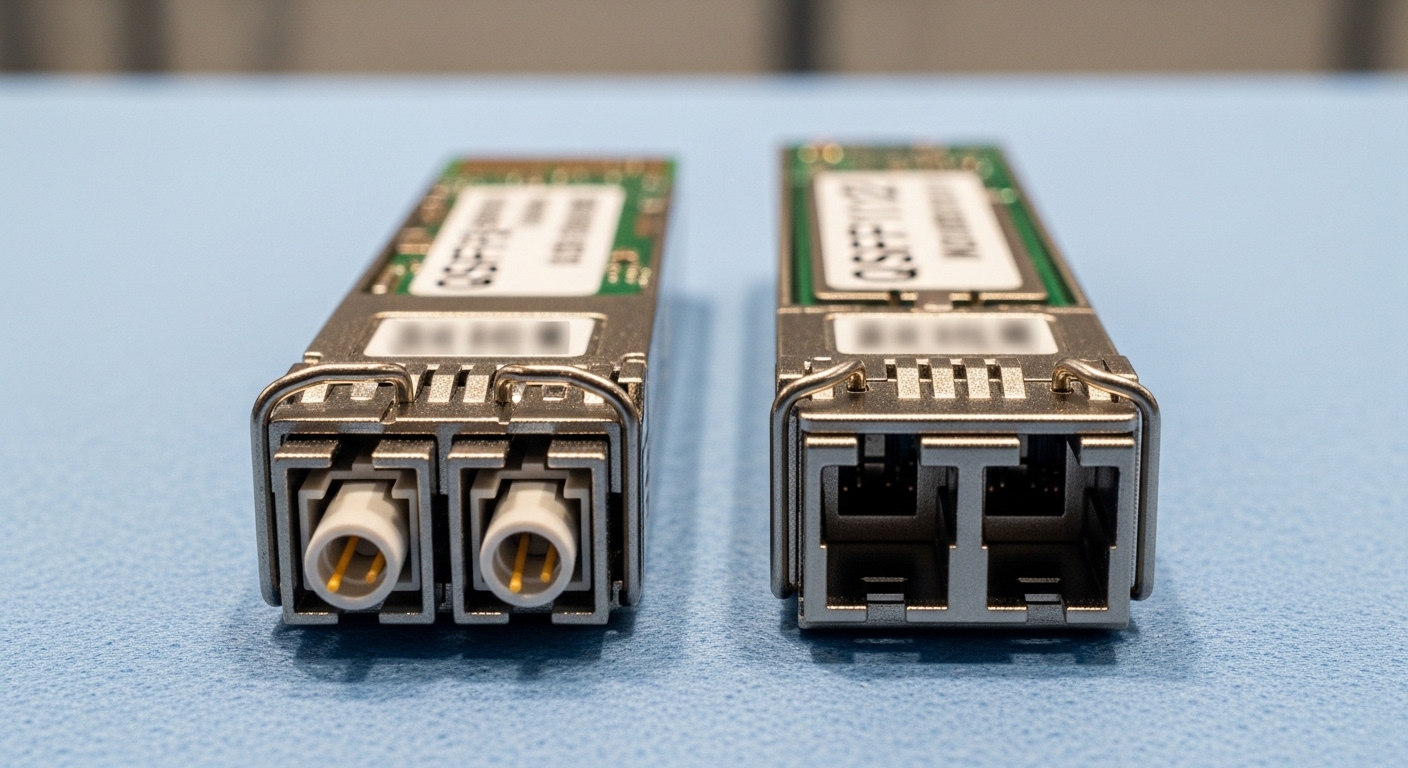
Many IoT projects use long-tail hardware mixes: industrial switches, edge gateways, and routers from multiple vendors, each with strict optics compatibility. During optical supply shortages, the bottleneck is often not “fiber” but specific transceiver SKUs and their qualification status in the switch vendor’s optics database. Even when generic third-party optics exist, the switch may reject them if DOM fields, EEPROM layout, or threshold behavior do not match expected profiles.
In practice, lead time risk increases with: 10G SFP+ short-reach (850 nm) used in dense edge racks, 25G SFP28 for newer uplinks, and “odd” wavelengths like 1310 nm for longer reach over single-mode. IoT integrators also face operational constraints: limited maintenance windows, remote sites with no spares, and technicians relying on optics that must “just work” under cold-start conditions.
Reference point: Ethernet optics are standardized at the physical layer by IEEE 802.3 (e.g., 10GBASE-SR, 10GBASE-LR, 25GBASE-SR). Vendor behavior still varies at the management layer because optics modules expose diagnostics through DOM and EEPROM fields. See [Source: IEEE 802.3] for PHY definitions and [Source: Cisco Optics Compatibility] for typical vendor qualification practices via published compatibility matrices.
Compatibility and standards: the minimum checks before you buy
Before you chase inventory, confirm the exact PHY requirement of the port. For Ethernet, you need the correct data rate and reach: 10GBASE-SR (850 nm, multimode) versus 10GBASE-LR (1310 nm, single-mode), and 25GBASE-SR (850 nm, multimode). Mis-matched wavelength or fiber type is the most common “it should work” failure during optical supply shortages.
Next, validate switch acceptance. Most enterprise and industrial switches check optics vendor ID and DOM data, sometimes including vendor-specific thresholds for RX power and temperature. Use the switch vendor’s documented compatibility list, or test with a small batch in a staging rack. If you use third-party optics, verify that the module supports Digital Optical Monitoring (DOM) and that the DOM vendor fields are accepted by the switch firmware.
| Spec | 10GBASE-SR | 10GBASE-LR | 25GBASE-SR |
|---|---|---|---|
| Nominal wavelength | 850 nm (MMF) | 1310 nm (SMF) | 850 nm (MMF) |
| Typical reach | Up to 300 m on OM3 | Up to 10 km | Up to 100 m on OM3 |
| Form factor | SFP+ | SFP+ | SFP28 |
| Connector | LC duplex | LC duplex | LC duplex |
| DOM | Required for diagnostics | Required for diagnostics | Required for diagnostics |
| Operating temp (typical) | -5 to 70 C or wider “industrial” variants | -5 to 70 C or wider “industrial” variants | -5 to 70 C or wider “industrial” variants |
Field note: When shortages force substitution, you must re-check the port’s speed negotiation behavior and optics threshold assumptions. Some switches lock a port in a conservative mode if DOM readings look out of spec, causing intermittent link flaps.
Pro Tip: During optical supply shortages, stop treating optics as “spares by shape.” Track optics by PHY profile plus DOM behavior: RX power thresholds, supported DOM diagnostic types, and whether the switch firmware enforces vendor ID checks. This reduces surprise port lockouts during remote site bring-up.
Selection criteria for integrators: an ordered decision checklist
Use this sequence for each planned link. It is designed to minimize rework when lead time is unpredictable.
- Distance and fiber type: confirm MMF grade (OM3/OM4) or SMF, then map to SR/LR requirements.
- Port data rate and form factor: SFP+ versus SFP28 versus QSFP+; do not assume electrical compatibility.
- Switch compatibility: consult the vendor optics matrix; prefer modules explicitly listed for your model and firmware.
- DOM support and diagnostics: ensure DOM is present and stable; validate temperature range for the enclosure.
- Operating temperature: industrial enclosures can exceed ambient due to power dissipation; select “industrial” variants when needed.
- Vendor lock-in risk: if using OEM optics, compare cost and availability; if using third-party, plan a qualification test batch.
- Lead time and substitution plan: maintain an approved interchange list and define what changes are acceptable (wavelength, reach class, vendor).
Deployment scenario: edge-to-core IoT with constrained spares
Consider a 3-tier IoT architecture: 48-port 10G ToR switches at regional edge racks, uplinked to a core with 25G, and hundreds of access devices using managed switches. In one rollout, the team planned 24 x 10GBASE-SR SFP+ modules for leaf uplinks and 16 x 25GBASE-SR SFP28 modules for edge aggregation over OM4. When optical supply shortages delayed a specific OEM SKU, the team kept the sites stable by shifting to qualified alternates: verified third-party modules with matching wavelength and DOM behavior, plus a staged swap during a weekend maintenance window.
Operationally, they reduced downtime by pre-validating each alternate in a staging rack. They used optical power readings from DOM to confirm RX levels after installation and ensured LC polarity was correct before blaming the optics. The key metric was “time to stable link”: each alternate averaged under 15 minutes to reach a stable state once DOM thresholds were confirmed, preventing repeated truck rolls.
Common pitfalls and troubleshooting tips during optical supply shortages
When supply gets tight, mistakes get costly. Here are concrete failure modes and fixes.
- Pitfall: wrong wavelength or fiber type. Root cause: using 850 nm SR optics on SMF links or mixing SMF and MMF. Solution: label fiber runs, verify connector type and fiber grade, and validate SR versus LR requirements before installing.
- Pitfall: switch rejects third-party optics. Root cause: firmware enforces vendor ID or DOM EEPROM fields, leading to link down or port disable. Solution: check the switch’s optics compatibility list; qualify alternates in a lab rack with your exact firmware.
- Pitfall: intermittent link flaps after swap. Root cause: marginal optical budget from dirty connectors or patch panel damage; DOM shows low RX power. Solution: clean LC connectors with approved cleaning media, re-seat optics, and compare DOM RX power trends between known-good and suspect modules.
- Pitfall: thermal throttling in industrial cabinets. Root cause: enclosure temperature exceeds module spec; DOM temperature rises, link degrades. Solution: measure cabinet temperature during load, ensure airflow, and select modules with appropriate industrial temperature ratings.
Cost and ROI: balancing OEM certainty with TCO under shortages
Typical street pricing varies by region and demand, but integrators commonly see OEM transceivers cost roughly 1.5x to 3x third-party equivalents during stable periods. Under optical supply shortages, OEM lead times can stretch, and expedited shipping becomes a hidden line item. A realistic TCO model should include: module cost, spares inventory carrying costs, truck rolls, and downtime penalties.
ROI improves when you qualify a small set of alternates and keep a minimal “approved interchange” spares pool. For example, qualifying two alternates per PHY profile can prevent a site from waiting weeks for a single SKU, at the cost of a one-time staging test. Include failure rate assumptions from vendor reliability statements and your own field return data; do not rely solely on purchase price.
For reference products, engineers often compare OEM and third-party modules such as Cisco-compatible optics and known third-party families (e.g., Finisar and FS.com offerings) for SR/LR profiles. Validate the exact model numbers like Cisco SFP-10G-SR and third-party equivalents such as Finisar FTLX8571D3BCL or FS.com SFP-10GSR-85 only after confirming switch compatibility and firmware behavior. Use the vendor datasheets and your switch optics matrix as the authoritative sources. [Source: IEEE 802.3] [Source: Cisco Transceiver Compatibility Matrix] [Source: Vendor transceiver datasheets].
FAQ
Q: How do I choose optics when optical supply shortages affect my exact OEM SKU?
Start with PHY profile mapping (SR versus LR, wavelength, reach class) and confirm switch compatibility via the optics matrix. If the alternate is not listed, qualify it in a staging rack with your switch firmware and monitor DOM RX power stability.
Q: Are third-party SFP+ or SFP28 modules safe for mission-critical IoT links?
They can be, but only after you validate DOM compatibility and thermal behavior with your switch model. Treat them as qualified parts, not assumptions, and keep a small spares pool of the approved alternates.
Q: What DOM metrics should I check first when a link stays
