
Ruijie-style switches can be picky about optics, and nothing says “fun” like a link that never comes up. This article helps network engineers and field techs choose the right RGOS fiber module for SFP-based ports, with compatibility, DOM, temperature, and troubleshooting details you can actually use on-site. You will get an eight-item selection checklist, a practical deployment scenario, and a ranking table at the end.
Top 8 RGOS fiber module picks for SFP ports in Ruijie-like stacks
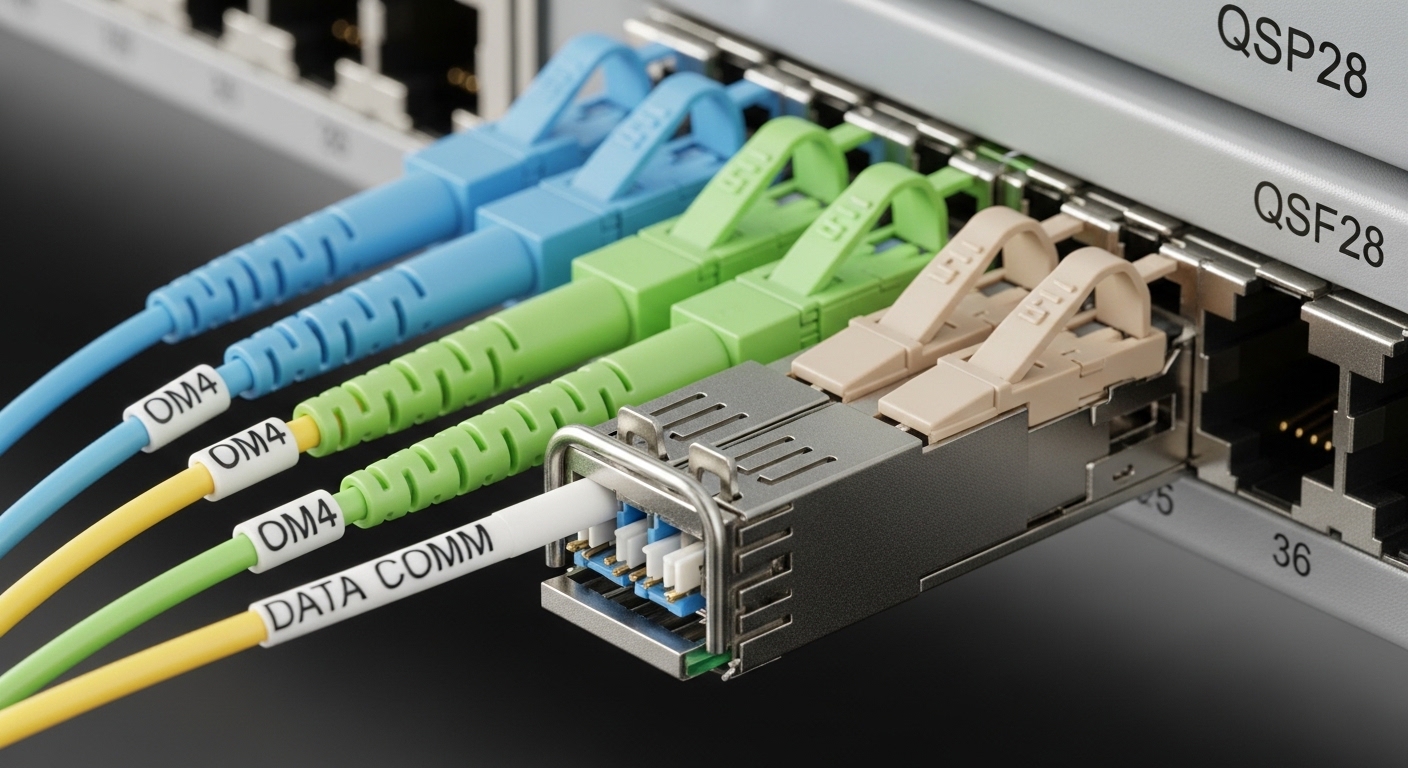
If your goal is stable link-up and low operational drama, you pick optics like you pick servers: by requirements, not vibes. Below are eight “field-validated” module types engineers consider when targeting typical SFP optical interfaces used in enterprise and campus switching. Each item includes key specs, best-fit scenarios, and quick pros/cons.
10G SR (850 nm) multi-mode RGOS fiber module for short runs
When your runs are inside the building and you have OM3/OM4 fiber, 10G SR is the go-to workhorse. Look for 850 nm VCSEL-based optics that match SFP+ or SFP electrical expectations depending on your platform. Typical examples include Cisco SFP-10G-SR class optics and third-party equivalents such as Finisar FTLX8571D3BCL or FS.com SFP-10GSR-85 variants.
Key specs to verify: wavelength 850 nm, reach 300 m on OM3 or 400 m on OM4 (for 10G-SR class), and DOM support if your switch uses it for monitoring. In IEEE terms, 10GBASE-SR aligns with the IEEE 802.3 optical specifications for SFP-class transceivers; confirm the specific optical interface in your switch datasheet.
Best-fit scenario: leaf-spine or ToR inside a wiring closet where patch cords and horizontal cabling stay under 200–250 m.
- Pros: low cost per port, abundant fiber plant compatibility, easy troubleshooting.
- Cons: distance limited to multi-mode reach; connector cleanliness still matters (a lot).
1G SX (850 nm) multi-mode RGOS fiber module for legacy SFP
Some Ruijie deployments still carry older 1G SFP footprints for access switches, aggregation, or transitional builds. For those, 1G SX (still often 850 nm) is common and cost-effective. Verify that your switch port is truly 1G SFP and not an “electrically compatible but operationally picky” variant.
Key specs to verify: wavelength 850 nm, reach typically 550 m on OM2 or 500 m on OM3 for classic SX class behavior (exact numbers depend on the transceiver and fiber). Ensure your module is designed for SFP form factor and the correct optical budget.
Best-fit scenario: access layer uplinks to distribution for 1G, especially where you cannot justify fiber upgrades yet.
- Pros: cheaper than 10G optics, widely supported by many switch models.
- Cons: limited bandwidth; OM2/OM3 quality directly impacts link stability.
10G LR (1310 nm) single-mode RGOS fiber module for campus backbones
When you need longer reach across buildings or between floors with single-mode fiber, 10G LR is the usual answer. The 1310 nm band is less sensitive to modal effects because you are not relying on multi-mode behavior.
Key specs to verify: wavelength 1310 nm, reach typically 10 km for LR-class optics, and DOM support for telemetry. Confirm that the module is truly SFP-capable for your switch port and that the vendor specifies the same optical interface class your switch expects.
Best-fit scenario: campus between buildings where you have SMF-9 with proper splice and connector management.
- Pros: long reach, robust over single-mode, fewer worries about fiber mode bandwidth.
- Cons: single-mode plant costs more; miswired fiber pairs can still make it look “dead.”
10G ER (1550 nm) single-mode RGOS fiber module for long-haul edges
If your distances stretch beyond LR comfort, 10G ER moves to the 1550 nm window. This is often chosen for edge links, inter-building runs, or when you cannot replace existing long-haul cabling quickly.
Key specs to verify: wavelength 1550 nm, reach often 40 km for ER-class optics (verify vendor datasheet claims), and appropriate link budget for your actual fiber attenuation. Also check whether your switch expects a particular DOM format and threshold behavior.
Best-fit scenario: a remote site aggregation link where you have existing SMF with measurable attenuation and good splicing.
- Pros: maximum reach among common 10G SFP classes.
- Cons: higher cost; tighter link-budget discipline required.
1G BiDi (single-fiber) RGOS fiber module to rescue scarce fiber pairs
BiDi optics let you run two wavelengths over one fiber strand (one direction per wavelength). This is a lifesaver when building owners say “you can add more capacity, but you cannot pull new fiber,” which is basically the telecom version of a sitcom plot.
Key specs to verify: wavelength pair such as 1310 nm Tx / 1550 nm Rx or vendor-specific BiDi wavelength schemes, plus connector type (LC is common). Confirm that your pairing is correct: BiDi modules are direction-sensitive and wavelength-paired.
Best-fit scenario: retrofits where you have a single spare fiber in an existing conduit with long-term maintenance constraints.
- Pros: doubles capacity using existing fiber strand count.
- Cons: requires correct Tx/Rx wavelength pairing; troubleshooting is more nuanced.
RGOS fiber module with DOM support for monitoring and faster MTTR
DOM (Digital Optical Monitoring) matters because it turns “mystery link flaps” into measurable optical parameters. If your Ruijie-like platform reads DOM, choose modules with verified DOM compatibility and stable I2C behavior across temperature ranges.
Key specs to verify: DOM availability, operating temperature range (commonly 0 to 70 C for standard), and whether the switch expects specific thresholds. DOM helps you catch issues like aging transmit power or receive margin collapse before users notice.
Best-fit scenario: environments where you track optical health and want reduced mean time to repair.
- Pros: better visibility, proactive maintenance, fewer guess-and-check cycles.
- Cons: some third-party DOM implementations can be inconsistent; always validate in a staging rack.
Temperature-grade RGOS fiber module for hot/cold closets and outdoor cabinets
Field failures often happen because someone assumed “indoor spec means indoor.” It does not. If you have a hot wiring closet, poor airflow, or outdoor cabinets, pick the correct temperature grade: standard vs extended vs industrial.
Key specs to verify: operating temperature range (for example, extended like -5 to 70 C or industrial like -40 to 85 C, depending on vendor), compliance with the optical module’s specified power and thermal characteristics, and enclosure design. A module that “works on the bench” can still fail in a real cabinet under sunlight or HVAC failure.
Best-fit scenario: cabinet deployments in warehouses, server rooms with weak cooling, or outside enclosures.
- Pros: fewer thermal surprises, improved reliability.
- Cons: industrial-grade optics can cost more; verify certification and vendor datasheet.
Compatibility-first RGOS fiber module selection for Ruijie SFP quirks
Switch vendors sometimes enforce compatibility logic beyond the basic physical layer. The practical move is to match your module to the switch’s supported optics list, confirm electrical lane behavior, and validate DOM monitoring behavior if required. If you are buying third-party modules, treat your first deployment like a controlled science experiment.
Key specs to verify: SFP form factor, correct data rate class (1G vs 10G), optical standard alignment with IEEE 802.3, and DOM/I2C behavior. Also check whether the switch firmware has known issues with certain DOM vendors.
Best-fit scenario: “we need to replace optics fast and reduce downtime,” where compatibility validation is part of the plan.
- Pros: minimizes “it shipped but it will not link” incidents.
- Cons: adds a validation step and may constrain your vendor options.
Specs comparison you can use at the bench (not just in a spreadsheet)
Below is a quick comparison of common RGOS fiber module classes you will see in SFP ports. Use it to sanity-check wavelength, reach, power class, connector type, and temperature range. Always confirm exact numbers with the specific vendor datasheet and your switch interface documentation.
| RGOS fiber module class | Wavelength | Typical reach | Data rate | Connector | DOM | Operating temp range |
|---|---|---|---|---|---|---|
| 10G SR (850) | 850 nm | 300 m (OM3) / 400 m (OM4) | 10G | LC | Often available | 0 to 70 C (typical) |
| 1G SX (850) | 850 nm | ~550 m (OM2) / ~500 m (OM3) | 1G | LC | Often available | 0 to 70 C (typical) |
| 10G LR (1310) | 1310 nm | 10 km (SMF) | 10G | LC | Often available | 0 to 70 C (typical) |
| 10G ER (1550) | 1550 nm | 40 km (SMF) | 10G | LC | Often available | 0 to 70 C (typical) |
| BiDi (single-fiber) | 1310/1550 pair | Up to vendor spec (often km-class) | 1G or 10G | LC | Often available | Depends on grade |
Note: reach depends on fiber attenuation, patch cord losses, splice count, and connector cleanliness. Donors of bad connectors do not get to complain about “low receive power.”
Selection criteria checklist: pick the right RGOS fiber module on purpose
When you are choosing an RGOS fiber module for SFP ports, engineers typically run a checklist that prevents the most common field disasters. Use this ordered list to keep decisions consistent across sites and technicians.
- Distance and fiber type: measure or estimate run length; confirm OM3/OM4 vs SMF; account for patch cords and splices.
- Data rate and port mode: verify whether the switch port is truly 1G or 10G and whether it is SFP vs SFP+. Ruijie-like platforms may have different behavior per SKU.
- Wavelength and transceiver class: match SR/LR/ER/SX or BiDi direction pairing exactly.
- Switch compatibility and optics policy: check the switch documentation and supported optics list; if not available, validate in a test rack.
- DOM support and monitoring needs: decide if you need DOM for alerting; confirm DOM behavior with your firmware version.
- Operating temperature grade: select standard vs extended vs industrial based on cabinet conditions; confirm airflow and enclosure design.
- Vendor lock-in risk: balance OEM optics (higher cost) vs third-party (lower cost but more validation); keep a spare strategy.
- Optical budget reality check: verify transmit power and receiver sensitivity from the datasheet; include safety margins (aging, dust, and temperature drift).
Pro Tip: If you enable DOM-based alarms, set thresholds based on your observed baseline after burn-in. Many “bad modules” are actually just normal transmitter drift that was never given a realistic alert window, leading to noisy tickets and unnecessary swaps.
Common mistakes and troubleshooting tips from the trenches
Here are failure modes you will actually see in the field. Each includes root cause and a solution path that avoids the classic “swap random parts until it works” strategy.
-
Mistake 1: SR module on the wrong fiber type
Root cause: installing a 850 nm SR module into a link using single-mode fiber (or vice versa).
Solution: verify fiber type at the MPO/LC termination panel; label patch bays; match SR vs LR vs ER to the plant. -
Mistake 2: BiDi direction mismatch
Root cause: pairing the wrong wavelength direction (Tx/Rx swapped) across endpoints; link may stay down or show intermittent errors.
Solution: confirm vendor wavelength pairings; label fibers; test with a known-good paired module set. -
Mistake 3: Dirty connectors and dust-induced receiver margin collapse
Root cause: even “correct” optics can fail if LC ends are contaminated, especially at higher data rates.
Solution: clean with approved fiber cleaning tools; inspect with a fiber scope; re-terminate if needed; then re-check Rx power (via DOM if available). -
Mistake 4: Ignoring temperature grade
Root cause: using standard-grade optics in a hot cabinet; thermal drift reduces margin and increases BER.
Solution: measure cabinet temperature; choose extended/industrial grade modules; improve airflow and shielding. -
Mistake 5: Assuming “DOM exists” means “DOM works”
Root cause: DOM implementations can differ in thresholds, I2C behavior, or diagnostic interpretation by switch firmware.
Solution: validate DOM readings in a staging rack; confirm alert behavior; keep OEM optics for high-criticality links.
Cost and ROI: OEM vs third-party RGOS fiber module economics
Real talk: optics are not where you want to “save money” recklessly, but they are also not where you want to pay premium forever without a plan. Typical street pricing varies by data rate and reach, but you can expect broad ranges: 1G SX modules often cost less than 10G SR, and 10G LR/ER modules cost more due to lasers and optics complexity. OEM modules from major vendors can run meaningfully higher per port; third-party modules often reduce unit cost but increase validation and RMA overhead.
TCO considerations that matter: failure rate and warranty terms, time-to-replace (spares), power and cooling impact (usually small per module but relevant at scale), and the operational cost of troubleshooting. If your monitoring pipeline uses DOM, the “cheaper” module that causes noisy alerts can become the most expensive one in payroll terms.
ROI strategy that works in practice: stock a small set of known-good modules for each class (SR, LR, BiDi if needed), validate third-party optics in batches, and track link error counters after installation.
Deployment scenario: 3-tier data center with mixed optic classes
In a 3-tier data center leaf-spine topology with 48-port 10G ToR switches, engineers often use 10G SR for leaf-to-spine patching within 120 to 180 m and 10G LR for cross-row paths reaching 3 to 7 km via SMF. In one rollout, a team replaced 20% of optics with compatible RGOS fiber module equivalents to reduce procurement cost while keeping OEM optics for the most critical uplinks. They required DOM compatibility validation, then set optical health alert thresholds after a 72-hour burn-in window. Result: fewer “mystery outages,” because DOM readings and cleaning practices were standardized across technicians.
Summary ranking table: which RGOS fiber module to choose first
Use this ranking as a starting point for planning. The “best” choice depends on your fiber plant and distance, but these are the common winners in SFP-based Ruijie-like deployments.
| Rank | RGOS fiber module class | Best for | Primary risk | Validation effort |
|---|---|---|---|---|
| 1 | 10G SR (850 nm) | OM3/OM4 short links | fiber cleanliness and multimode compatibility | Low to medium |
| 2 |

🍪 We use cookies to improve your browsing experience and analyse site traffic.
Privacy Policy
|