
Optical network strategies for Open RAN: stepwise transport choices
Open RAN deployments often fail not from radio problems, but from fragile transport details: wrong reach class, incompatible optics, or mismanaged fiber polarity. This guide helps network and field teams apply optical network strategies step-by-step for fronthaul and midhaul transport. You will get selection checks, a spec comparison table, and hands-on troubleshooting patterns you can apply during site commissioning.
Map Open RAN fronthaul vs midhaul to optical requirements
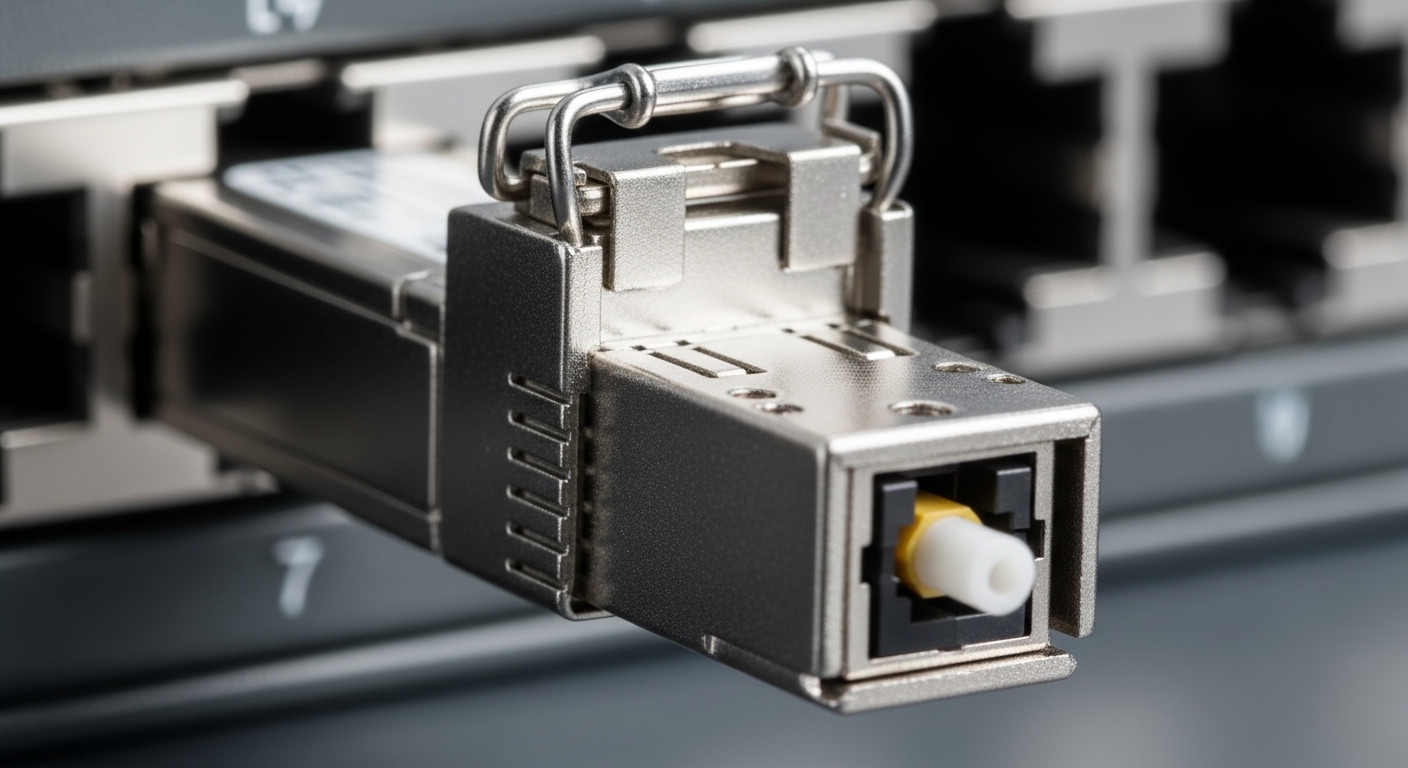
Start by classifying the traffic you are carrying. In many Open RAN designs, fronthaul between distributed units (DU) and radio units (RU) is latency-sensitive, while midhaul between DU and centralized units (CU) is typically more tolerant. That distinction drives which optics you can use and what budget you must reserve for aging, splices, and patch panels. Confirm the architecture in your vendor integration plan, then align it to IEEE Ethernet transport profiles where applicable. anchor-text
Field-ready planning steps
- Measure fiber route loss end-to-end (OTDR or certified loss test) and record splice/patch contributions.
- Confirm link rate (for example 10G/25G/100G Ethernet) and whether you are using optics with duplex LC or MPO.
- Lock wavelength plan (for example 850 nm multimode for short reach, or 1310/1550 nm single-mode for longer reach).
- Decide transceiver class: direct-attach copper (DAC/AOC) for very short spans, otherwise fiber transceivers.
Pro Tip: In Open RAN sites, the biggest commissioning delays come from patch-panel changes after initial OTDR runs. Build a “fiber change log” and re-check continuity after every rack or tray rework, even if the optics model number is correct.
Choose optics with a reach-and-compatibility first mindset
For optical network strategies, do not choose optics by “it fits the port.” Choose by reach class, connector type, optical power budget, and DOM behavior with your switch or transport node. Many Open RAN rollouts use vendor optics validation lists to reduce risk, but you can still use third-party modules if they pass DOM and diagnostics expectations. Always validate with your exact host model and firmware version during acceptance testing.
Quick spec comparison for common Open RAN transport optics
Use this table to compare the most frequent module families you will encounter in practice. Always confirm the exact vendor datasheet for transmit power, receiver sensitivity, and supported temperature range.
| Optic type | Wavelength | Typical reach | Data rate | Connector | DOM | Operating temp (typ.) |
|---|---|---|---|---|---|---|
| SFP+ SR (10G) | 850 nm | ~300 m on OM3/OM4 | 10G | LC | Yes (I2C) | 0 to 70 C (ranges vary) |
| SFP28 SR (25G) | 850 nm | ~100 m (varies by OM) | 25G | LC | Yes (I2C) | -5 to 70 C (ranges vary) |
| QSFP28 SR (100G) | 850 nm | ~100 m on OM4 (varies) | 100G | MPO/MTP | Yes | 0 to 70 C (ranges vary) |
| QSFP28 LR4 (100G) | 1310/1550 nm | ~10 km typical | 100G | LC | Yes | -5 to 70 C (ranges vary) |
In real deployments, you may see specific parts like Cisco SFP-10G-SR for 10G short reach, Finisar FTLX8571D3BCL for 25G/short-reach variants, or FS.com SFP-10GSR-85 style modules for cost-optimized SR transport. Treat these as examples only; verify against your host compatibility matrix before fielding.
Validation workflow: from fiber certification to link bring-up
Once your optical network strategies are selected, validate them in an order that prevents rework. Field teams that jump straight to “insert module and pray” often lose a day when polarity or MPO ribbon mapping is wrong. Use a repeatable checklist and capture measurements in your acceptance report.
Steps you can run at commissioning
- Certify fiber (end-to-end loss and continuity). Record link IDs, patch panel ports, and fiber IDs.
- Confirm polarity for LC (A-to-A/B-to-B depending on transceiver labeling). For MPO, confirm the polarity method and ribbon orientation.
- Bring up optics in a staging bench with the same switch or transport equipment model.
- Check DOM alarms (temperature, bias current, received power). Verify thresholds match expected normal ranges.
- Run traffic and error checks: monitor link counters, CRC/FEC indicators if applicable, and confirm stable throughput.
Compatibility caveat: Some hosts enforce strict optics validation via vendor firmware. If a module is “DDM present but unsupported,” you may see link flaps or “unsupported transceiver” messages even when the light level looks fine. Plan a fallback: spare OEM modules or pre-approved third-party SKUs.
Common mistakes and troubleshooting patterns
Below are frequent failure modes seen during Open RAN optical rollouts. Each includes a root cause and a practical fix you can apply quickly.
- Mistake 1: Wrong fiber polarity or MPO mapping
Root cause: A/B reversal on LC or incorrect MPO polarity method leading to low received power and link down.
Solution: Swap patch cords at the patch panel, re-test continuity, and for MPO confirm the polarity orientation against the transceiver vendor guide. - Mistake 2: Exceeding optical power budget
Root cause: OTDR not accounting for later re-patching or extra connectors; loss increases beyond the module’s receiver sensitivity margin.
Solution: Re-run certified loss after the final patch layout, and keep a conservative margin for splices and connector aging. - Mistake 3: Temperature out of spec
Root cause: Enclosure airflow differs from lab conditions; optics derate or fail DOM checks.
Solution: Verify ambient and airflow at the rack inlet/outlet; replace with modules that match the required operating temperature class. - Mistake 4: DOM/EEPROM incompatibility
Root cause: Host expects specific DOM behavior; third-party modules may not report fields consistently.
Solution: Validate in staging with the exact host model/firmware; use OEM or pre-approved modules if errors persist.
Selection criteria checklist and cost/ROI note
To choose optics for optical network strategies, use this ordered checklist. It is optimized for minimizing truck rolls and late-stage link failures.
- Distance and link budget: certified loss plus margin for splices and patch changes.
- Data rate and form factor: ensure SFP+/SFP28/QSFP28 match the host.
- Connector and polarity: LC vs MPO/MTP; confirm polarity handling requirements.
- Switch/transport compatibility: vendor hardware compatibility list and firmware constraints.
- DOM support: confirm diagnostics fields and alarm thresholds.
- Operating temperature: match site HVAC and enclosure conditions.
- Vendor lock-in risk: balance OEM reliability with third-party validation to control TCO.
Cost & ROI: OEM optics often cost more upfront but reduce commissioning time and RMA cycles. As a rough planning range, many 10G SR modules may fall in the low tens of dollars to mid-hundreds depending on brand and temperature class, while 100G LR optics are typically higher. TCO should include spare inventory, acceptance test labor, expected failure rates, and downtime cost during Open RAN integration windows.
FAQ
Q1: Which optics are usually best for Open RAN fronthaul?
Common choices are short-reach multimode optics (for close DU-to-RU distances) or single-mode optics for longer spans. The best choice depends on certified loss, latency constraints, and the host’s supported transceiver types.
Q2: Can we mix OEM and third-party optics in the same Open RAN ring?
Yes in many cases, but only if the host firmware accepts them and DOM behavior is compatible. Validate in staging with the exact host model before deploying to multiple radio sites.
Q3: Why does a link show up but errors spike after traffic starts?
This often indicates marginal received power, fiber cleanliness issues, or a polarity mismatch that partially passes continuity checks. Clean connectors, verify loss after final patching, and monitor CRC/FEC and optical receive power.
Q4: How do we handle MPO polarity correctly?
Follow the vendor’s polarity scheme for the specific MPO type and transceiver. Then verify with a controlled test: label fibers, confirm orientation, and run a stable traffic test while watching DOM receive power.
Q5: What should we document for acceptance testing?
Record fiber IDs, certified loss results, host port IDs, transceiver part numbers, DOM readings, and link error counters during a traffic run. This shortens future troubleshooting and speeds warranty RMA analysis.
Q6: What standards or references should we align to?
