
Compatibility in Open RAN: Optics and Transport That Actually Work
Open RAN deployments fail in predictable ways when hardware compatibility is treated as a checkbox instead of an engineering constraint. This article helps network, radio, and transport teams verify compatibility across switches, optics, timing, and monitoring for fronthaul and midhaul. You will get practical selection steps, a troubleshooting playbook, and a comparison table grounded in common transceiver and switch behaviors.
Why Open RAN compatibility breaks: timing, bandwidth, and monitoring
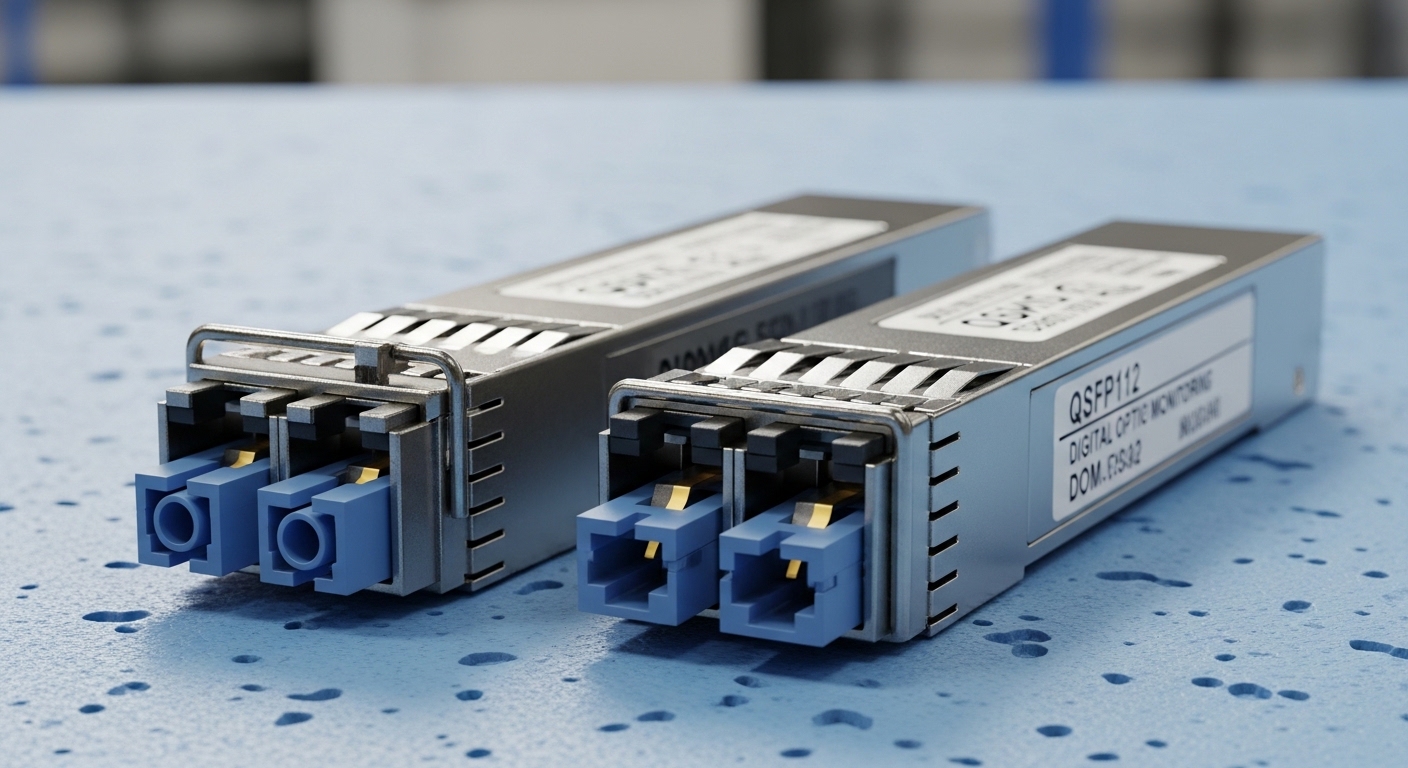
Open RAN is sensitive to latency and jitter because radio units and distributed units rely on strict transport behavior for CPRI/eCPRI-like timing and packet scheduling. Even when data rates match on paper, mismatches in optics lane mapping, forward error correction behavior, or switch transceiver governance can cause link flaps. Monitoring metadata also matters: DOM support and vendor-specific EEPROM fields can change how a platform validates optics.
From an operational standpoint, teams often discover issues only after the first maintenance window, when field replacement optics behave differently than lab-tested units. In practice, you need a compatibility plan that covers electrical signaling (e.g., 10G/25G/100G lanes), optical reach, connector type, and how the switch interprets DOM readings. For authoritative baselines, start with IEEE Ethernet physical-layer references such as IEEE 802.3 for link layer behavior, and rely on vendor datasheets for transceiver and switch optics validation. IEEE 802.3 standards portal
Compatibility matrix: optics and transport parameters that must align
At minimum, your compatibility assessment should confirm wavelength, reach, data rate, connector geometry, and temperature rating. In Open RAN fronthaul, also confirm whether your transport design uses direct attach or fiber, and whether your switch supports the exact form factor and speed bin. For optical modules, vendor DOM behavior can affect administrative states like “unsupported optic” or “digital diagnostics mismatch.”
Key optical specifications to compare
The table below shows typical parameters teams validate when selecting pluggable optics for Open RAN transport. Values vary by vendor and exact part number, so always verify against the switch compatibility list and the module datasheet.
| Parameter | 10G SFP+ SR | 25G SFP28 SR | 100G QSFP28 SR4 |
|---|---|---|---|
| Typical wavelength | 850 nm | 850 nm | 850 nm |
| Typical reach over OM3 | 300 m | 100 m | 100 m (OM3) |
| Fiber type | MMF (OM3/OM4) | MMF (OM3/OM4) | MMF (OM3/OM4) |
| Connector | LC | LC | LC |
| Data rate | 10.3125 Gbps | 25.78125 Gbps | 103.125 Gbps (4 lanes) |
| Operating temperature | 0 to 70 C (typical) | -5 to 70 C (typical) | 0 to 70 C or -5 to 70 C |
| DOM/diagnostics | Commonly supported | Commonly supported | Commonly supported |
Concrete module examples used in the field
Engineers frequently deploy verified part numbers such as Cisco SFP-10G-SR for 10G SR links, Finisar FTLX8571D3BCL for 25G/850-class SR variants (exact form factor depends on platform), and FS.com SFP-10GSR-85 style equivalents for cost optimization where switch qualification permits. For Open RAN, prefer optics that are explicitly listed as compatible with your specific switch model and revision, because some platforms enforce strict DOM thresholds.
Deployment scenario: leaf-spine transport for Open RAN fronthaul
Consider a 3-tier data center leaf-spine topology supporting an Open RAN pod. You deploy 48-port 10G ToR switches at the edge, uplinking to 100G spine switches, while the RU-to-DU fronthaul uses 25G or 10G Ethernet transport over MMF. Each ToR port carries traffic with a target one-way latency budget under 5 ms for the radio processing path, with jitter constrained by traffic shaping and queue configuration.
In this environment, the field engineer must select optics that match the patch panel loss and fiber grade. For example, if your OM4 links are engineered for 80 m average span plus patch cord loss, you should not assume “rated reach” equals “guaranteed link.” You will test with an OTDR or at least loss certification, then confirm the switch reports stable diagnostics like received power and temperature under load.
Selection criteria checklist for compatibility in Open RAN
Use this ordered decision checklist to reduce surprises during cutover and maintenance swaps.
- Distance and fiber grade: verify OM3/OM4 and measured loss, not just marketing reach.
- Data rate and form factor: confirm SFP+, SFP28, or QSFP28 support at the exact speed.
- Switch compatibility list: match switch model and hardware revision; enforce “known good” optics.
- DOM and diagnostics behavior: ensure the switch accepts DOM fields (vendor-specific thresholds can differ).
- Operating temperature: confirm the module supports your ambient and airflow profile in the radio room.
- Vendor lock-in risk: evaluate third-party optics only after a compatibility test plan and spare strategy.
Pro Tip: In many Open RAN rollouts, the biggest compatibility failures are not optical wavelength or reach, but DOM validation. A “link up” event can still hide a marginal received-power condition that later triggers CRC bursts and RU transport retransmissions. Capture switch counters and DOM alarms during a controlled traffic ramp before declaring the link stable.
Common mistakes and troubleshooting tips
Mistake 1: Installing optics with the right wavelength but wrong fiber mode assumptions. Root cause: OM3 vs OM4 mismatch or patch panel loss exceeding budget. Solution: certify spans, verify insertion loss, and keep a margin (often 20 percent) versus the module’s rated reach.
Mistake 2: Assuming third-party optics are automatically compatible because they are “same type.” Root cause: switch firmware may enforce strict DOM thresholds or vendor IDs. Solution: test in a staging rack with the same switch revision; record DOM readings and error counters under load.
Mistake 3: Ignoring temperature and airflow. Root cause: thermal drift increases laser bias instability, causing intermittent errors. Solution: measure module temperature sensors via DOM and confirm airflow meets vendor guidance; avoid blocking intake vents.
Cost and ROI: balancing compatibility, spares, and total operating cost
Price ranges vary widely by speed and vendor, but in typical enterprise and telecom procurement cycles, OEM optics often cost materially more than third-party equivalents. The ROI comes from reduced downtime risk: Open RAN outages have high operational cost because radio services degrade quickly when transport links destabilize. Total cost of ownership should include spare inventory strategy, compatibility testing time, and the probability of field failures.
Practically, many teams adopt a hybrid strategy: buy a small set of OEM optics for critical links and validate third-party optics for non-critical aggregation ports after compatibility testing. This approach reduces lock-in while protecting the critical path where RU-to-DU transport sensitivity is highest.
FAQ: compatibility questions engineers ask before cutover
Q: How do I verify compatibility beyond “it links up”?
Check switch counters (CRC/FCS errors, link flaps) and export DOM diagnostics during a traffic ramp that resembles radio load. If the platform supports it, validate alarm thresholds and received optical power stability.
Q: Are OM3 and OM4 interchangeable for SR optics?
They are related but not interchangeable in practice. Compatibility depends on measured loss and the module’s supported reach for your specific optics and switch behavior.
Q: Will third-party optics always work in Open RAN switches?
Not always. Switch firmware may reject DOM fields or enforce vendor-specific validation, so you must test against your exact switch model and revision.
Q: What DOM fields matter most for compatibility?
Received power, temperature, and diagnostic thresholds are the most actionable for stability. Also confirm that the switch accepts the module’s EEPROM and reports it as supported.
Q: What should I do if links flap only under load?
That pattern often indicates marginal optical power, connector contamination, or thermal drift. Clean connectors, inspect fiber endfaces
