
In many network refresh projects, the hardest part is not buying optics, but picking the right fiber. If you choose the wrong type, you can end up with underperforming links, flaky optics, or costly re-cabling. This article helps network engineers and field techs decide when single-mode fiber is the right call versus multi-mode fiber, using practical distance budgets, transceiver compatibility details, and troubleshooting lessons. It also explains the tradeoffs that show up in daily operations: power, reach, temperature behavior, and module support.
Single-mode fiber vs multi-mode: what changes at the physics layer
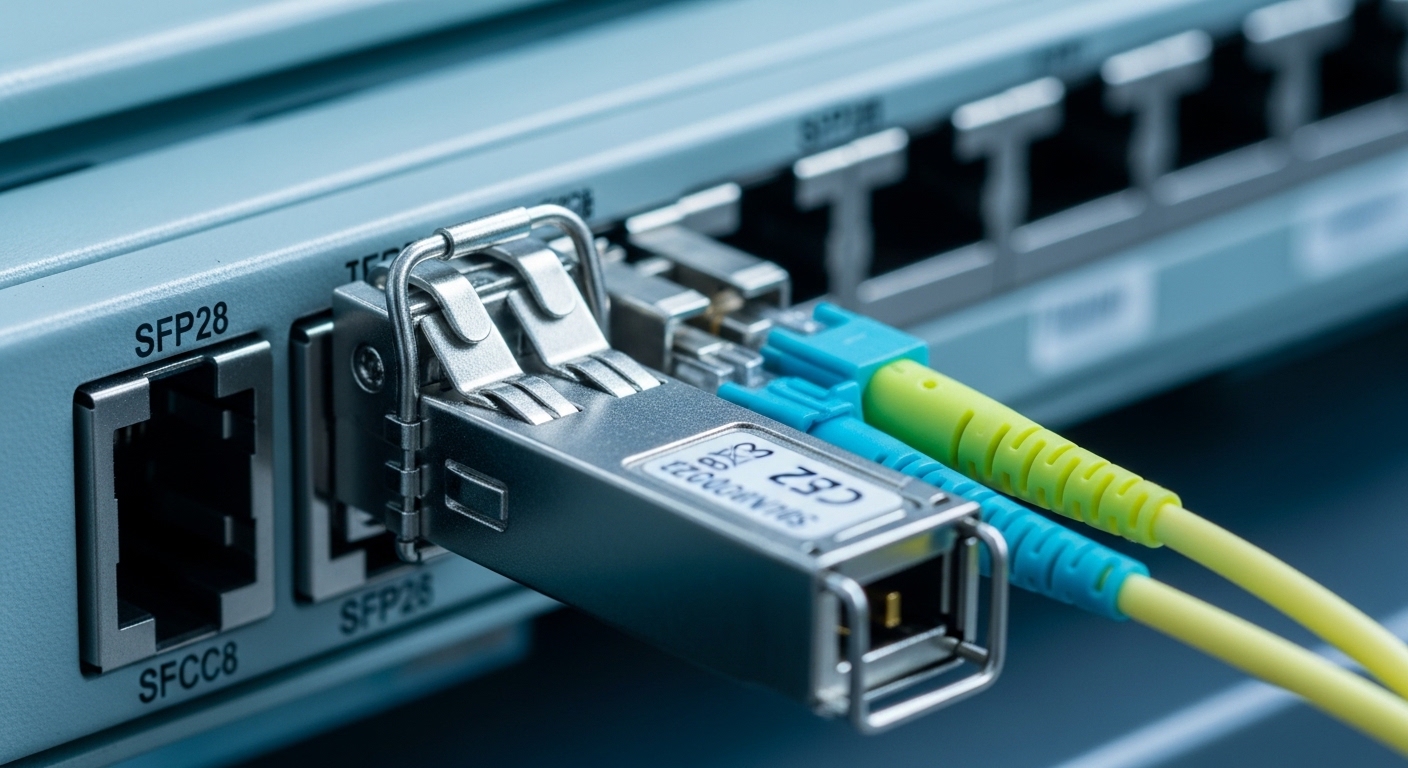
Both fiber types move light through glass, but they treat light differently. Single-mode fiber uses a small core designed to carry essentially one propagation mode, which sharply reduces modal dispersion and supports longer reach. Multi-mode fiber uses a larger core that supports multiple modes; this is why it typically has shorter reach but can be more forgiving with lower-cost optics in some short-range scenarios. The key practical implication is that single-mode links usually use higher-performance optics and tighter optical budgets, while multi-mode often relies on simpler, lower-cost optics when distances are short.
Engineers usually map the “fiber choice” to an optical budget and a link budget that includes transmitter power, receiver sensitivity, connector loss, and splice loss. In Ethernet terms, the optics and fiber must match the wavelength plan (for example, 1310 nm or 1550 nm for many single-mode deployments) and the transceiver standard (such as IEEE 802.3 for 10G, 25G, 40G, and 100G Ethernet). For field work, the fiber type also determines which transceiver family you can safely deploy, including whether your switch supports that module in its compatibility list.
Quick spec comparison you can use on-site
Below is a practical comparison of common single-mode and multi-mode deployment characteristics. Actual reach depends on transceiver model, launch conditions, and cabling loss, so always validate with vendor datasheets and your switch’s optics support list.
| Parameter | Single-mode fiber (typical) | Multi-mode fiber (typical) |
|---|---|---|
| Core behavior | One dominant mode (lower modal dispersion) | Multiple modes (higher modal dispersion) |
| Common wavelengths | 1310 nm, 1550 nm | 850 nm (often), 1310 nm variants |
| Typical connector type | LC/UPC or LC/APC, depending on design | LC (often), factory polished ends |
| Reach with modern Ethernet optics | Often 10 km–80 km+ depending on rate and optic | Often 100 m–400 m at common rates, sometimes more with specialized optics |
| Splice/connector sensitivity | More sensitive to contamination and budget margin at tight targets | More tolerant to some loss, but still impacted by dirty connectors and poor terminations |
| Temperature operating range | Transceiver-dependent; many specify roughly -5 C to 70 C | Transceiver-dependent; similar ranges common |
When single-mode fiber is the practical choice (and when it is not)
The best time to choose single-mode fiber is when your link distance, growth plan, or operational constraints demand it. For example, in campus networks, metro rings, or inter-building links, single-mode often becomes necessary because multi-mode reach can be exhausted quickly once you include patching, consolidation points, and future upgrades. It also helps when you need higher-speed optics over longer spans, since single-mode roadmaps support higher reach at 25G, 40G, and 100G with coherent or long-reach designs.
However, single-mode is not always the cheapest path. If you are building a new data center with short runs (for instance, under 100 m from switch to top-of-rack patch panel) and you want maximum cost efficiency, multi-mode with short-reach optics can still be a strong option. The “gotcha” is that multi-mode can become a trap if you later extend distance or re-use cabling for longer runs without re-terminating and re-testing. In operations, the biggest differentiator is not just reach, but how likely you are to keep the same topology and optical parameters for years.
Real-world deployment scenario: campus leaf-spine plus inter-building uplinks
In a 3-tier campus design with leaf-spine switching, a team might run 48-port 10G top-of-rack switches with 40 m average horizontal patching to meet a structured cabling layout. For the core-to-distribution inter-building uplinks, they may need 2.5 km of routed fiber between buildings, including 12 splices and roughly 1.5 dB total connector loss after patching. In that environment, single-mode fiber typically wins because the single-mode optics can maintain an optical budget across kilometers, while multi-mode at 850 nm commonly struggles once you add distance plus aging and patch churn. The team also benefits from the ability to standardize on a single transceiver family for both short and long segments where the switch supports it via DOM and vendor compatibility lists.
Pro Tip: In the field, the most common “single-mode fiber failed” incident is not the fiber type itself; it is dirty connector endfaces. A quick microscope inspection often reveals film or micro-scratches that raise insertion loss enough to push the link budget over the edge, especially with long-reach single-mode optics where receiver margins are tighter.
Optics and standards: matching transceivers to single-mode fiber safely
Choosing single-mode fiber is inseparable from choosing the correct transceiver for your rate and distance. For Ethernet, the optics must align with the physical layer specifications governed by IEEE 802.3 (for example, 10GBASE-LR/ER patterns and their modern equivalents). In practice, vendors also implement module presence, diagnostics, and power class rules that affect compatibility. If you plug the wrong optics class, you might still see link light, but you may get intermittent errors due to marginal optical power or timing.
On the hardware side, you should consider whether your switch supports that transceiver type and whether it uses digital optical monitoring (DOM). Many enterprise switches rely on DOM thresholds to trigger alarms for bias current, received optical power, and temperature. If the module is not compatible, the switch may disable the port or report “unsupported optics,” even if the optics would function electrically. Field engineers routinely check the switch’s optics compatibility list and validate the module’s DOM implementation before standardizing.
Concrete transceiver examples you can reference
Here are example single-mode transceiver models commonly used to build long-reach Ethernet links. Exact reach depends on the fiber type, loss, and the specific link rate.
- Cisco SFP-10G-SR is often multi-mode oriented, but Cisco also has LR/ER variants; always verify the wavelength and reach in the datasheet before buying.
- Finisar FTLX8571D3BCL is an example of a 10G long-reach family optic (verify exact wavelength and distance for your part number).
- FS.com carries many single-mode SFP+ and SFP28 options such as SFP-10GSR-85 class naming varies by vendor; confirm that your model is truly single-mode (and not multi-mode) and that it matches the wavelength plan.
Because part numbers vary by wavelength and distance class, the operational rule is simple: confirm Tx wavelength, rx sensitivity, max optical budget, and connector type from the datasheet, then compare it to your measured link loss after installation.
Selection criteria checklist: deciding between single-mode and multi-mode
Engineers typically make this decision by combining distance math with operational realities. Use the ordered checklist below during planning, and then re-validate after installation with OTDR or certified tester results.
- Distance and margin: estimate total span length plus patching and splices; require margin for future re-cabling.
- Target data rate: 10G, 25G, 40G, and 100G each have different reach behavior and optics classes.
- Switch compatibility: confirm the switch model supports the transceiver family; check port speed negotiation behavior.
- DOM and diagnostics: ensure the module supports DOM if your NMS relies on it for alarms and thresholds.
- Operating temperature: verify transceiver specs for the enclosure environment; confirm airflow assumptions.
- Connector and polishing strategy: decide LC/UPC vs APC where applicable; plan cleaning and inspection routines.
- Budget and lifecycle cost: compare optics price, fiber certification cost, and expected failure rates over the service life.
- Vendor lock-in risk: assess whether third-party optics are reliably supported or whether you must buy OEM modules.
Common mistakes and troubleshooting tips
Even experienced teams can stumble after the fiber is pulled and the optics arrive. The good news is that most failures have repeatable root causes and straightforward fixes.
Pitfall 1: Assuming “single-mode” automatically means “works over distance”
Root cause: The link budget ignores real insertion loss from connectors, splices, and aging. Single-mode optics are sensitive to loss margin, especially in long-reach classes. Solution: Measure and document loss after installation using OTDR or certified test equipment, then compare against the transceiver’s max optical budget and required minimum received power.
Pitfall 2: Dirty connector endfaces and missing cleaning discipline
Root cause: Microscopic contamination increases insertion loss and can cause intermittent link flaps. This is especially common when patch panels are frequently reworked. Solution: Use a fiber inspection scope, clean with lint-free swabs and approved cleaning tools, and re-test after each cleaning. Establish a standard: inspect before mating, clean before plugging, and never reuse damaged endfaces.
Pitfall 3: Transceiver mismatch to wavelength and fiber type
Root cause: Purchasing the wrong optic class (for example, multi-mode rated optics when you intended single-mode, or wrong wavelength like 850 nm behavior in a single-mode plan). Sometimes the link comes up briefly, but error rates rise under load. Solution: Verify the Tx wavelength, reach class, and connector type from the datasheet and match it to the fiber plan. Then confirm the switch’s optics support list for that exact module family.
Pitfall 4: Overlooking DOM thresholds and NMS alarms
Root cause: Some optics report DOM values that trigger alarms due to calibration differences, aging, or power reduction. Engineers may misdiagnose this as a fiber fault. Solution: Correlate DOM readings (Tx bias current, received power, temperature) with real measured fiber loss and check whether the NMS thresholds are set appropriately for the module.
Cost and ROI: what you actually pay over time
Single-mode fiber itself is often only a small portion of total project cost, especially compared with labor, certification, and downtime planning. The biggest cost swing typically comes from optics and from how reliably you can use third-party modules. OEM optics for long-reach classes can cost more upfront than multi-source alternatives, but the ROI depends on failure rates, supportability, and whether your operations team can troubleshoot quickly.
In many enterprise refresh cycles, a realistic pattern is: multi-mode short-reach optics are cheaper, while single-mode long-reach optics cost more per module, and the project also includes higher certification and testing attention. Still, single-mode can reduce total cost by avoiding re-cabling and by supporting future upgrades on the same installed fiber plant. When you factor expected link churn, connector cleanings, and the cost of truck rolls, single-mode frequently earns its keep for campus and metro links where distance is a hard constraint.
As a practical budgeting step, request vendor quotes for both fiber options and compare total transceiver count, expected spares, and warranty terms. If your switch requires OEM optics for warranty coverage, that is a real TCO driver even when third-party modules are technically compatible.
FAQ
Do I need single-mode fiber for every Ethernet link?
No. If your runs are short and your optics plan fits multi-mode reach limits with margin, multi-mode can be more cost-effective. Choose single-mode when distance, upgrade path, or inter-building routing makes multi-mode reach risky.
How do I confirm my installed cable is truly ready for single-mode fiber?
Use certified test results for end-to-end loss and document connector and splice performance. For deeper verification, OTDR can help locate high-loss events along the span. Compare measured values against the transceiver’s maximum optical budget.
Will single-mode fiber work with multi-mode optics?
Not reliably. Single-mode fiber is designed for different launch conditions and supported modes than multi-mode optics assume. Always match the transceiver wavelength and fiber type from the datasheet and vendor guidance.
Are third-party single-mode optics safe for production?
They can be, but only if your switch supports them and your optics are validated for DOM behavior and optical specs. The safest approach is to test in a staging environment and confirm the module is accepted by the switch before rolling into production.
What symptoms indicate a single-mode fiber problem vs a transceiver problem?
Fiber issues often correlate with sudden loss after patching or after connector rework, and you may see consistent received power drops. Transceiver problems can show as DOM alarms, bias current instability, or temperature-related errors. Use inspection, cleaning, and measured loss to separate variables.
How often should field teams clean single-mode connectors?
At minimum, clean and inspect any time you mate a connector, and especially after maintenance events. In high-churn patch panels, adopting a “clean before plug-in” routine prevents many intermittent optical failures.
If you want a practical next step, use multi-mode vs single-mode fiber cost and reach to compare real project tradeoffs for short-reach and long-reach architectures. Then validate your selection with switch optics compatibility and certified test results before you commit to a rollout.
Author bio: I have deployed and troubleshot Ethernet optics in campus and data center environments, including DOM-based monitoring and certified cabling validation. I write with a field engineer mindset: measured loss, connector reality, and compatibility checks that prevent outages.
