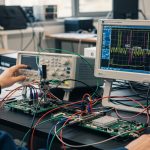
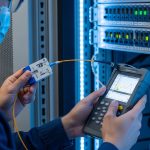
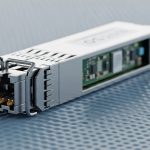
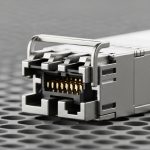
Offshore fiber links fail in spectacular ways: salt fog creeps into connectors, vibration loosens cages, and temperature swings bully optics into misbehavior. This guide helps network engineers and field techs choose a platform fiber transceiver (SFP class) that can survive extreme environments, then actually stays link-stable after commissioning. You will get practical specs to compare, a checklist for selection, and troubleshooting steps you can run with a scope, a light meter, and a very patient attitude.

Why offshore breaks SFP assumptions (and how to design around it)
Most SFP datasheets assume indoor-ish life. Offshore platforms add three funhouse factors: corrosion from salt-laden humidity, vibration and shock during crane operations and heave, and thermal cycling from sun-baked enclosures to cold wind. In practice, link stability depends as much on mechanical retention and connector hygiene as it does on optical reach.
Environmental stressors that matter to SFP operation
- Salt fog and condensation: promotes galvanic corrosion on cage contacts; can raise insertion loss and trigger intermittent RX power drops.
- Vibration/shock: can micro-move the module in the cage, stressing solder joints and causing bit errors under load.
- Temperature range: many SFPs list commercial (0 to 70 C) while offshore wants industrial or extended (-20 to 85 C, sometimes more).
- EMI and grounding: poor bonding can cause noise coupling into the module and adjacent transceiver lanes.
Optical and electrical parameters you should verify
For an offshore platform fiber transceiver, confirm the basics that show up in vendor tables: fiber type, wavelength, link budget, and DOM behavior. Use the IEEE 802.3 physical layer expectations for electrical signaling and optical power ranges, and then validate with the actual fiber attenuation and connector counts you will deploy. If your link uses LC connectors and armored patch cords, clean and inspect them like you mean it; dirty endfaces are the cheapest way to create expensive outages.
Pro Tip: In offshore installs, the most common “mystery” SFP failures are not bad optics; they are connector contamination plus condensation. Clean, inspect with a microscope, and then log DOM optical power readings before and after thermal cycling. If RX power drifts while TX stays steady, you are chasing contamination or fiber movement—not a defective module.
SFP platform choices: 10G SR vs LR and what to compare
To pick the right platform fiber transceiver, start with the distance and fiber type. In offshore networks, you often have a mix of multimode patch runs inside cabinets and single-mode backbone runs between decks. SFP forms the workhorse layer because many switch vendors support it with predictable cage layouts and DOM telemetry.
Core SFP options engineers commonly deploy offshore
- 10G SFP+ SR (850 nm, multimode): short reach, typically 300 m to 400 m depending on OM3/OM4 and link budget.
- 10G SFP+ LR (1310 nm, single-mode): longer reach over single-mode with fewer worries about modal dispersion.
- DOM telemetry: use for early warning; verify thresholds and watch for vendor-specific scaling quirks.
Practical spec comparison table (what matters in the field)
| Model class (examples) | Data rate | Wavelength | Fiber type | Typical reach | Connector | DOM | Operating temp | Notes for offshore use |
|---|---|---|---|---|---|---|---|---|
| Cisco SFP-10G-SR or FS.com SFP-10GSR variants | 10G | 850 nm | MMF (OM3/OM4) | Up to ~300-400 m (budget dependent) | LC | Yes (common) | Often 0 to 70 C or industrial options available | Sensitive to connector contamination; multimode OM4 helps reduce margin loss |
| Finisar FTLX8571D3BCL or FS.com SFP-10GLR equivalents | 10G | 1310 nm | SMF (single-mode) | Up to ~10-20 km (budget dependent) | LC | Yes (common) | Industrial/extended available | More forgiving for distance; still needs cleaning and stable grounding |
| 10G SFP+ copper alternatives (avoid for backbone) | 10G | Electrical | Copper | Limited | RJ-45 | N/A | Varies | Offshore EMI and moisture can turn copper links into a weather report |
Sources: vendor datasheets and module documentation; IEEE 802.3 for Ethernet optical interfaces. Example part names referenced above are for illustration; always verify exact temperature and DOM behavior on the specific SKU.
For authoritative baseline behavior, consult IEEE 802.3 for 10GBASE-SR/LR optical interfaces and the relevant transceiver electrical characteristics, and then validate with the switch vendor interoperability guide for your exact switch model. Source: IEEE 802.3 Source: Cisco transceiver documentation and interoperability notes
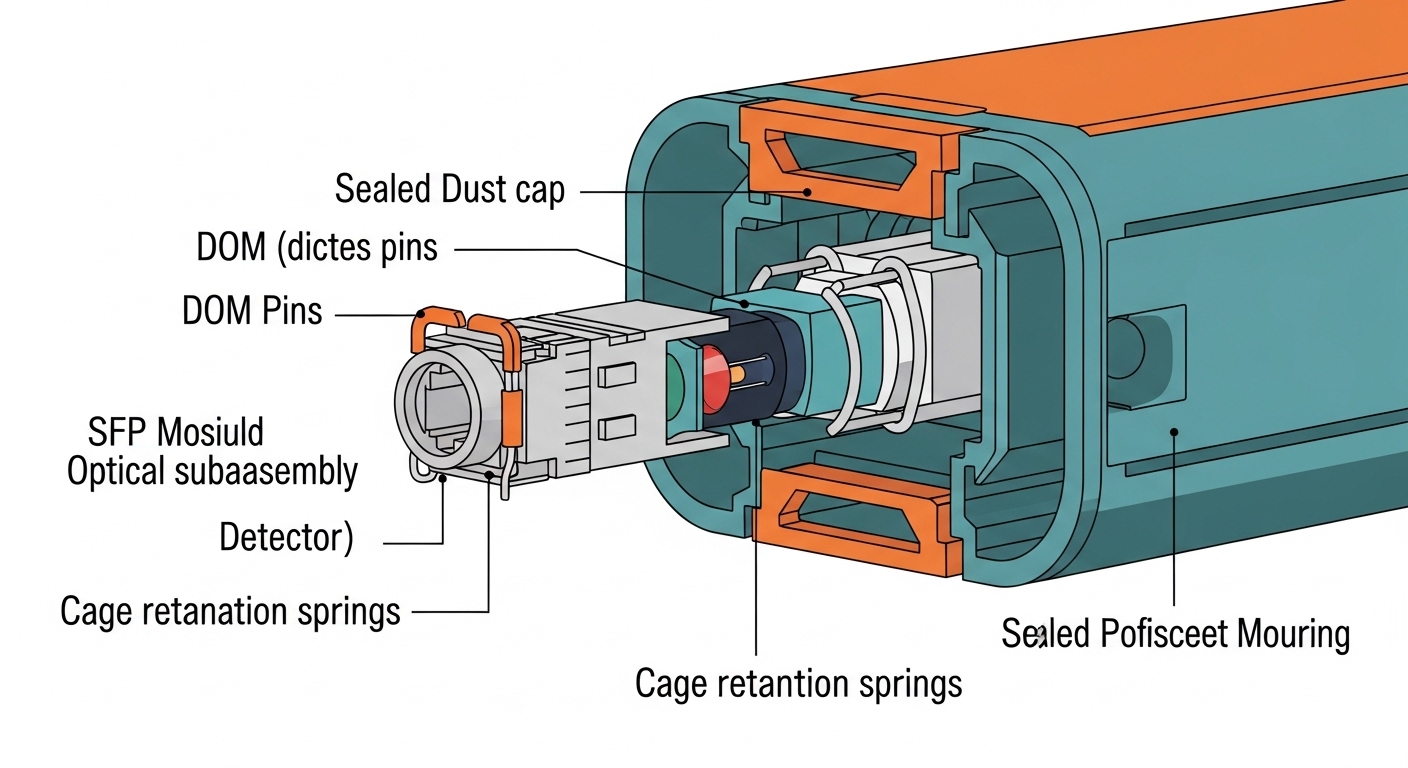
Deployment scenario: leaf-spine offshore network with SFP+ in cabinets
Picture a 3-tier offshore environment: 48-port 10G ToR switches feeding 2 aggregation switches, with inter-deck backbone links using single-mode. You install SFP+ modules in the ToR switches for deck-to-deck patch runs and inside cabinet patch panels for short horizontal cabling. Each ToR has 24 active 10G links, giving roughly 48 SFPs per deck when you include redundancy and spare capacity.
During commissioning, you schedule a DOM and optical power audit. Before any heavy weather test, you record TX bias current and RX power from the switch CLI for each port, then compare after a thermal soak from 25 C to 65 C and after a vibration event (for example, crane movement that shakes racks). If a port’s RX power drops by more than your acceptance threshold (commonly set using your vendor’s recommended operating range and your link budget margin), you re-clean and re-seat the LC connector, inspect fiber endfaces with a microscope, and only then consider module replacement.
Selection checklist for a platform fiber transceiver in extreme conditions
Use this ordered checklist like a field script. It is designed to reduce downtime, avoid compatibility surprises, and keep your link budget honest.
- Distance and fiber type: Confirm MMF OM3/OM4 vs SMF, then compute link budget with connector counts, splice loss, and aging margin.
- Switch compatibility: Validate the SFP SKU against the switch vendor’s supported transceiver list or interoperability guidance. Some cages are picky about optical power class and DOM timing.
- DOM support and telemetry mapping: Ensure DOM is supported and that your NMS can interpret alarms consistently (vendor scaling differences exist).
- Operating temperature range: Prefer industrial/extended temperature SFPs; offshore enclosures can swing quickly and stay humid.
- Connector and mechanical retention: Choose LC options with robust latching; plan for sealed bulkheads and strain relief. Vibration loves loose anything.
- Power and thermal behavior: Check typical and maximum power draw and ensure your switch’s thermal design supports the module at worst case.
- Vendor lock-in risk: Compare OEM vs third-party. Third-party can be cheaper, but validate warranty terms, DOM behavior, and return logistics.
- Environmental qualification: Look for specs addressing shock/vibration and corrosion resistance where available; if not stated, plan protective housing and connector management.

Common mistakes and troubleshooting that actually works
Here are field-proven failure modes for a platform fiber transceiver in offshore conditions. Each includes root cause and the corrective action.
Intermittent link drops after humidity changes
Root cause: condensation or salt fog films on LC endfaces increases insertion loss and triggers RX power dips.
Solution: clean with proper fiber cleaning tools (no cotton swabs), inspect with a microscope, and re-seat connectors with strain relief. Then compare DOM RX power before and after a humidity or thermal cycle test.
Bit errors only under vibration events
Root cause: insufficient retention, loose cage seating, or fiber movement inducing micro-bends.
Solution: confirm the SFP is fully latched, inspect cage contacts for corrosion, secure cabling with proper clips, and check for micro-bend damage along the patch path. Use link error counters to correlate with vibration windows.
Works on bench, fails in the rack
Root cause: power/thermal mismatch or poor airflow; the module runs near its max temperature in the installed airflow pattern.
Solution: measure inlet/outlet temperatures, verify airflow direction, and ensure the switch thermal budget is respected. Replace with a module rated for the installed temperature range and re-test DOM telemetry stability.
DOM alarms show nonsense values
Root cause: DOM scaling or alarm threshold mapping differences between vendors, or NMS interpreting units incorrectly.
Solution: cross-check with switch CLI readings and vendor documentation. Set alarms based on measured baseline and vendor-recommended limits, not on a generic expectation.
Cost and ROI note: OEM vs third-party SFPs offshore
Budget reality check: OEM 10G SFP+ modules often cost more per unit than third-party equivalents, but the ROI comes from reduced swap time, documented interoperability, and predictable DOM behavior. In many offshore projects, a realistic installed cost includes spares, logistics, and labor for replacement during weather windows. Third-party modules can be cost-effective, especially for bulk spares, but you should run acceptance testing: DOM stability, RX power within spec, and a connector-cleaning standard that matches your maintenance SOP.
Typical pricing ranges vary by reach and temperature grade; as a rough planning heuristic, expect OEM to be higher and third-party to be lower, with industrial temperature grades costing more than commercial. TCO improves when modules fail less often and when your team can swap quickly without compatibility surprises. If you are tracking mean time to repair, also include the time to access racks and the time to verify link health after replacement.
FAQ: platform fiber transceiver SFP decisions for harsh sites
Which SFP is safer offshore: SR or LR?
It depends on distance and fiber type. SR at 850 nm is great for short MMF runs, but it is less forgiving of connector contamination and budget. LR at 1310 nm over SMF usually offers more distance margin and typically simplifies reach planning for backbone links.
Do I really need DOM for offshore?
Yes, if you want early warning instead of surprise outages. DOM lets you trend TX/RX behavior and detect gradual degradation. It is also essential for setting realistic alarm thresholds based on your actual baseline readings.
Can I use third-party SFPs in any switch?
Not automatically. Many switches support third-party optics, but interoperability can vary by exact model and firmware. Validate against the switch vendor guidance and test in your environment before committing to a large rollout.
What connector cleaning method should we use?
Use purpose-built fiber cleaning tools and inspect with a microscope. Avoid improvised cleaning methods that leave residue or scratches. For offshore, implement a strict “clean and inspect before insertion” rule for every maintenance action.
How do we set acceptance thresholds for RX power drift?
Measure baseline RX power for each port after installation, then set thresholds based on your link budget margin and vendor operating range. After thermal and vibration events, compare DOM trends and tune thresholds to catch real issues without triggering nuisance alarms.
Is extended temperature rating always required?
If your enclosure can exceed commercial module limits or experiences rapid thermal cycling, extended temperature is strongly recommended. Check both the module rating and the installed airflow profile; temperature is often the silent killer in racks.
Want the next step? Use fiber transceiver maintenance checklist to build a repeatable offshore cleaning and DOM monitoring routine that keeps your links boring—in the best possible way.
Author bio: I have deployed fiber transceivers on real racks in coastal and industrial environments, with DOM logs and optical power checks as my daily bread. I write from the field: fewer assumptions, more measured values, and a healthy respect for dirty connectors.