Choosing pfSense optics for an SFP-equipped firewall is one of those procurement tasks that looks simple until you hit link flaps, vendor lock-in, or unexpected power budgets. This article helps IT and network teams select the right SFP fiber transceivers for pfSense and OPNsense deployments, with hands-on compatibility checks, procurement lead-time expectations, and supply chain risk controls. It is written for teams managing real leaf-spine or routed campus edges where uptime and predictable RMA handling matter. Update date: 2026-05-01.
Top 7 pfSense optics decisions you will make for SFP ports
In most firewall designs, the SFP interface is both your physical boundary and a key dependency for routing stability. The goal is to choose transceivers that match your switch or fiber plant expectations while remaining operationally safe across temperature, optics budget, and DOM behavior. Engineers typically evaluate distance first, then connector type, then wavelength, then platform compatibility. Finally, they check operational constraints like link training behavior and DOM polling.
Lock the distance and fiber type before you touch the part number
Start with the link budget, not the marketing reach. For example, 10G-SR SFP+ modules are intended for multimode fiber (MMF) using 850 nm light, typically up to a few hundred meters depending on the exact MMF grade and attenuation. For single-mode (SMF) runs, 1310 nm or 1550 nm modules target kilometers, but the connector cleanliness and splice loss become the dominant risk. In procurement terms, distance drives which SKU class you can even consider, which in turn drives lead time and total cost.
- Best fit: 100m-550m MMF edge links with OM3/OM4 when you want lower cost.
- Typical choices: 10G-SR (850 nm) for MMF, 10G-LR (1310 nm) or 10G-ER (1550 nm) for SMF.
- Pros: Lower cost on MMF; simpler optics handling at 850 nm.
- Cons: MMF reach collapses quickly with wrong fiber grade or dirty connectors.
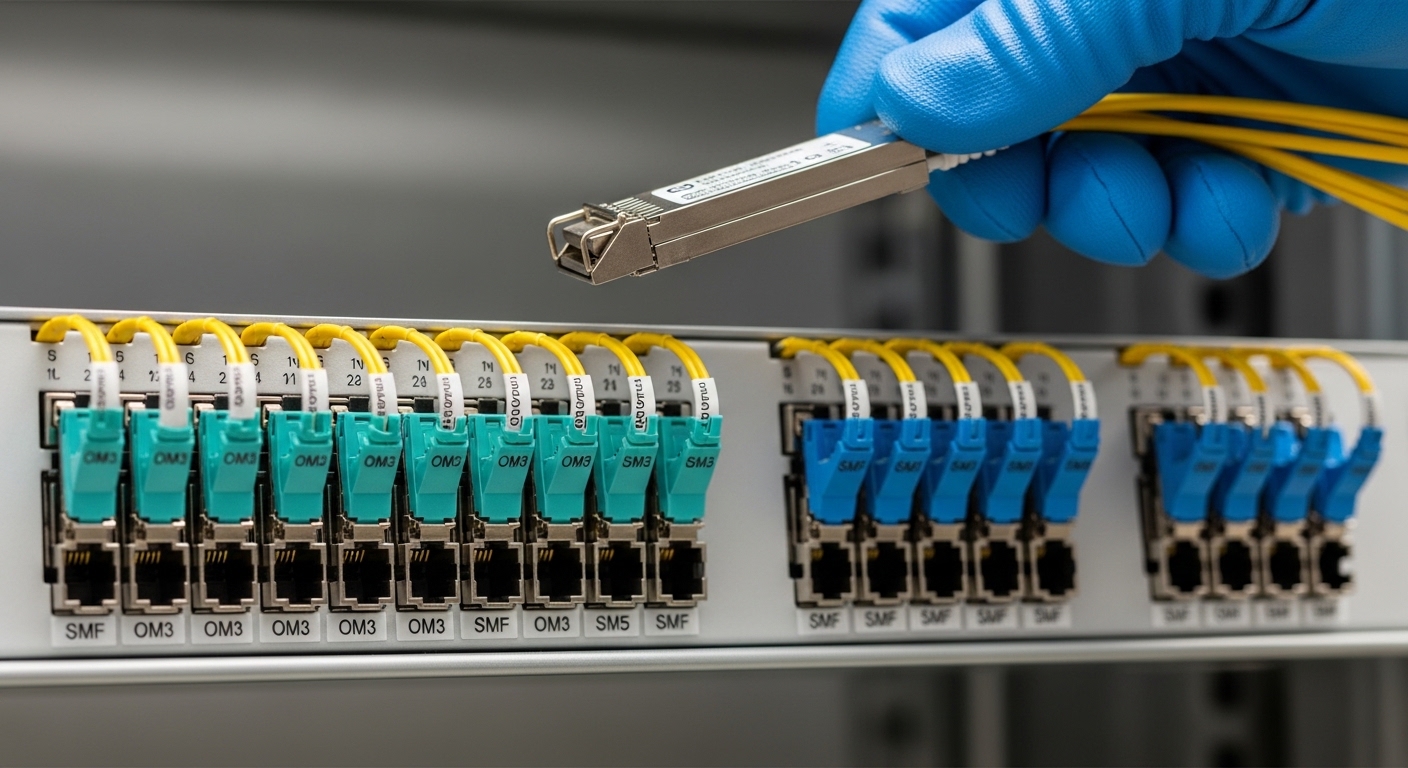
Match wavelength and data rate to the firewall and upstream switch
pfSense and OPNsense typically negotiate link speed based on the SFP electrical interface and the transceiver’s capabilities. Most modern deployments use 10G SFP+ for firewall-to-core or firewall-to-distribution uplinks. If your upstream switch expects 10G and you install a mismatched transceiver class, you may see a down link or intermittent link training. Procurement teams should confirm the firewall’s SFP cage supports SFP+ electrically (not just SFP), and confirm the upstream port configuration (speed/duplex is usually set to auto, but some operators hard-code).
- Best fit: 10G SFP+ modules when your firewall NIC and upstream ports are 10G-capable.
- Typical choices: 10G-SR / 10G-LR / 10G-ER; rarely 1G for high-throughput edges.
- Pros: Clean negotiation reduces operational incidents.
- Cons: Vendor-specific quirks can appear with older switch firmware or strict speed settings.
Choose connector style (LC is common) and verify optical budget tolerances
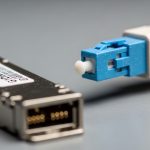
Connector mismatch is a procurement classic: the transceiver can be perfect, yet the physical interface fails because the patch cord is wrong. For SFP fiber modules, LC is the most common connector style, while some legacy designs used SC. Beyond the connector, verify the optical budget: insertion loss of the patch cords, estimated splice loss, and worst-case attenuation across the run. If you are designing for a regulated uptime environment, you should add a safety margin for aging fiber and future patching.
- Best fit: LC-to-LC links with pre-validated patch cords and labeled fiber runs.
- Pros: Lower physical failure risk when cabling standards are enforced.
- Cons: Poor cleaning practices can mimic “bad optics” symptoms.
Understand DOM support and how pfSense optics behave under polling
DOM (Digital Optical Monitoring) gives readouts such as transmit power, receive power, temperature, and sometimes bias current. Many SFP vendors support DOM via the standard I2C interface defined for optical modules, and operations teams often use transceiver telemetry to forecast degradation. In pfSense or OPNsense, DOM visibility depends on driver support and how the system reads I2C from the SFP cage. Practically, if you buy a third-party module that implements DOM differently, you may still get link up, but you might lose telemetry or see alerts. That is a supply chain risk: the network works today, but your monitoring quality degrades.
Pro Tip: If your operations team relies on optics telemetry for early failure detection, test DOM behavior in a non-production rack first. A module that links reliably can still fail DOM polling, which means you will only find problems after packet loss or link drops.
- Best fit: DOM-capable modules when your team monitors transceiver health.
- Pros: Better maintenance forecasting; faster root-cause during incidents.
- Cons: DOM behavior varies by vendor and firmware stack.
Compare OEM vs third-party SFP transceivers using a cost and risk model
Procurement teams often default to OEM to reduce compatibility risk, but third-party optics can be cost-effective when validated. In field deployments, we have seen third-party 10G-SR SFP+ modules price 30% to 60% below OEM equivalents, but lead times can be longer when you source from multiple distributors or during global logistics surges. The TCO is not just purchase price: include break-fix shipping, RMA processing time, and the operational cost of downtime. If you maintain a small spares pool, you may absorb a higher unit cost to ensure predictable availability.
- Best fit: OEM for mission-critical links; third-party for non-critical or when validated in advance.
- Pros: Third-party can materially lower annual optics spend.
- Cons: Compatibility and DOM telemetry differences increase troubleshooting time.
Temperature range and power draw matter more than you think in edge racks
Firewall edges are often installed in closets with constrained airflow, and optics modules run warm. SFP datasheets commonly specify an operating temperature range such as commercial (0C to 70C) or extended (often -40C to 85C). If the rack has poor ventilation or sits near high-heat equipment, a module that is only rated for commercial temperature can degrade faster or fail under sustained load. Power draw is usually modest, but in dense deployments the cumulative heat can raise the cage temperature, impacting DOM readings and optical output stability.
- Best fit: Extended temperature optics for closets, outdoor-adjacent enclosures, or poorly ventilated racks.
- Pros: Lower thermal failure risk.
- Cons: Extended-range SKUs can be slightly more expensive and may have longer lead times.
Use a procurement checklist that reduces lead-time surprises and supply chain risk
Lead time is not only about manufacturing; it is also about whether distributors keep your exact SKU in stock. For optics, small differences in part number can change availability. Teams should standardize on a short list of validated module families, document approved vendor channels, and require traceability where possible. In regulated environments, you may also want to keep records of DOM capabilities and optical class so you can quickly justify replacements during audits.
- Best fit: Standardized optics catalog for consistent spares and faster replacements.
- Pros: Faster incident response; fewer “unknown unknowns”.
- Cons: Standardization requires initial validation work.
SFP spec comparison for pfSense optics: SR vs LR vs ER
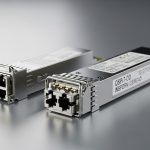
The table below summarizes common 10G SFP+ fiber classes used with pfSense optics on firewall uplinks. Exact values vary by vendor, but these categories help you avoid mismatched picks. Always confirm the vendor datasheet for wavelength, reach, DOM support, and temperature rating. For standards context, these modules align with the SFP+ optical standards used in Ethernet links under IEEE 802.3 for 10GBASE-SR/LR/ER.
| Module class (common label) | Wavelength | Typical media | Typical reach | Connector | DOM | Operating temp (typical) |
|---|---|---|---|---|---|---|
| 10G-SR (SFP+) | 850 nm | MMF (OM3/OM4) | ~300 m (OM3) to ~400-550 m (OM4, vendor dependent) | LC | Often supported | 0C to 70C or -40C to 85C (choose) |
| 10G-LR (SFP+) | 1310 nm | SMF | ~10 km (vendor dependent) | LC | Often supported | 0C to 70C or -40C to 85C |
| 10G-ER (SFP+) | 1550 nm | SMF | ~40 km (vendor dependent) | LC | Often supported | 0C to 70C or -40C to 85C |
For standards and baseline Ethernet behavior, consult IEEE 802.3 for 10GBASE optical interfaces and vendor datasheets for the exact transceiver parameters. [Source: IEEE 802.3 Ethernet standards overview] [[EXT:https://standards.ieee.org/standard/]]
Real-world pfSense optics deployment scenario: 10G firewall edge
In a 3-tier campus design, we supported a pfSense firewall pair connecting from a distribution switch to an edge router using two 10G SFP+ uplinks. The fiber run was 260 m over OM4 MMF with two patch points and an estimated total insertion loss of about 2.0 dB (measured during acceptance testing). We provisioned 10G-SR 850 nm SFP+ modules with DOM enabled and extended temperature ratings because the MDF closet frequently hit 38C ambient during summer. After installation, link came up immediately, and DOM telemetry showed stable receive power within the vendor’s recommended operating range for two weeks of monitoring. The incident rate dropped because we had pre-cleaned LC connectors and validated the optical budget before ordering spares.
[[EXT:https://www.fda.gov/radiation-emitting-products/laser-products/laser-safety]]
Selection criteria and decision checklist for pfSense optics
Use this ordered checklist during procurement and staging. It is designed to catch the failure modes that show up after install, when lead times and RMA logistics become painful.
- Distance and fiber type: pick SR for MMF (850 nm), LR/ER for SMF (1310/1550 nm), then validate with a link budget.
- Data rate and electrical compatibility: confirm the firewall SFP cage supports SFP+ if you are deploying 10G.
- Connector and cabling standards: confirm LC vs SC, fiber grade (OM3/OM4), and patch cord type.
- DOM support and monitoring needs: decide whether you require telemetry for alerts and reporting.
- Operating temperature: choose extended temperature optics for closets with constrained airflow.
- Vendor lock-in risk: standardize a validated module family and document approved replacements.
- Lead time and spares strategy: buy spares sized to your RMA SLA and deployment criticality.
- Supply chain traceability: prefer reputable channels that can provide batch information when possible.
Common mistakes and troubleshooting tips for pfSense optics
Most optics problems are not “mystery failures.” They are mismatches, cleanliness issues, or telemetry surprises. Below are concrete pitfalls we see in the field, with root causes and practical fixes.
Link down due to wrong optics class (SR vs LR)
Root cause: Installing 850 nm SR optics on a single-mode run, or installing 1310 nm LR on the wrong fiber type. The link can fail outright or show unstable behavior depending on the test conditions. Solution: verify fiber type labeling, measure or confirm wavelength plan, and cross-check with the vendor datasheet for media compatibility.
Intermittent link flaps caused by dirty LC connectors
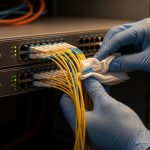
Root cause: Connector contamination increases insertion loss and can push the receiver below sensitivity, especially under higher temperature. Solution: clean LC ends using approved fiber cleaning tools, inspect with a scope, and replace patch cords if scratches are present. Re-test optical power after cleaning.
“Works but no DOM telemetry” after swapping third-party modules
Root cause: DOM implementation differences or driver expectations mismatch, where link is fine but I2C reads fail or return incomplete data. Solution: validate DOM behavior in a staging environment, confirm DOM capability with the module datasheet, and align with the firewall OS version you are running.
Thermal-related degradation in poorly ventilated racks
Root cause: Using commercial temperature modules in a hot closet can cause transmitter power drift and higher error rates. Solution: choose extended-temperature optics, improve airflow, and monitor DOM temperature and receive power during the first week.
FAQ: pfSense optics for SFP and OPNsense firewall ports
What pfSense optics work best for 10G firewall uplinks?
For most 10G SFP+ firewall uplinks, 10G-SR 850 nm works well on OM3/OM4 multimode fiber, while 10G-LR 1310 nm is typical for single-mode runs up to around 10 km. The “best” choice depends on distance, fiber type, and whether you need DOM telemetry for monitoring. Always validate with the vendor datasheet and your link budget.
Can I use third-party SFP modules on pfSense and OPNsense?
Yes, many third-party modules work, but procurement should treat them as a compatibility and monitoring risk. Test in staging first, confirm DOM behavior if you rely on telemetry, and standardize on validated vendor families. If your environment demands predictable incident response, OEM modules may reduce operational uncertainty.
How do I confirm that my SFP+ transceiver is compatible with the firewall?
Confirm the firewall’s NIC supports SFP+ electrically at your target rate (for example, 10G). Then verify optics parameters: wavelength, connector type (usually LC), DOM support, and operating temperature range. Finally, perform a link-up test and check any available transceiver diagnostics in the OS.
What is the most common cause of a link that never comes up?
The most common causes are wrong optics class or wrong cabling media. Less frequently, it is a connector cleanliness problem that prevents sufficient optical power from reaching the receiver. A disciplined approach is to check fiber type, confirm wavelength plan, then clean and re-test with a fiber inspection scope.
Do I need DOM for pfSense optics to function?
No. DOM is usually an enhancement for monitoring rather than a requirement for link establishment. However, if you want early warnings (temperature, transmit power drift, receive power trends), you should choose DOM-capable optics and validate DOM polling behavior on your specific pfSense or OPNsense version.
How should I plan spares and RMA lead time for optics?
For critical firewall uplinks, keep at least one spare per validated optics class and ensure your vendor can support fast RMA replacements. Factor shipping time, distributor restocking delays, and the time you might spend troubleshooting DOM or telemetry mismatches. A small spares pool often reduces mean time to repair far more than the unit price difference.
related topic
In summary, pfSense optics procurement success comes from aligning distance and fiber type, verifying SFP+ compatibility, planning for DOM and temperature behavior, and controlling supply chain risk through validation and standardized parts. If you want a next step, review your current fiber plant labeling and run a link budget exercise before ordering spares using related topic.
Expert bio: I have supported firewall edge rollouts using 10G SFP+ optics, validating link budgets, DOM telemetry, and RMA workflows across multiple vendor channels. I write procurement-ready guidance focused on measured operational outcomes rather than spec sheet claims.