
In an HPC cluster, a single optics choice can ripple across rack cost, thermal design, and upgrade cycles. This guide helps data center and network engineers decide between on-board optics and pluggable transceivers for HPC optics deployments—especially when you are targeting 25G, 100G, or 400G links over short-reach fiber. You will get a practical comparison table, a field-ready decision checklist, and troubleshooting patterns pulled from real deployments.
On-board optics vs pluggables: what changes in the rack
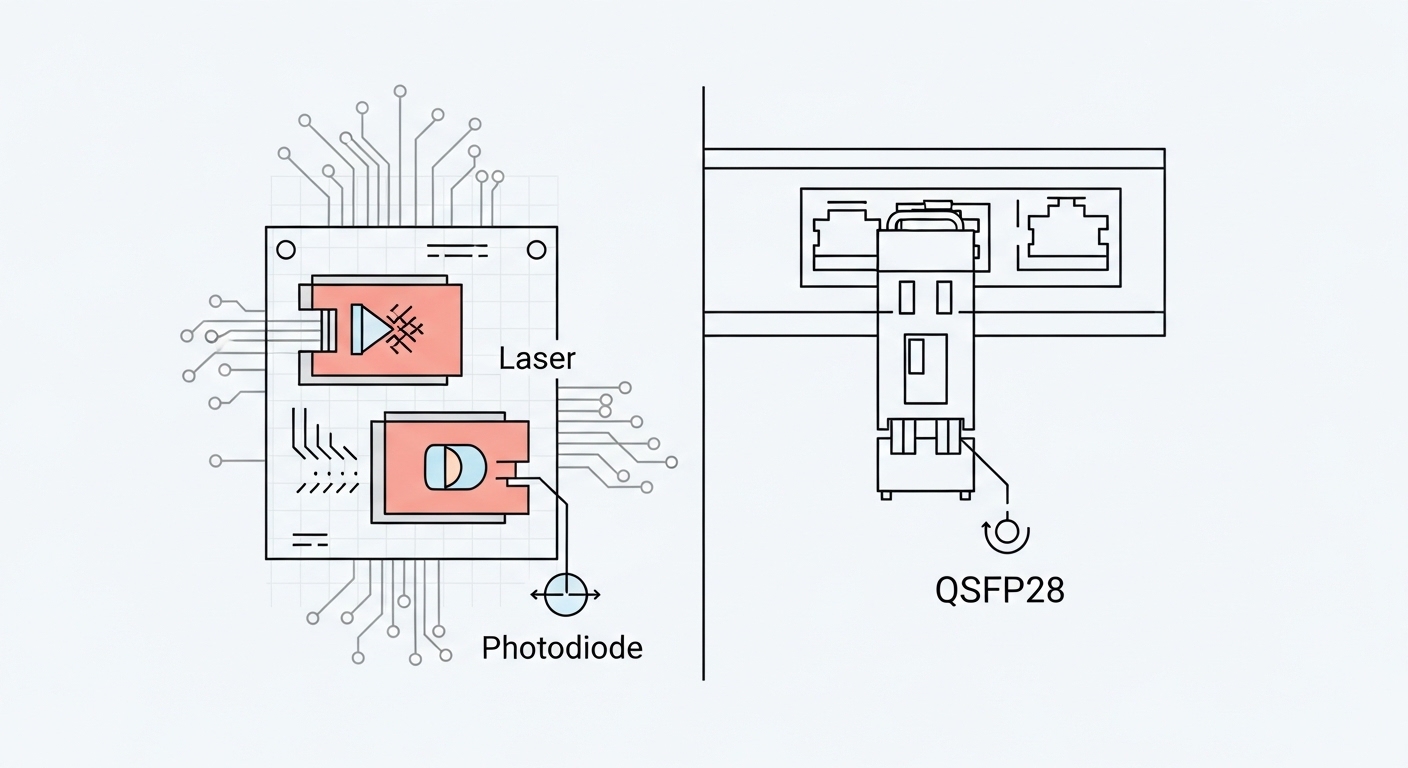
Think of your optics as two delivery models. On-board optics are like a fixed engine installed in the chassis: fewer moving parts, tight integration, and predictable power/latency—but less flexibility once the server or switch line card is built. Pluggable transceivers are like tool-free swap batteries: you can replace optics per link without redesigning the board, but you must manage compatibility, DOM telemetry, and optics inventory.
In IEEE 802.3 terms, both approaches still carry the same electrical/optical interface behavior defined by the relevant Ethernet PHYs; the difference is where the optoelectronics live. On-board implementations typically reduce board-to-module variability and can improve manufacturing yield for dense ports, while pluggables emphasize operational agility. For standards context, see IEEE 802.3 for Ethernet PHY and optical reach definitions, plus vendor datasheets for exact power and temperature ratings. IEEE 802.3 standard

Key specifications you must compare before you order
Engineers often compare only wavelength and reach. For HPC optics, you also need to budget thermal load, connector type, power consumption, and telemetry behavior. The table below summarizes the fields that typically decide whether on-board optics or pluggables fit your design constraints.
| Spec | On-board optics (typical) | Pluggable transceivers (typical) |
|---|---|---|
| Data rates | Fixed per design (often 25G/50G lanes or integrated 100G/200G/400G) | Varies by form factor (SFP28, QSFP28, QSFP-DD, OSFP) |
| Wavelength | Commonly 850 nm (SR) for short reach, depends on platform | 850 nm (SR), 1310 nm (LR/LR4), or 1550 nm (ER/ZR) depending on module |
| Reach | Defined by platform optics tuning and optics budget | Typically specified by vendor (e.g., 70 m, 100 m, 300 m for OM4/OM5) |
| Connector | Board-level fiber routing; often fixed optic-to-backplane/fiber geometry | Standardized optical connector on module (LC/MT-RJ/MPO varies by form factor) |
| Power and thermals | Predictable per port but board-level heat path is fixed | Depends on module class; higher power can stress airflow and PSU budget |
| DOM telemetry | Often integrated telemetry; varies by platform | Usually supported (SFF-8472 for legacy; QSFP-DD uses enhanced mechanisms) |
| Operating temperature | Defined by the host platform design | Module spec matters (commercial vs industrial grades) |
| Upgrade flexibility | Requires board or chassis refresh to change optics class | Swap optics to adjust reach or media type |
For concrete examples of pluggable SR optics in the field, vendors publish specific models and budgets. Examples include Cisco SFP-10G-SR and third-party modules such as Finisar FTLX8571D3BCL or FS.com SFP-10GSR-85 (model availability and compatibility depend on switch vendor and software). Always validate against your switch’s optics compatibility list.
For standards and module management, the relevant SFF specifications define module behavior and diagnostics; for optics telemetry and optical safety, consult vendor documentation for your exact module family. SFF and module documentation ecosystem via industry resources
Real-world HPC optics deployment: where the choice shows up
In a 3-tier data center leaf-spine topology, a team runs 48-port 10G ToR switches at the leaves and 100G uplinks to spine. They standardize on OM4 fiber, targeting 70 m average link lengths from servers to ToR, with occasional 90 m runs in longer aisles. With pluggables, they keep a small spares pool: two known-good SR modules per switch model and a quarantine process for suspected failures. When they trial on-board optics on a new platform generation, the number of optics SKUs drops, but the spare strategy shifts to swapping entire line cards or chassis components when a port fails.
In practice, the on-board approach shines when you expect stable reach requirements and want fewer inventory lines. Pluggables shine when you anticipate changes: migrations from 25G to 100G, different fiber media (OM4 to OM5), or mixed vendor optics across a multi-vendor rack. The decision is less about “better signal” and more about operational control: thermal margin, field replacement time, and how quickly you can recover from a fault.
Selection criteria checklist for engineers
- Distance and media: confirm your fiber plant (OM3/OM4/OM5), typical and worst-case link lengths, and connector cleanliness policy.
- Switch and chassis compatibility: verify optics are supported by the exact switch hardware revision and firmware; check optics compatibility matrices.
- DOM and diagnostics: require telemetry you can poll (temperature, bias current, received power) and map it to your monitoring system.
- Operating temperature: ensure module grade matches your rack airflow profile; on-board optics depend on chassis thermal design.
- Power and airflow budget: compare per-port power and worst-case thermal rise; validate with airflow measurements (not just datasheets).
- Vendor lock-in risk: on-board optics can force a platform refresh; pluggables can allow multi-vendor sourcing if compatibility is proven.
- Spare strategy and mean time to repair: estimate replacement time (swap module vs line card) and compute spares required per 6–12 month failure projections.
- Change management: plan how upgrades will be executed during maintenance windows without stranding links.
Pro Tip: In many HPC fabrics, the biggest “gotcha” is not the optics reach spec—it is the operational margin you lose to connector contamination and aging. Build a process where every failed link triggers an inspection of MPO/LC endfaces and a measured receive-power check, then only swap optics after you confirm the fiber path.
Common mistakes and troubleshooting patterns
Mistake 1: Ignoring optics budget vs real installed loss. Root cause: datasheet reach assumes clean connectors and specified insertion loss. Solution: measure end-to-end loss with an OTDR (where applicable) or certified attenuation tests; then verify received power against vendor thresholds.
Mistake 2: Assuming “any SR module works” on a switch. Root cause: firmware and compatibility lists can restrict pluggables; some platforms enforce vendor-specific calibration. Solution: validate with the switch vendor compatibility table and test in a lab port before scaling deployment.
Mistake 3: Underestimating thermal behavior during peak load. Root cause: higher-than-expected airflow resistance or blocked baffles raises module temperature, leading to intermittent errors. Solution: instrument airflow (differential pressure or temperature mapping) and correlate with link CRC/BER counters; adjust fan curves or airflow routing.
Mistake 4: Skipping DOM telemetry in monitoring. Root cause: teams only alert on link down, missing early degradation like rising laser bias temperature. Solution: collect DOM metrics (or platform-integrated telemetry) and set thresholds for received power drift and module temperature.

Cost and ROI: how to estimate total ownership
Typical street pricing varies by speed and vendor, but pluggable optics often cost less per unit and reduce risk by enabling targeted replacement. On-board optics can reduce BOM complexity and inventory SKUs, yet the TCO can rise if failures require line card or chassis swaps. A practical ROI model includes: optics purchase cost, spares count, downtime cost per repair event, and failure rates observed in your environment.
For many teams, the deciding factor is not the optics price alone; it is spares logistics. Pluggables allow inexpensive “field swap” recovery, while on-board optics may shift you toward higher-value spares (line cards) and longer RMA cycles. Treat it like reliability engineering: model mean time to repair and the probability of a multi-port failure within a maintenance window.
FAQ for HPC optics buyers
Q: Do on-board optics reduce latency compared to pluggables?
A: Often the difference is small relative to switch pipeline and fabric design. The more impactful benefits are usually integration stability and predictable thermal/power behavior, not dramatic latency changes. Validate with your vendor’s platform timing data.
Q: Are pluggable transceivers always easier to maintain?
A: They are typically easier for single-port faults because you can swap modules quickly. However, if your platform restricts optics or if failures are caused by fiber issues, swapping modules may mask the root cause unless you check receive power and connector condition first.
Q: What fiber type should I standardize for HPC optics at 100G SR?
A: Many deployments use 850 nm SR over OM4 or OM5, but exact reach depends on your optics budget and connector quality. Confirm worst-case loss and ensure your patch panels and polarity conventions are consistent across the fleet.
Q: How do DOM and monitoring affect operational reliability?
A: DOM telemetry enables early warning for laser bias drift, temperature rise, and received power degradation. Without it, you tend to detect failures only after errors spike or links drop, which increases downtime and troubleshooting time.
Q: Is there a lock-in risk with on-board optics?
