
In many data centers, the hardest part of faster networking is not the transceiver itself, but the upgrade migration path that preserves signal integrity, uptime, and cabling investments. This article helps network and field engineers plan a QSFP28 QSFP56 upgrade migration while reusing existing fiber plant, patch panels, and optics where possible. You will get practical decision criteria, compatibility caveats, and troubleshooting steps drawn from real deployment patterns in leaf-spine and spine-core environments.
QSFP28 vs QSFP56: performance and optics reality for migration
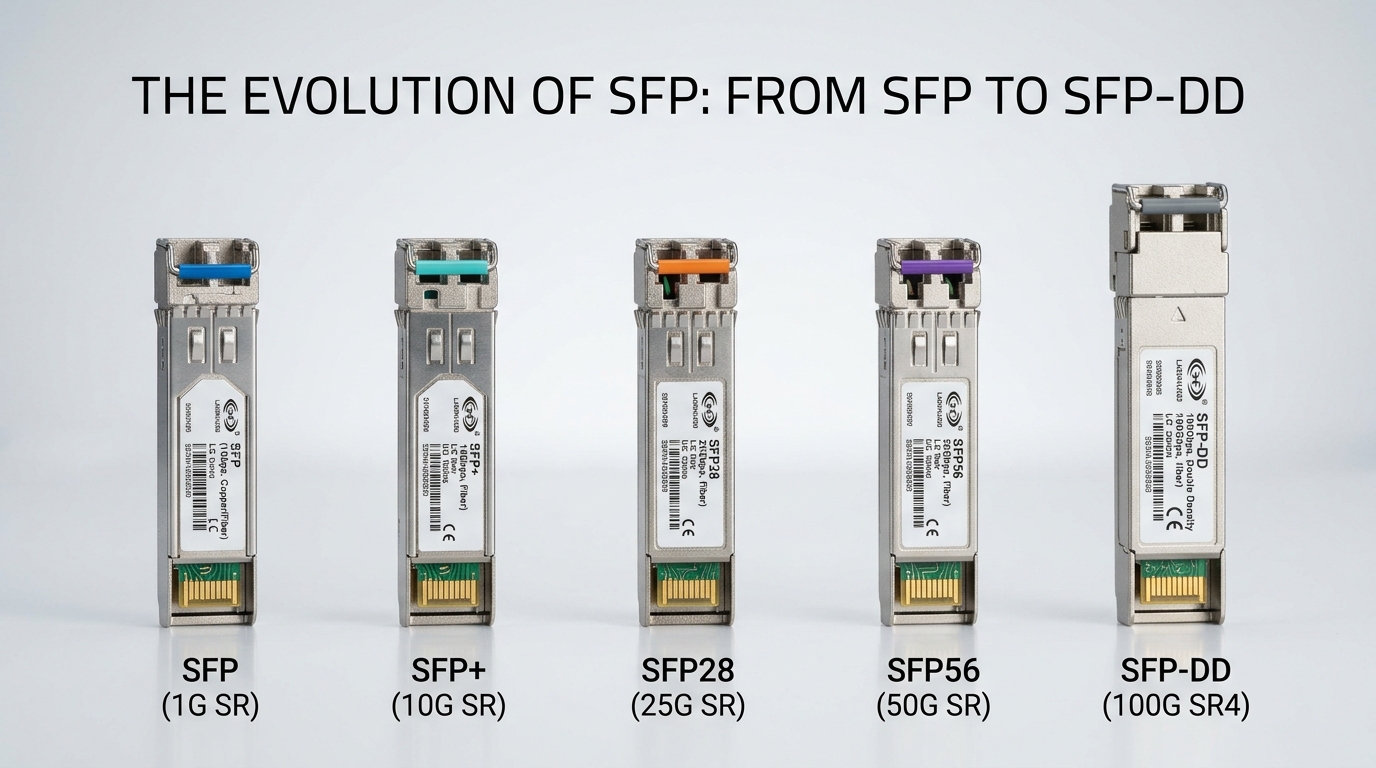
At a high level, both QSFP28 and QSFP56 optics live in the same “small pluggable” ecosystem, but they target different per-lane data rates and reach assumptions. QSFP56 commonly maps to 4 lanes at higher aggregate rates (often supporting 200G-class optics in typical vendor offerings), while QSFP28 commonly maps to 25G-per-lane designs for 100G-class links. In practice, the migration success hinges on whether your switch ports, optics, and optics settings (including FEC expectations) align to the platform.
What engineers actually check first
Before touching cabling, validate your switch port capabilities and optics support matrix. Many modern platforms provide explicit support for QSFP56 transceivers and may require configuration changes for interface speed, FEC mode, or breakout settings. Also confirm whether your link uses single-mode fiber (SMF) with LC connectors or any legacy multimode plant that may not meet the newer link budget.
Quick comparison table: key specs that matter during reuse
Use this table as a starting point for the “reuse existing infrastructure” question: can your fiber length, connector type, and expected optical power budget support the new optics?
| Parameter | Typical QSFP28 (100G-class) | Typical QSFP56 (200G-class) | Why it impacts migration |
|---|---|---|---|
| Data rate | 100G aggregated (often 4x25G) | 200G aggregated (often 4x50G) | Higher lane rate tightens dispersion/jitter tolerance |
| Wavelength options | 850nm MMF, or 1310/1550nm SMF depending on module | 850nm MMF, 1310nm SMF, or 1550nm SMF depending on module | Different optics may require different fiber types |
| Reach (examples) | Up to ~100m on OM4 (varies by module) | Up to ~150m on OM4 in some short-reach offerings; longer on SMF | Reuse depends on actual patch-panel and fiber loss |
| Connector | LC duplex (SMF) or MPO/MTP (MMF) | LC duplex or MPO/MTP depending on variant | Mismatched connector style breaks “reuse” plans |
| Power budget and sensitivity | Module-specific; usually more forgiving on shorter reaches | Module-specific; often tighter link budget | Old patch cords can consume margin |
| Operating temperature | Commercial and industrial variants exist; check range | Commercial and industrial variants exist; check range | Rack airflow changes during migrations can cause faults |
Reuse-first migration path: cabling, connectors, and link budget
A successful QSFP28 QSFP56 upgrade migration using existing infrastructure usually comes down to fiber plant condition and loss accounting. The goal is to confirm that your current patch cords, bulkhead adapters, and splices do not exceed the new module’s optical budget, and that the connector geometry matches the required transceiver interface.
Fiber plant audit: what to measure
In the field, I recommend a “trust but verify” audit. Pull the actual run lengths (including patch cords on both ends), identify fiber type (OM3, OM4, OS2), and check connector cleanliness. If you have access to an OTDR or certified loss test, use it to quantify insertion loss across each segment; if not, at least confirm that patch cords are within spec and not damaged.
Connector reuse reality: LC vs MPO/MTP
Legacy QSFP28 deployments often used MPO/MTP for short-reach multimode and LC duplex for SMF. If your QSFP56 short-reach module uses a different connector format than your existing patch hardware, “reuse existing infrastructure” becomes a partial reuse: you may reuse fiber strands but still need adapter panels or new patch cords. Connector mismatch is one of the most common reasons a migration looks fine on paper but fails at first optical bring-up.
Cost and ROI: when reuse saves money and when it backfires
Optics pricing varies widely by vendor, reach, and whether you buy OEM or third-party. In many projects, third-party compatible optics reduce upfront cost but increase procurement risk if your switch vendor is strict about validation or if DOM/EEPROM behavior differs. Reusing existing fiber and patch panels can cut capex, but the hidden cost is labor time for audits, cleaning, and re-termination if you discover connector or loss issues late.
Realistic price ranges and TCO framing
As a rule of thumb from recent purchasing patterns, OEM QSFP56 optics often cost more per module than QSFP28 equivalents, and the gap widens for longer-reach SMF variants. Third-party optics can be meaningfully cheaper, but you should budget for additional testing time, spare management, and potential RMA overhead. A typical TCO model for a migration should include optics cost, labor for verification and cleaning, downtime risk mitigation (spares), and the likelihood of needing new patch cords or adapters.
ROI math that field teams use
Engineers usually compare two scenarios: (1) reuse fiber and patch panels with new optics, versus (2) replace patch hardware and, in worst cases, re-pull fiber. If your certified loss margins are healthy, reuse can yield strong ROI because you avoid civil or cabling change orders. But if your multimode plant is aging, connector endfaces are poorly maintained, or you have frequent link flaps, the “saved” optics money can evaporate in troubleshooting hours.
Pro Tip: During a QSFP28 to QSFP56 upgrade migration, the highest failure rate I see is not fiber length alone; it is connector endface condition plus “stacked” loss from multiple patch cords. Even when the OTDR looks acceptable at a coarse level, a dirty MPO/MTP or LC endface can push the link budget over the edge once lane rates increase.
Compatibility and operational constraints: what must match
Compatibility is more than “the port accepts the shape.” A QSFP56 module may require specific interface settings on the switch (speed, FEC, and sometimes vendor-specific optics profiles). Some platforms also validate transceiver vendor IDs or require explicit optics enablement. Treat the migration as an optical and electrical configuration change, not only a hardware swap.
DOM and monitoring considerations
Most modern optics support Digital Optical Monitoring (DOM) with temperature, laser bias/current, received power, and diagnostics. Verify that your switch reads DOM fields correctly for the new module type and that alarms map to expected thresholds. If you plan to use third-party optics, request DOM compatibility confirmation from the vendor or run a pilot on a non-critical link.
FEC expectations and signal integrity
Higher-rate QSFP56 links may use different FEC modes or require correct FEC negotiation between endpoints. If you keep the same switch pair and update only the optics, you still need to confirm the configured FEC mode matches what the optics and line side expect. A mismatch can manifest as “link up but errors rising,” or periodic link drops under load.
Common mistakes and troubleshooting tips during QSFP28 QSFP56 upgrade migration
Even careful teams run into predictable failure modes. Below are concrete pitfalls I have seen in production environments, along with root causes and fixes.
Link stays down: connector mismatch or wrong patch geometry
Root cause: The QSFP56 short-reach module expects MPO/MTP optics, but the existing panel uses a different polarity or adapter type, or the team wired the wrong side of a duplex mapping. Solution: Verify connector type, polarity mapping, and adapter orientation before power cycling. Use a labeled polarity map and confirm with end-to-end strand continuity testing.
Link flaps under traffic: insufficient optical power margin
Root cause: Old patch cords and additional bulkhead adapters consume link budget, and increased lane rates push the margin below sensitivity thresholds. Solution: Measure receive power using DOM on both ends, then replace the lowest-quality patch cords first. Clean endfaces and reduce the number of intermediate adapters.
Persistent CRC or FEC-related errors: FEC or speed profile mismatch
Root cause: The switch interface is configured for a QSFP28 profile or an incompatible FEC mode, or the port auto-negotiation does not align with the new optics. Solution: Check interface configuration, confirm speed and FEC mode, and ensure both ends match. If the switch supports optics profiles, explicitly set the profile recommended in the transceiver datasheet.
DOM alarms and “unsupported transceiver” warnings
Root cause: Third-party optics may expose DOM fields differently, or the switch has strict validation policies. Solution: Run a pilot with the exact part number and firmware combination. Keep OEM optics as a known-good fallback until compatibility is proven.
Decision matrix: which path fits your migration constraints
Engineers often need a fast “yes/no” view before they commit procurement and field labor. Use this decision matrix to compare options based on your environment.
| Evaluation factor | Reuse fiber + new QSFP56 optics | Reuse fiber + QSFP28 stay (partial upgrade) | Replace patch hardware / consider SMF rework |
|---|---|---|---|
| Distance and reach | Best when certified loss margins exist | Best for short hops where QSFP28 remains sufficient | Best when multimode is marginal |
| Connector compatibility | Requires LC or MPO/MTP alignment | Lowest risk if current optics are stable | Higher cost but clean end-to-end standardization |
| Operational downtime | Moderate: optics swap plus cleaning/verification | Lower: keep known-good optics | Higher: re-termination and retesting |
| Budget and ROI | Often highest ROI if audits are done early | Lower immediate cost but may delay performance gains | Highest cost; justified only when margins fail |
| Vendor lock-in risk | Moderate to high if switch is strict | Lower if you stay with validated QSFP28 SKUs | Variable; can normalize optics across vendors |
Which option should you choose?
If you have a healthy certified loss margin, clean connector endfaces, and switch ports explicitly support QSFP56, choose reuse fiber + new QSFP56 optics. It delivers the performance upgrade without the biggest labor items, and it aligns with the real-world goal of protecting existing cabling investments during QSFP28 QSFP56 upgrade migration. If your multimode plant is older, connector maintenance is inconsistent, or you cannot validate FEC and optics profiles quickly, start with a limited pilot on a small link group, then expand after DOM and error-rate baselines look stable.
If the pilot shows marginal optical power, frequent error counters, or repeated polarity/connector issues, it is often more cost-effective to standardize patch hardware (and sometimes migrate to SMF) than to burn weeks troubleshooting edge-case loss budgets. For teams under aggressive timelines, keep a small pool of known-good OEM optics as spares until third-party compatibility is proven.
FAQ
Can I reuse the same QSFP28 fiber runs when moving to QSFP56?
Often yes, but only if the fiber type and link budget match the QSFP56 module’s reach and power requirements. Reuse is most reliable when your plant is SMF with clean LC duplex paths, or when multimode OM4 is properly maintained and within tested loss limits.
Do I need to change patch panels or adapters during QSFP28 QSFP56 upgrade migration?
Sometimes. If QSFP56 uses a different connector format (for example, MPO/MTP polarity expectations) than your existing QSFP28 patching, you will need compatible adapters and correctly mapped polarity. Even with the same connector type, you may still replace older patch cords if they consume too much margin.
Will third-party QSFP56 optics work on vendor-locked switches?
They can, but compatibility depends on the switch’s transceiver validation behavior and DOM expectations. For best results, test the exact part number in a pilot, confirm DOM readability, and verify FEC and error-rate stability before scaling.
What error symptoms suggest FEC or configuration mismatch?
Common signs include link up with rapidly increasing CRC/FEC error counters, periodic drops during traffic bursts, or stable optical receive power but failing health checks. Fix by matching speed and FEC mode settings on both endpoints and aligning any optics profile configuration to the module datasheet.
How do I confirm the migration will not fail due to optical margin issues?
Use DOM to measure received power and confirm it stays within the module’s recommended thresholds under real traffic. If you can, perform certified loss testing or at least validate insertion loss across the patch path and replace any suspect patch cords first.
What is the safest rollout strategy for a production migration?
Roll out in phases: start with a pilot group, establish baselines for link stability and error counters, then expand. Keep spares on hand and plan maintenance windows around optics swaps and connector cleaning steps.
Expert author bio: I have deployed and troubleshot multi-vendor optical links in production data centers, focusing on reach, FEC behavior, and connector-level failure modes. My work emphasizes measurable link budgets, repeatable acceptance testing, and pragmatic migration planning for teams under uptime pressure.
For related planning topics, see QSFP28 vs QSFP56 reach planning and align your rollout with verified distance, connector, and monitoring constraints.
