
When a new transceiver fails to link, the root cause is often not the fiber or the switch optics, but an interoperability gap between the module and the host. This article helps network engineers and field technicians verify an MSA compliance optical transceiver by mapping real requirements from SFF-8472 and SFF-8436 to practical bring-up checks. You will also get a concrete selection checklist, deployment scenario, and troubleshooting workflow you can apply during change windows.
What “MSA compliance” actually means at the module interface
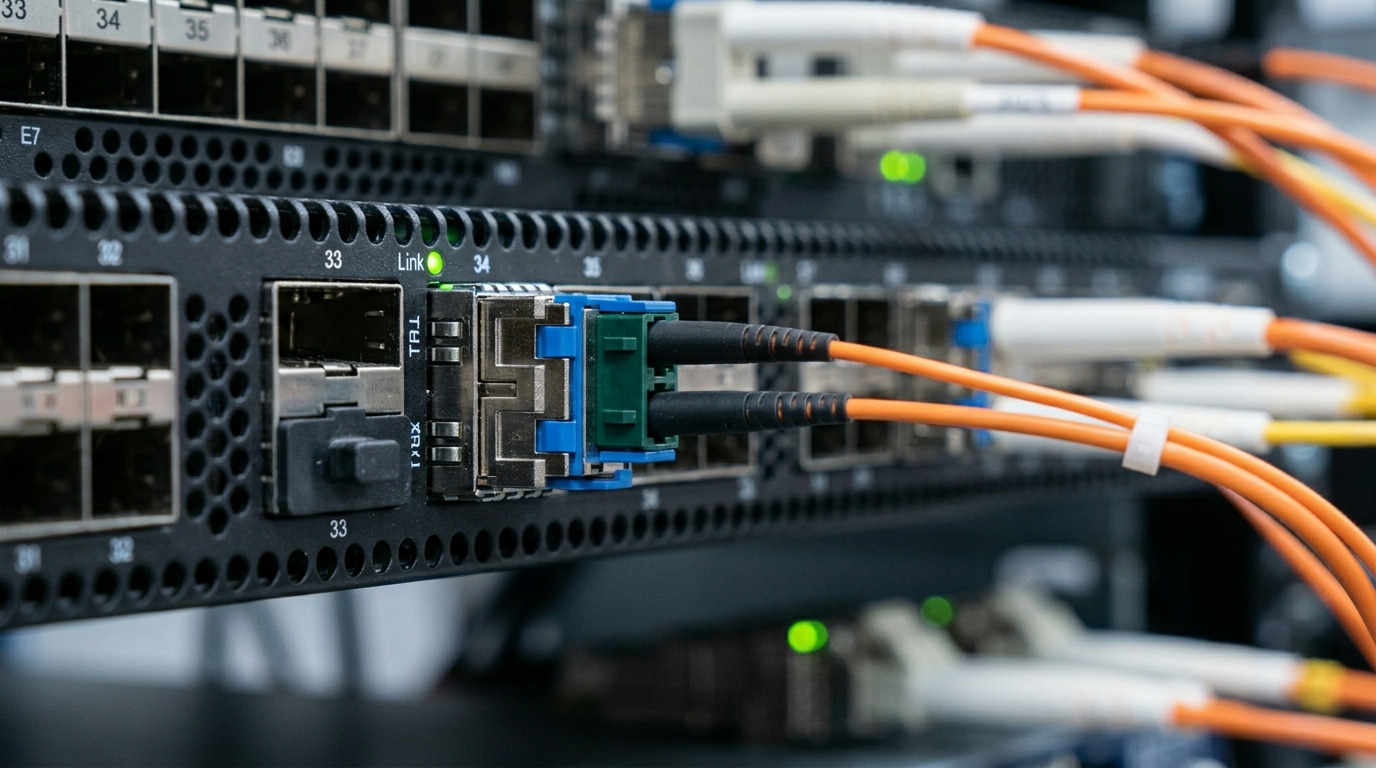
“MSA compliance” refers to the multi-source agreement rules that standardize mechanical form factors, electrical interfaces, and management/diagnostic behaviors for small form-factor optics. For pluggable optics, compliance is less about marketing and more about the host expecting a specific register map, EEPROM content, and signaling characteristics. In day-to-day operations, the host reads module identity and capabilities via the I2C management channel, then decides whether to enable laser biasing, rate selection, and alarms.
For SFP and SFP+ style modules, the cornerstone specs are SFF-8472 (DOM and general module identification) and SFF-8436 (enhanced diagnostics and safety-related behaviors for certain pluggables). For higher-density form factors (QSFP/QSFP28/QSFP-DD), the naming differs, but the operational concept remains the same: the host must trust the EEPROM and the digital monitoring data format.
SFF-8472 vs SFF-8436: how they affect real compatibility
Engineers often treat these documents as “documentation only,” but the practical impact shows up in module detection, DOM readings, and alarm thresholds. If a module’s EEPROM fields deviate, the switch may still detect it but refuse to bring the optics up, or it may display misleading DOM values that trigger proactive shutdown policies.
Where SFF-8472 matters during plug-in and DOM reads
SFF-8472 defines the common DOM behavior for SFP/SFP+ class optics, including the EEPROM layout for vendor ID, part number, wavelength, and key monitoring items. It also standardizes how the host reads laser bias current, received optical power, transmit optical power, temperature, and supply voltage. In a troubleshooting session, you can use this to distinguish “no link due to fiber” from “no link due to host rejecting the module because DOM identity/capabilities are inconsistent.”
Where SFF-8436 matters for enhanced diagnostics and thresholds
SFF-8436 extends or refines aspects of diagnostic and alarm handling so that hosts can enforce consistent safety and monitoring policies. In practice, this shows up when a platform expects specific alarm behavior (for example, thresholds for high laser bias, low received power, or temperature limits). If the module’s diagnostic implementation does not match what the host firmware expects, you can see symptoms like continuous “module inserted” state but no link, or immediate interface err-disabled events.
Key specification comparison for engineers
The table below focuses on the operational differences you verify in the field: wavelength band, typical reach, connector type, DOM/monitoring expectations, and environmental envelope. Use it as a quick reference while validating part numbers from vendor datasheets.
| Parameter | SFF-8472 (DOM/ID baseline) | SFF-8436 (Enhanced diagnostics behavior) |
|---|---|---|
| Primary scope | EEPROM identification and standard DOM register set | Refined diagnostic and alarm behavior for improved interoperability |
| Host interaction | I2C reads for module identity and monitoring values | Host policies rely on consistent alarm/threshold semantics |
| Typical impact on link | Wrong identity fields can prevent enabling laser safely | Alarm handling mismatch can trigger refusal or err-disabled |
| Wavelength bands (common) | 850 nm (SR), 1310 nm (LR), 1550 nm (ER) | Same bands depending on optic; diagnostics behavior is what changes |
| Reach (typical examples) | 10 km (LR class), 40 km+ (ER class) depending on optic | Varies by optic; verify with the module datasheet |
| Temperature range | Commercial or industrial variants; check module label | Verify the specified operating envelope matches your site |
| Data rate | SFP/SFP+ families commonly 1G/10G | Applies to specific pluggable generations that implement the enhanced model |
Authoritative references for the underlying intent are available from the SFF committee documents and vendor implementation notes. For practical host expectations, also consult the switch platform transceiver compatibility matrix and the module vendor DOM register documentation. [Source: IEEE 802.3] and [Source: Finisar/II-VI and SFP module vendor datasheets]
Deployment scenario: what breaks during a leaf-spine migration
In a 3-tier data center leaf-spine topology with 48-port 10G ToR switches and 2 uplinks per ToR, a migration team replaced legacy 10G SR optics with new third-party modules during a weekend window. The site used OM4 multimode fiber with a measured worst-case channel attenuation of about 1.8 dB at 850 nm after patching. On Monday, 6 uplinks showed “link down” while the physical layer counters indicated no receive signal. The modules were detectable, but DOM alarm thresholds did not match the switch’s expected semantics, causing the platform to keep the port in a protective state.
After swapping those modules to an MSA compliance optical transceiver model explicitly validated against the switch family, DOM reads aligned and the ports enabled laser bias correctly. The lesson is that “it shows as present” is not proof of interoperability; the host uses the DOM and alarm model to decide whether the transceiver is safe to operate.
Selection criteria checklist for an MSA compliance optical transceiver
- Distance and link budget: Use measured fiber loss and patch cord specs; verify the module’s minimum receiver sensitivity and maximum launch power from the datasheet.
- Switch compatibility matrix: Confirm the exact part number is listed for your switch model and software release; do not assume form-factor alone.
- DOM support and diagnostics model: Validate that the module implements the expected DOM register map and alarm semantics aligned with SFF-8472 and SFF-8436 for your pluggable generation.
- Connector and lane rate: Match connector type (LC/SC), data rate (10G/25G), and whether the host expects specific electrical characteristics.
- Operating temperature: Industrial modules may be required for hot aisle or top-of-rack zones; verify the rated range on the label.
- DOM accuracy and refresh behavior: In monitoring systems, confirm whether the values update at expected intervals and whether thresholds are consistent.
- Vendor lock-in risk: OEM modules reduce compatibility risk, but third-party can be viable when you test in a controlled pilot and standardize part numbers.
Common pitfalls and troubleshooting tips
These failure modes are common in the field because the symptom often looks like a “fiber problem,” while the root cause is interface semantics.
-
Pitfall: Port detects module but never comes up
Root cause: EEPROM identification fields or capability bits do not match what the host expects, so the platform refuses to enable transmit safely.
Solution: Compare the module vendor part number to the switch compatibility matrix; verify DOM registers via I2C in a lab, not only in production. -
Pitfall: DOM shows values, but alarms trigger immediately
Root cause: Diagnostic thresholds or alarm semantics differ from the host’s expectation under SFF-8436-style behavior.
Solution: Validate alarm behavior in a pilot; if possible, use the vendor’s documented DOM register implementation and confirm threshold mapping. -
Pitfall: Intermittent link during temperature swings
Root cause: Module is outside its operating temperature range or the host applies conservative power/laser bias limits.
Solution: Confirm the module temperature rating (commercial vs industrial) and check airflow; log temperature and optical power over time. -
Pitfall: Works on one switch, fails on another
Root cause: Different firmware versions enforce different compatibility policies even when the physical interface is identical.
Solution: Standardize software versions during testing; validate against each target platform model.
Pro Tip: In most bring-up cases, confirm interoperability by correlating DOM alarm state with link events. If the port flaps exactly when Tx/Rx power crosses a threshold, you likely have a diagnostics semantics mismatch rather than a marginal fiber.
Cost and ROI note: OEM vs third-party transceivers
Pricing varies by data rate and distance, but a realistic budgeting range for 10G optics is often $40 to $150 per module depending on reach and brand, with OEM typically higher. Over a 3 to 5 year lifecycle, TCO depends on failure rates, warranty handling, and time-to-repair during change windows. Third-party modules can reduce purchase cost, but the ROI improves only if your pilot testing proves MSA compliance optical transceiver behavior matches your specific switch firmware policies.
For example, if an OEM module costs 2x but reduces field troubleshooting time by 60 percent during migrations, the labor savings can outweigh the unit price differential, especially when ports are down during business hours. Always include spares, RMA lead times, and the operational overhead of maintaining multiple part-number variants.
FAQ
Q: How do I verify an MSA compliance optical transceiver beyond “it fits the port”?
A: Check the switch compatibility matrix for the exact part number and validate DOM behavior using I2C reads in a test window. If alarms or thresholds behave unexpectedly, the module may not implement the intended SFF-8472/SFF-8436 semantics for your host.
Q: Does SFF-8472 guarantee full interoperability?
A: It provides the baseline for identification and standard DOM register expectations, but host platforms may enforce additional diagnostic semantics consistent with SFF-8436 behavior. Always confirm with the target switch model and software release.
Q: What are the most common symptoms of a diagnostics mismatch?
A: Ports may detect the module but never enable transmit, or they may err-disable after reading DOM alarms. You may also see DOM values that look plausible but do not trigger the same threshold logic as the host expects.
Q: Can I mix vendors for the same link type across a fleet?
A: You can, but only after you standardize part numbers and validate in a pilot. Even with the same wavelength and reach class, alarm semantics and EEPROM fields can differ.
Q: Where should I look first during troubleshooting?
A: Start with DOM alarm status and link event correlation, then verify fiber cleanliness and attenuation. If DOM indicates threshold-driven refusal, treat it as interoperability before replacing cables.
Q: Are there any standards beyond SFF-8472/SFF-8436 that matter?
A: Yes. The Ethernet physical layer requirements are grounded in IEEE 802.3, and some hosts enforce additional optical safety and power class rules. Use vendor datasheets for optical power and receiver sensitivity details aligned to your wavelength band.
For deeper planning on optics selection, see how to choose fiber optic transceivers for high-density data centers.
Author bio: I have deployed and validated pluggable optics across mixed-vendor switch fleets, focusing on DOM interoperability, alarm semantics, and field troubleshooting under real thermal and cabling constraints.
Author bio: My work emphasizes measurable link budgets, EEPROM/DOM verification workflows, and change-management practices aligned with
